2
4
3
5
75Ver. 1.01
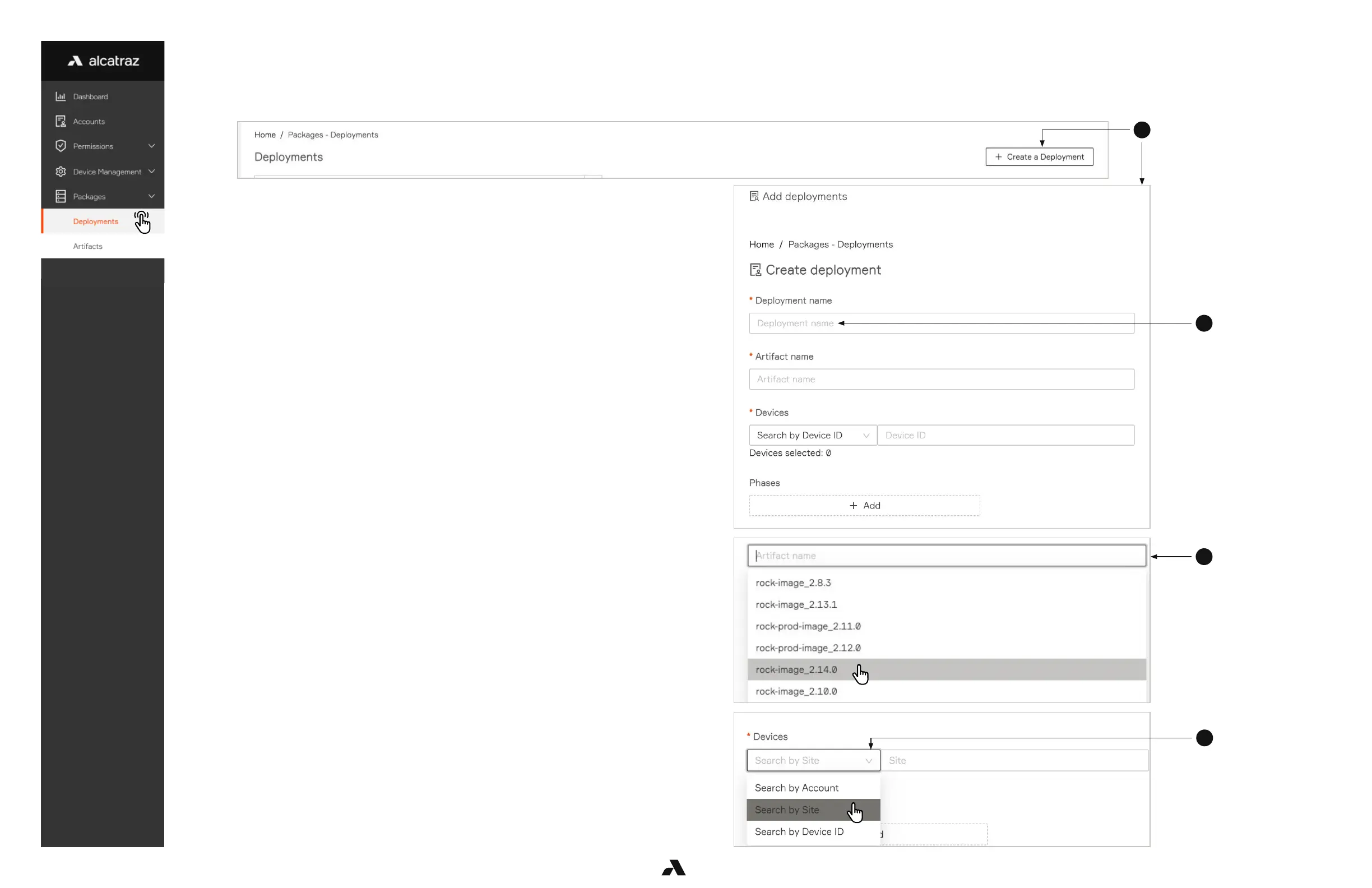
1. Go to Packages –-> Deployments – The list displays deployments that have been scheduled in the past.
2. Click Create a Deployment and the Add deployments side pane will open up.
3. Enter a Deployment name – this can be anything but best practice is to use
Rock name and firmware version number.
4. Select the Artifact Name – this is the firmware for updating the Rock.
5. In Devices drop down menu, select Search by Site and then start typing to
see the site name. Optionally search by Account or Device ID.
6. A list of Rocks in the Site will be displayed. Make sure ALL Rocks that need to
be updated are selected before clicking Submit.
7.2 — Update the Rock Firmware



 To Next Page