2
3
4
55Ver. 1.01
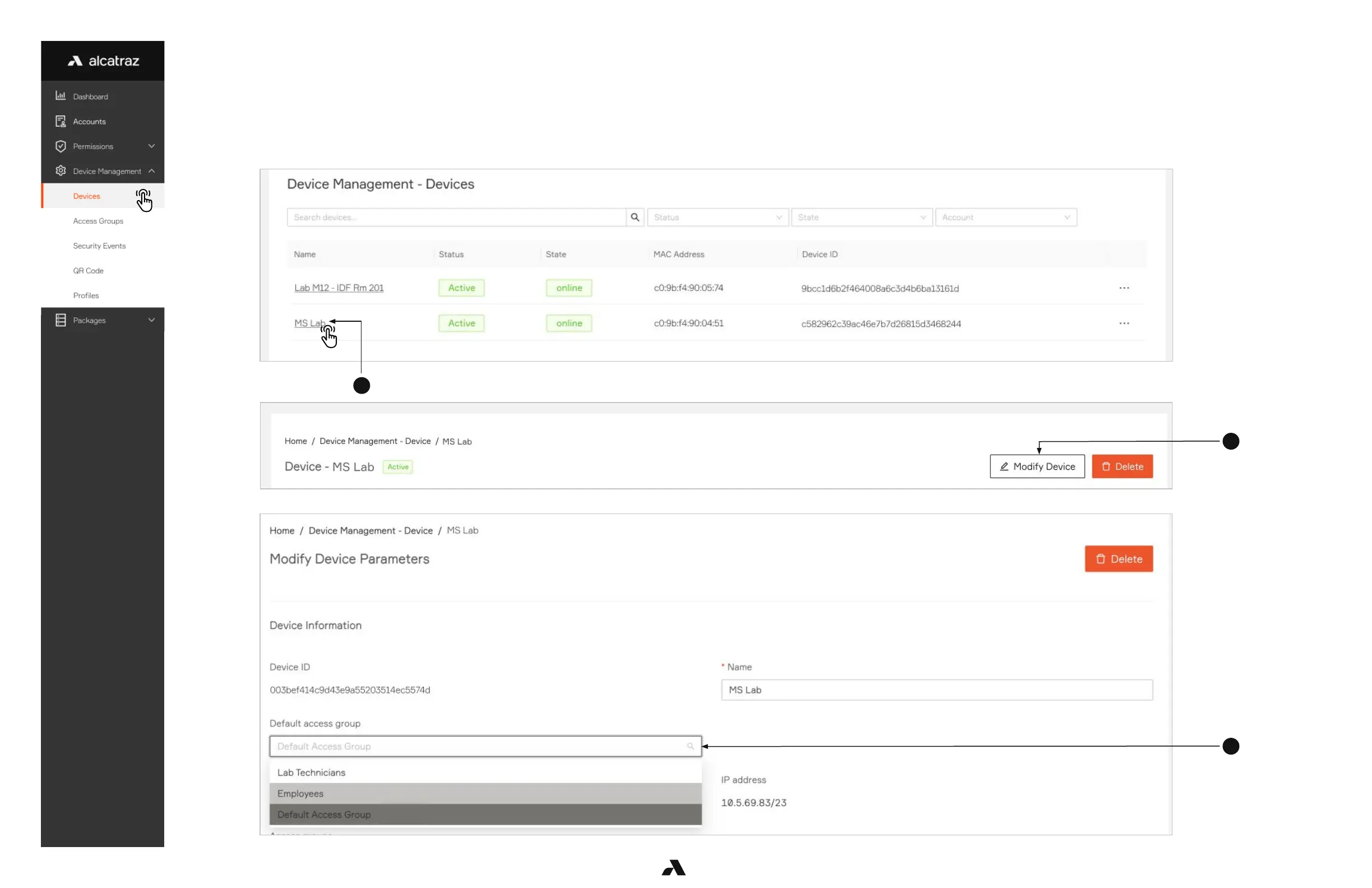
6.2.4 — Change Default Access Group
1. Go to Device Management -–> Devices
2. Click on the Name of the Rock to open the Rock’s info page
3. Click on Modify Device to open up the configurations page
4. In Default access group, change the Access Group to another from the drop down
Note that any embedded Access Groups will also have the same access as the parent Access Group.



 To Next Page