1
3
72Ver. 1.01
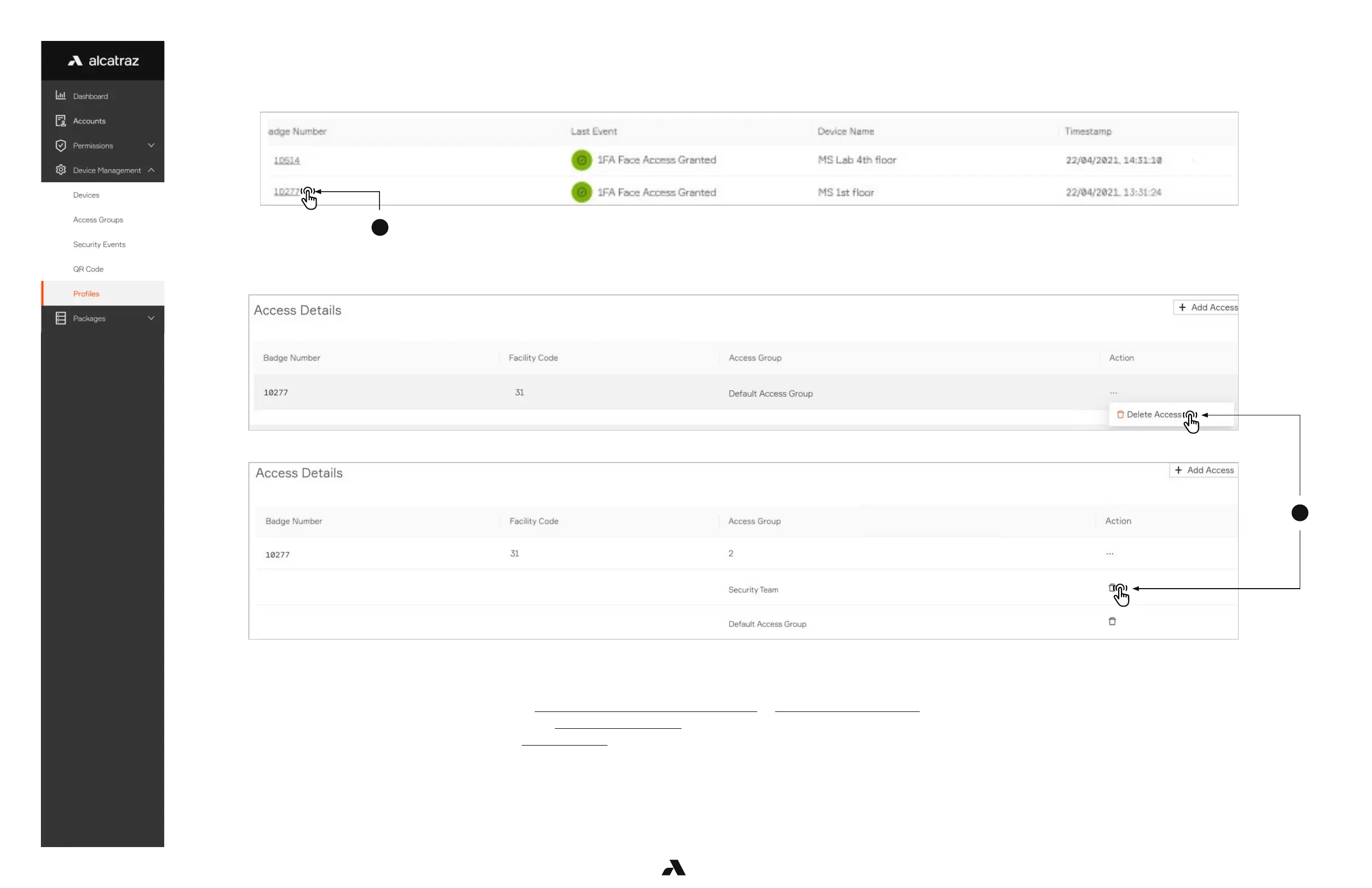
Delete Access Group
1. Select the Badge Number to open the profile record.
2. Scroll down to the Access Details section to see the access groups the user belongs to.
3. Select Delete Access to delete all or the trash can to delete the selected Access Group.
6.5.5 — Troubleshooting Tips
For generating profiles through enrollment, follow Mode Setting - 1FA (for auto-enrollment) or Mode Setting - Enrollment.
If the badge number is not displayed correctly, review Configure Card Format.
If a profile is not created, check if there are the Security events for enrollment.
■ Profiles are not created in Demo mode.
■ Auto-enrollment requires a minimum of 4 New Enrollment events.
■ Manual enrollment requires 1 New Enrollment (2FA) event.



 To Next Page