34Ver. 1.01
6.1.1.7 — Mode Setting – Enrollment
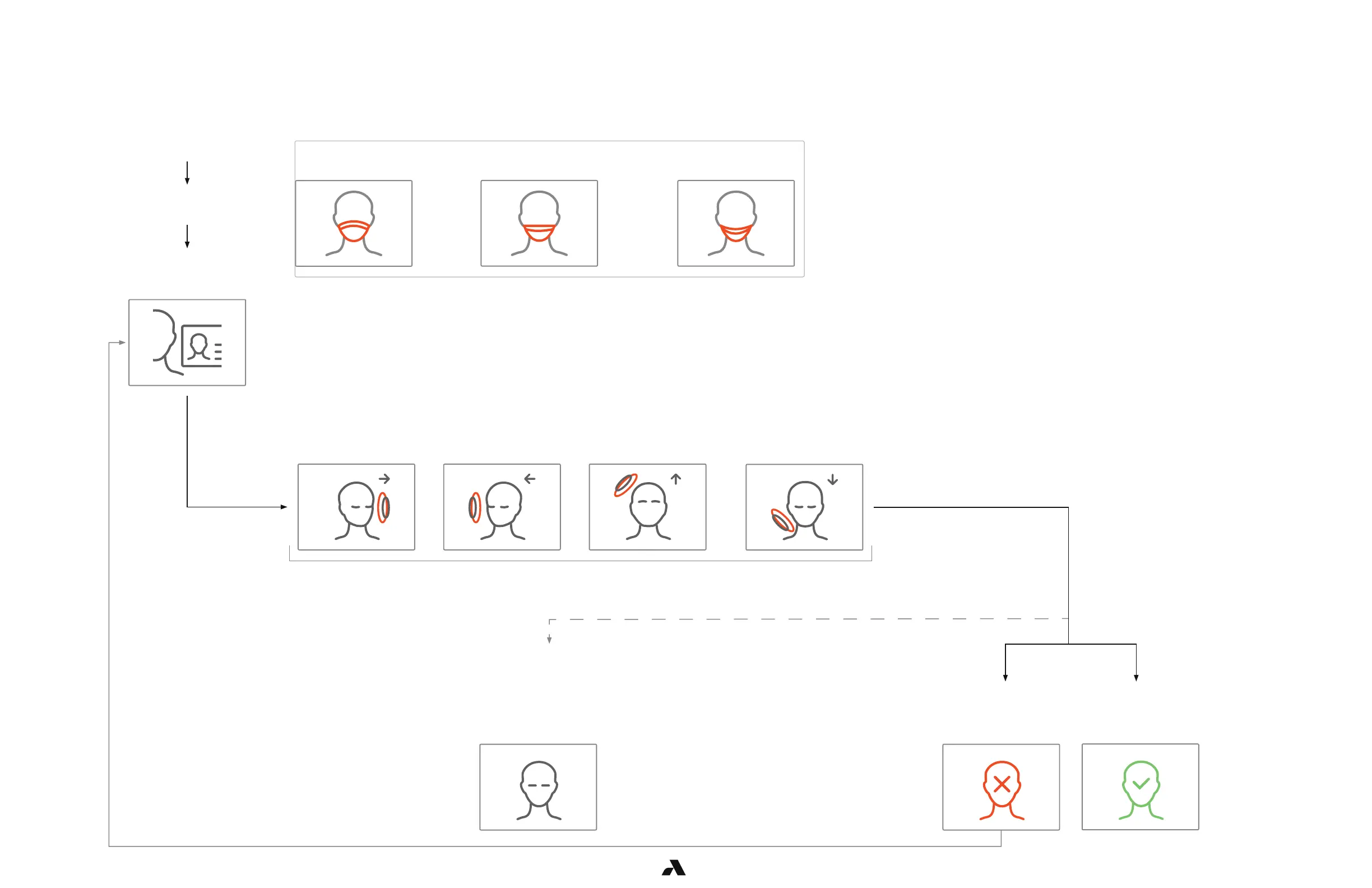
When the Rock mode is enrollment, the Rock will only enroll users. This is referred to as manual enrollment.
A Rock is designated as an enrollment station when set in enrollment mode.
Successfully enrolled
Swipe your badge and
follow the instructions
on the display
Stand in front of the
Enrollment Station
Start your Enrollment
Look DownLook UpLook LeftLook Right
Enrollment Completed
You must do enrollment
steps again
Enrollment Failed
Wait for processing to
complete. Enrollment may
be successful or you may
need to perform steps
again
Enrollment Processing
Every time you stand in front of the Rock, if you have a mask on, this animation shows up. You need
to remove the mask before you can continue.



 To Next Page