3
5
4
6
54Ver. 1.01
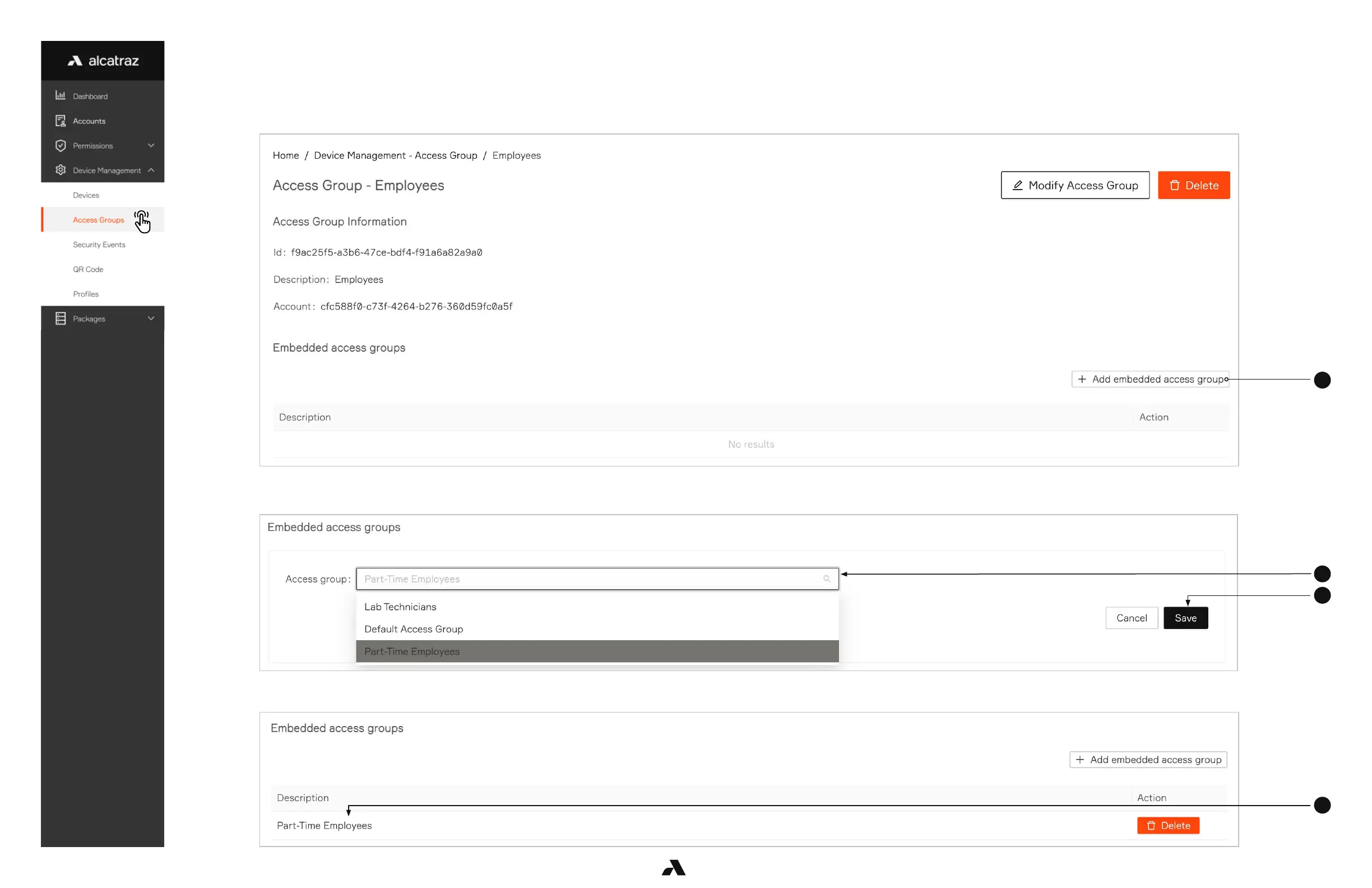
6.2.3 — Embedded Access Groups
1. Go to Device Management -–> Access Groups
2. Select Access Group to open the Access Group Information page
3. Click on Add embedded access group
4. Select from the drop-down. The Access Group must be created first in order to appear in the list.
5. Click Save
6. View in the embeddded access group.



 To Next Page