64Ver. 1.01
Present to the Rock by:
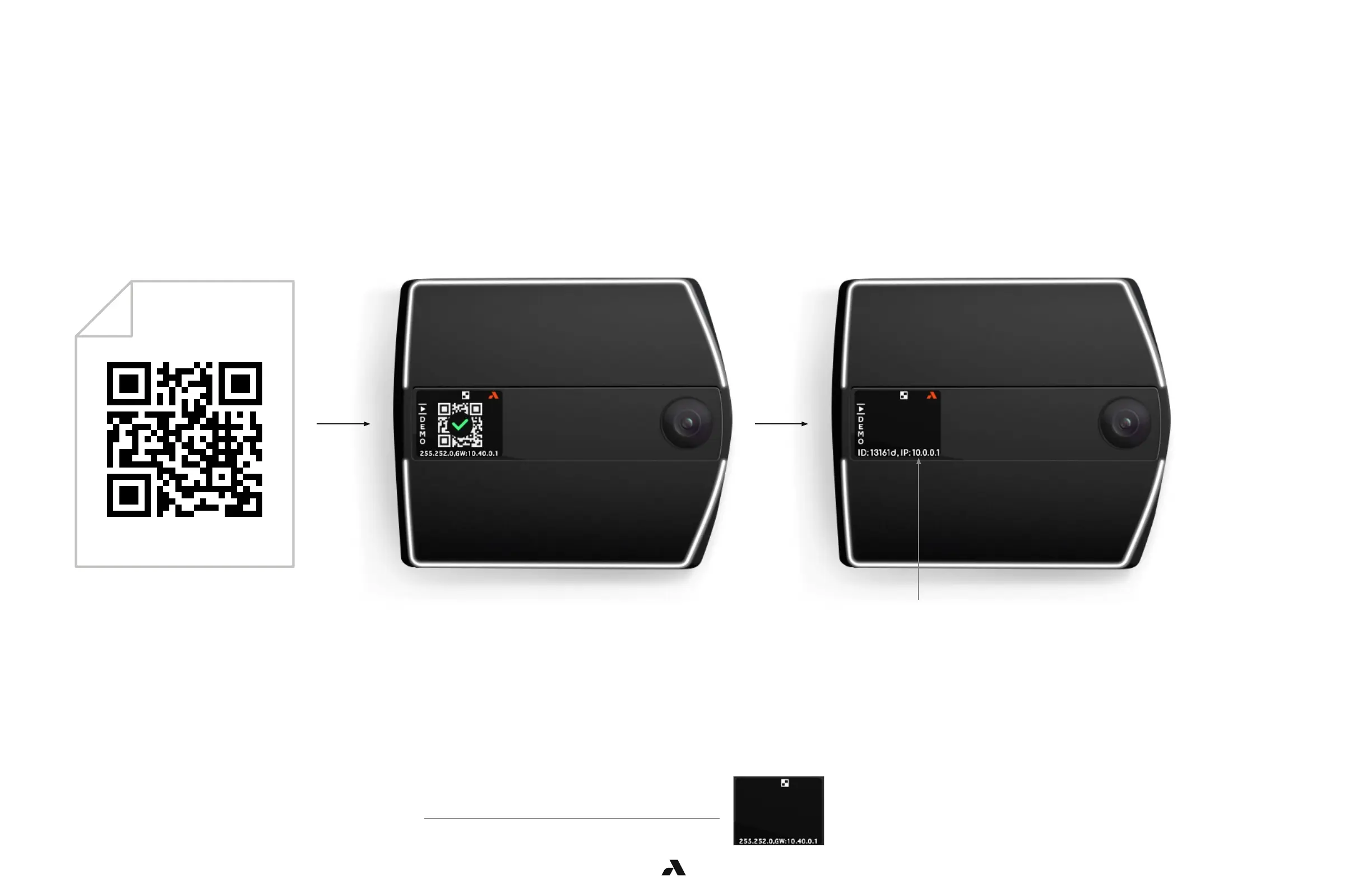
■ Printing it out on a piece of paper
■ Laptop
■ Mobile device
Note: The recommended method is to print out on a piece of paper.
The glare off screens of laptops and mobile devices may prevent the Rock from scanning the code reliably.
■ A Rock must display the QR Code Receptive icon to be able to scan a QR code. If the icon is not shown on the display,
the Rock cannot scan in the QR code.
■ To activate QR Code Receptive icon, go to Advance Options – Enabling and Disabling QR Code Receptive Icon.code.
6.4.3 — Present QR Code to the Rock’s Camera
6.4.4 — When can the Rock read a QR code?
When the Rock has read the QR code successfully, the display
will show the QR Config Accepted icon.
Check the IP information scrolling near the bottom of the display
and verify that the information is correct for the Rock to connect
to the server where the Alcatraz AI Admin Portal resides.



 To Next Page