3
4
2
80Ver. 1.01
8.1 — Enabling or Disabling QR Code Receptive Icon
The Rock can read a QR code when the QR Code Receptive icon is shown in the display.
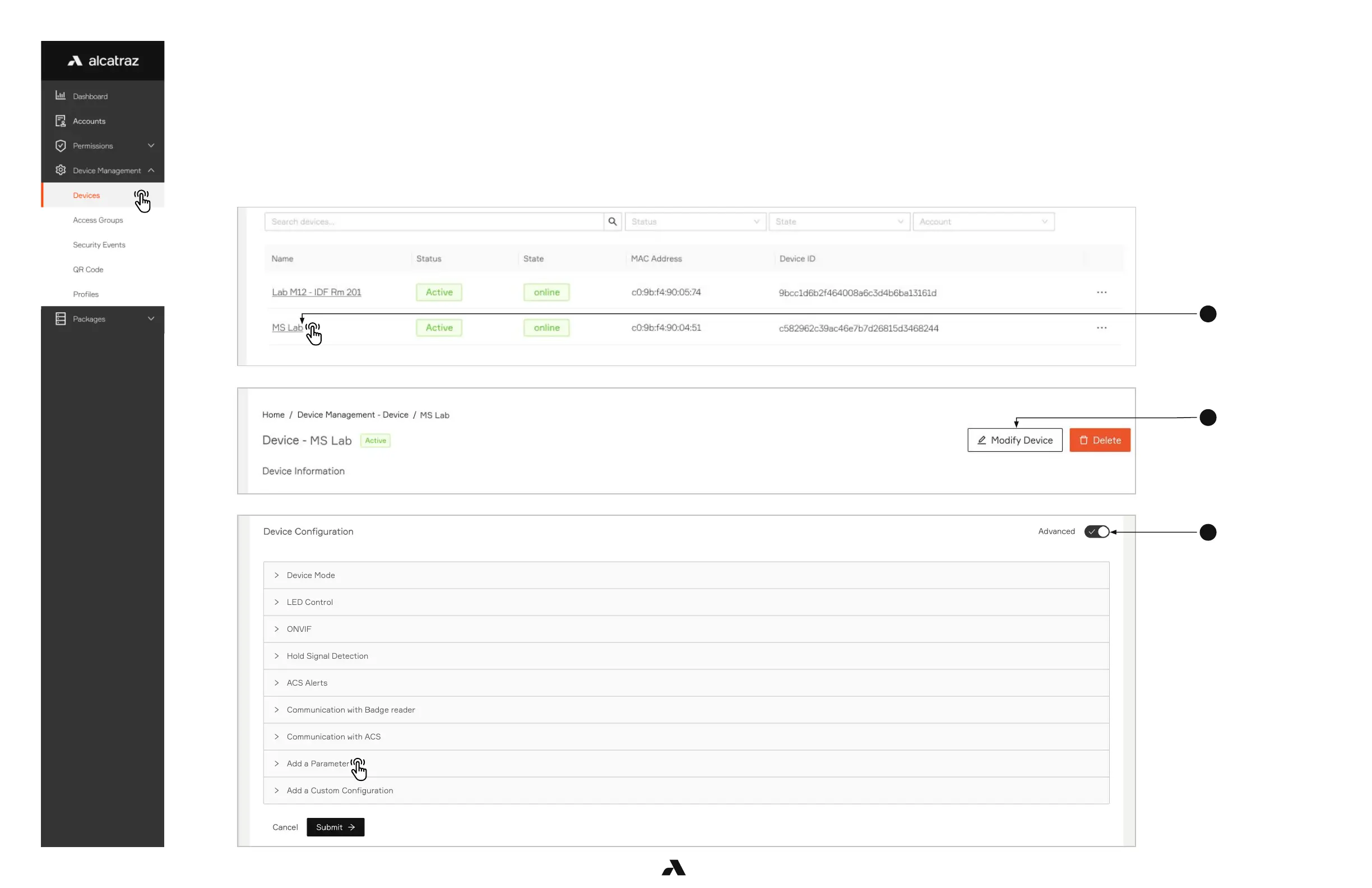
To enable the icon, do the following.
1. Go to Device Management –-> Devices
2. Click on the Name of the Rock to open the Rock’s info page.
3. Click on Modify Device to open up the configurations page.
4. Scroll down the page to Device Configuration and on the right side of the page, slide the Advanced slider to on.
5. Scroll down to Add a Parameter.



 To Next Page