2
3
36Ver. 1.01
The Rock has a Ring of LEDs that will change color depending on what controls the color change. That is, the Rock could be configured to control the color change and
ignore any color signals from the ACS, or it can be configured to change colors based on feedback from the ACS, or it could be configured so that the LED color changes
are controlled by the ACS.
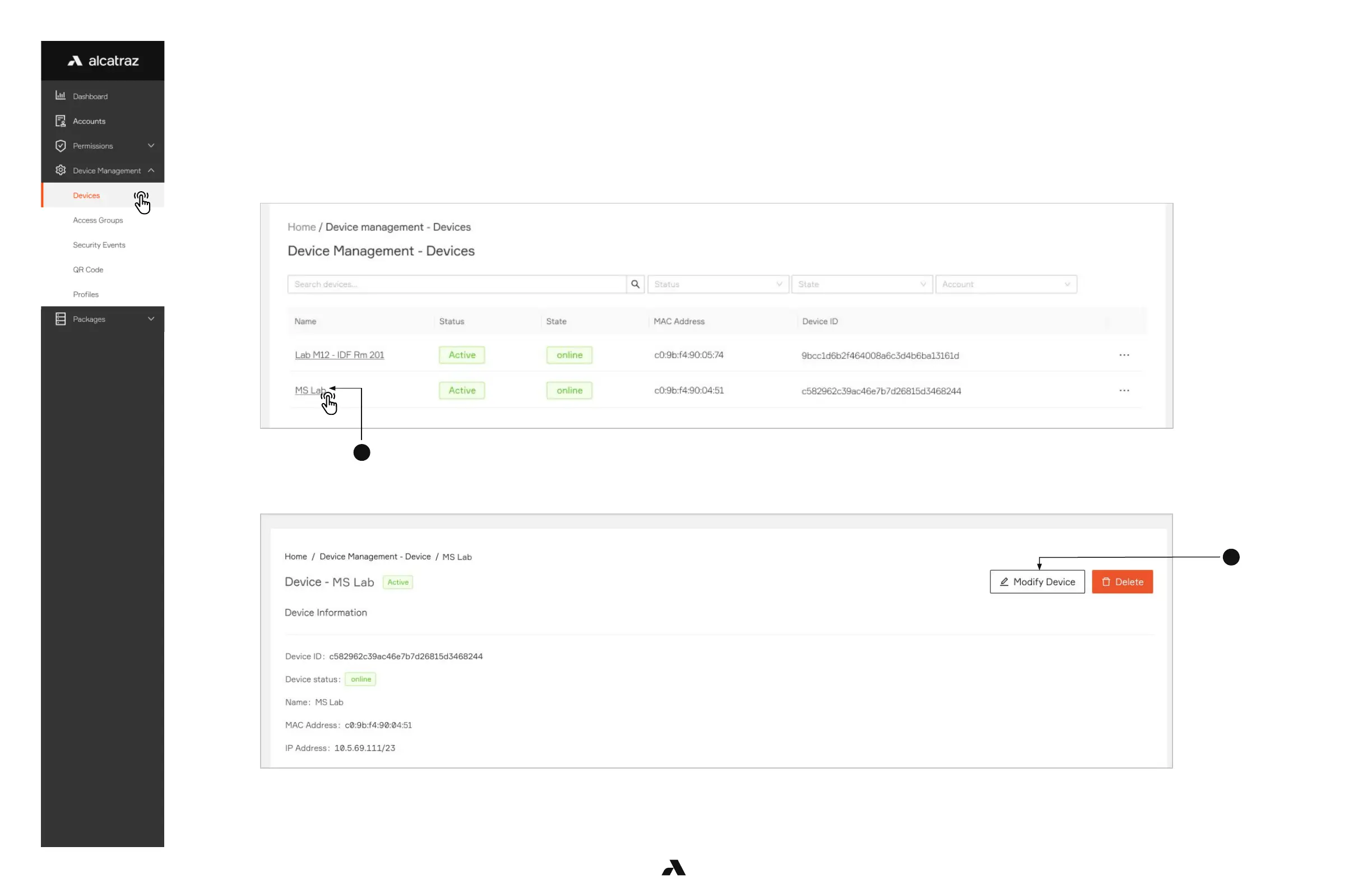
1. Go to Device Management and select Devices.
2. Click on the Name of the Rock to open the Rock’s info page.
3. Click on Modify Device to open up the configurations page.
6.1.2 — LED Control



 To Next Page