4
5
6
37Ver. 1.01
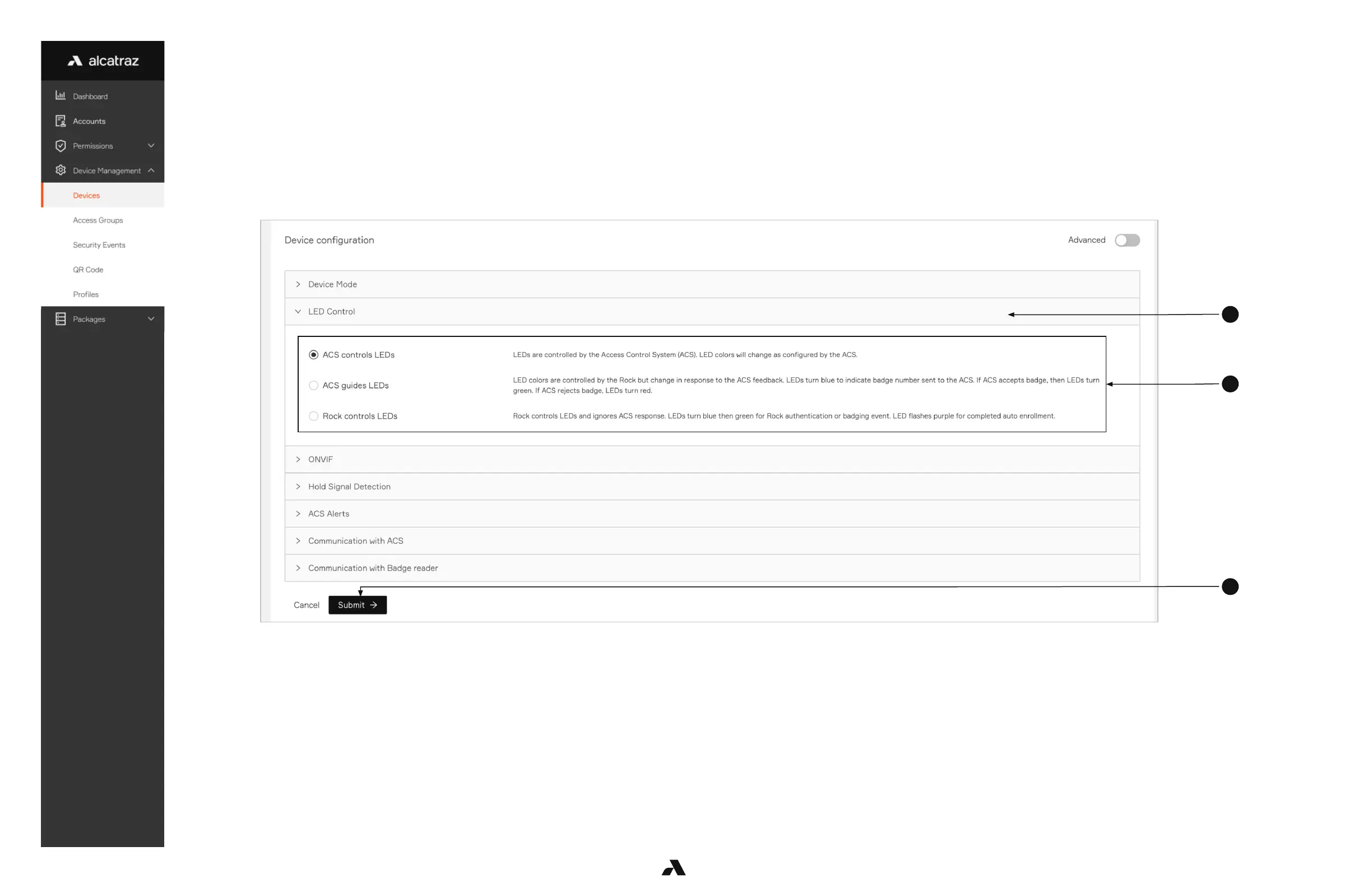
4. Scroll down the page to Device Configuration and expand the LED control section
5. Select one of the LED Control setting
a. ACS controls LEDs – this is the default mode of the Rock, the LEDs are controlled by the ACS so changes in the LED color seen should be
checked with ACS configurations
b. ACS guides LEDs – LED color change is in response to ACS feedback. The Rock will display green in response to a badge accepted by the ACS
and red if rejected.
c. Rock controls LEDs – LED color is controlled by the Rock. LEDs will turn blue then green for badging and authentication event. It will also display
purple for a person who has completed auto-enrollment.
6. Click Submit when done



 To Next Page