7Ver. 1.01
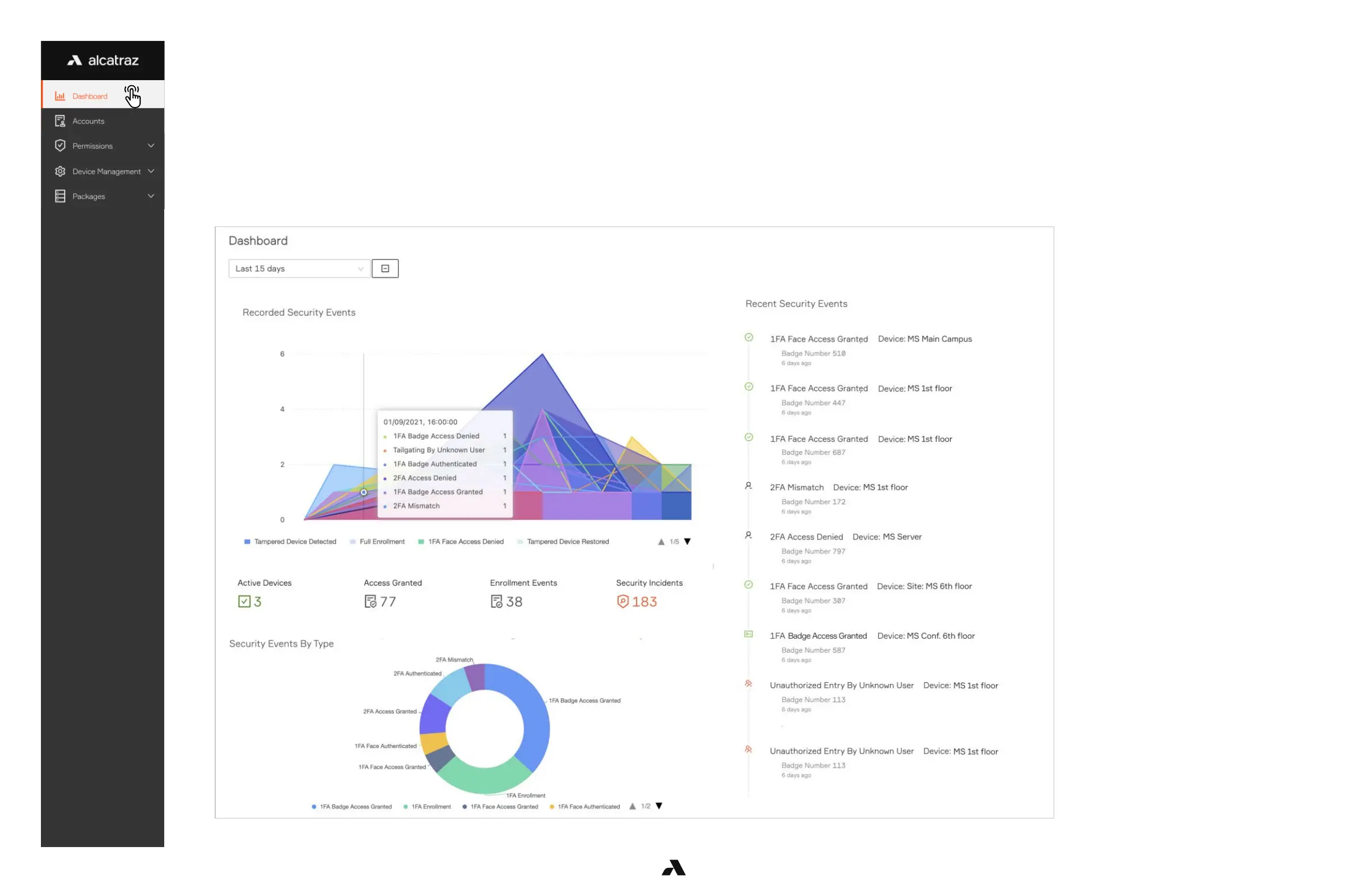
The dashboard is the landing page after logging in to the Alcatraz AI Admin Portal. This page provides a summary of metrics and security events information.
Recorded Security Events
■ Hover your cursor over the graph to get metrics for the security events over time or filter on a timeframe by selecting from the drop-down menu
■ Click on the security event names to filter out the events you do not wish to view on the graph.
Recent Security Events
■ View Recent Security Events as they occur on the right-hand side
■ Click on the event to view additional info including the image
Security Events by Type
■ Hover your cursor over the donut to get metrics for the security events by the different types
■ Click on the color-coded circles or security event name to gray and filter out the security events from the donut
Please note that the information displayed on the dashboard varies with access permissions associated with user roles.



 To Next Page