A P P L I C A T O R – O p u s P l a s m a
O p u s - I n s t r u c t i o n s f o r U s e D - 4 | P a g e
After making your tip selection, the program will advance to the screen depends on the selected tip.
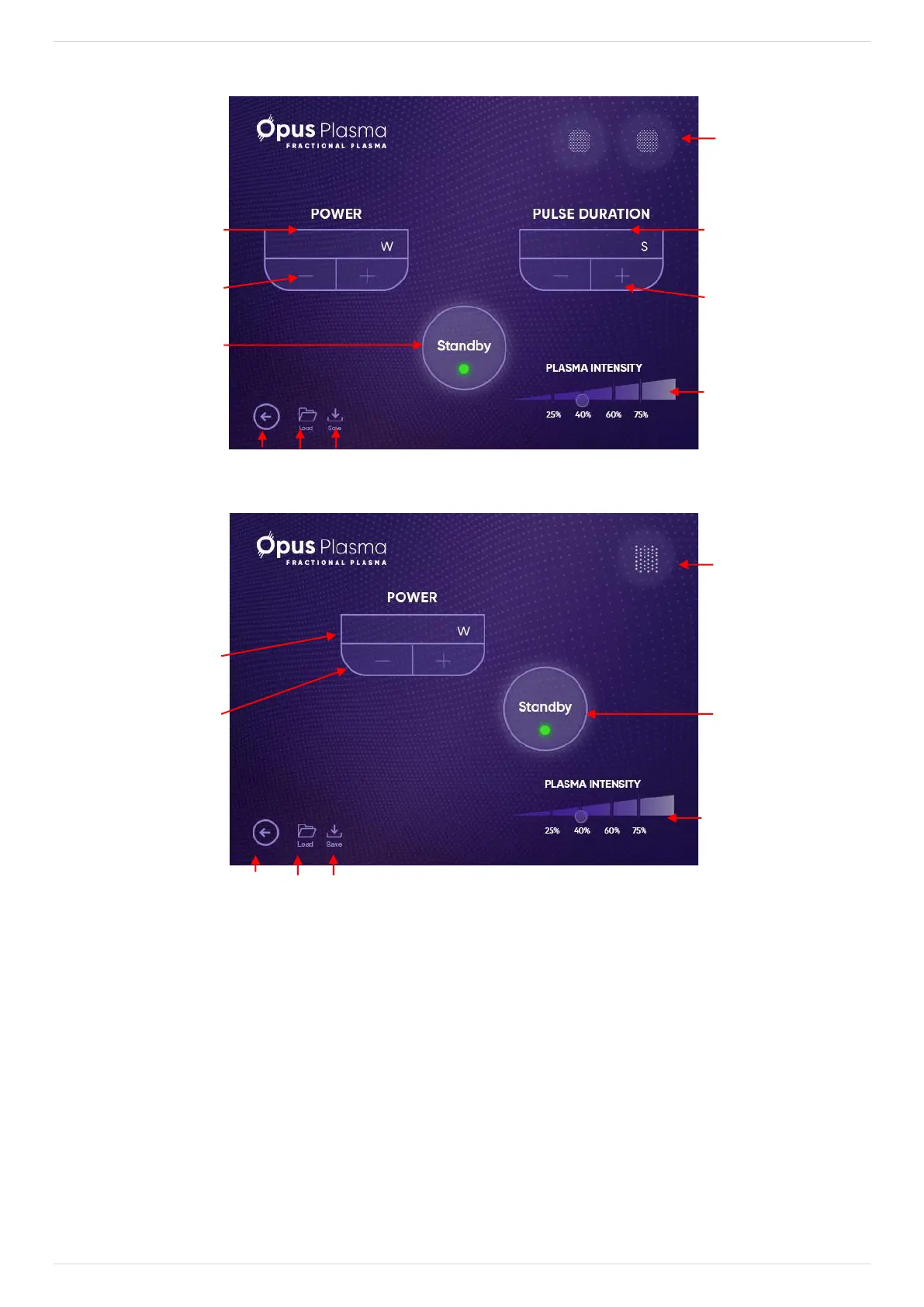
Figure D-7: FOCUS & FOCUS:IN Tips Screen
Figure D-8: GLIDE Tip Screen
The following is a description of the screen's elements, as indicated by the numbered arrows:
1. Treatment Tip Identifier – displays which type of tip is currently selected.
2. Parameter Value Selection – press the (+) or (-) keys to change the Power and Pulse
Duration.
3. Power– indicates the selected power (in Watts).
4. Pulse Duration – indicates the selected treatment time (in Seconds).
5. Plasma Intensity – indicates RF intensity to be delivered. At each intensity level the bar
will change from Thermal (25%) to Ablative (75%):
• Thermal is the lowest intensity of the ablative spark at the preinstalled RF power.


 To Next Page