Commissioning
32 Amatron+ BAG0063.1 03.10
5.5.3 Calibrate permanent fertiliser (online calibration)
Only for ZA-M Profis:
The calibration value is recalculated continuously
during online weighing, as is the dispensed
quantity. The required slider position is matched
online.
Machine data menu
,
page
three
:
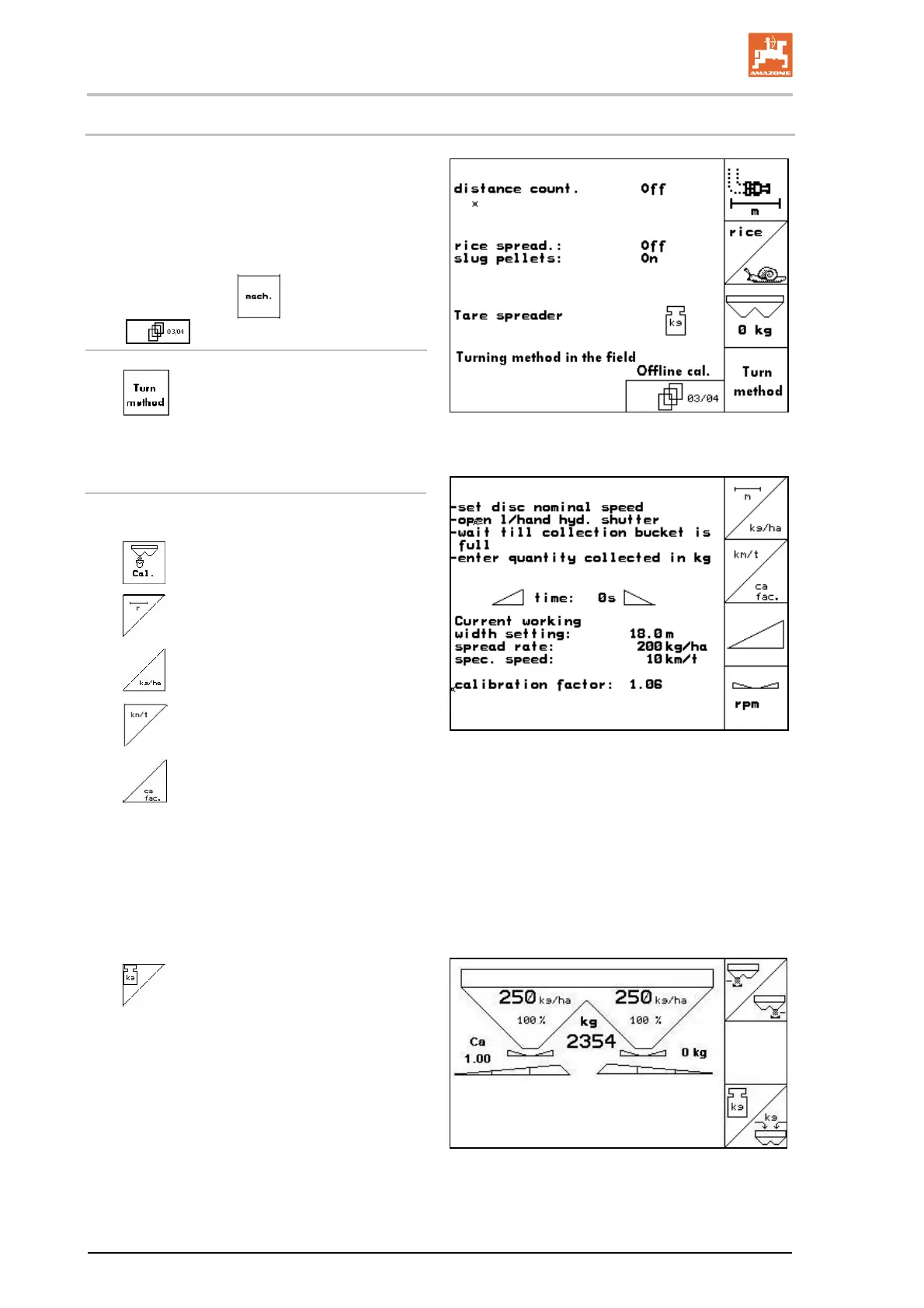
Online calibration mode
Activate online calibration if a permanent calibra-
tion is to be made during spreading.
Fig. 35
Online calibration mode active:
Before online fertiliser calibration:
Select the fertiliser calibration menu.
1.
Check/enter the working width.
2.
Check/enter the spreading quantity.
3.
Check/enter the intended speed.
4.
Enter calibration factor for determin-
ing exact factor, e.g. 1.00.
To enter the calibration factor,
take the calibration factor (quantity fac-
tor) from the setting chart.
values based on experience can be
used.
Fig. 36
Start online calibration in the work
menu (Fig. 37) when you start spreading.
Fig. 37



 To Next Page