Commissioning
Amatron+ BAG0063.1 03.10 37
5.6 Service Setup
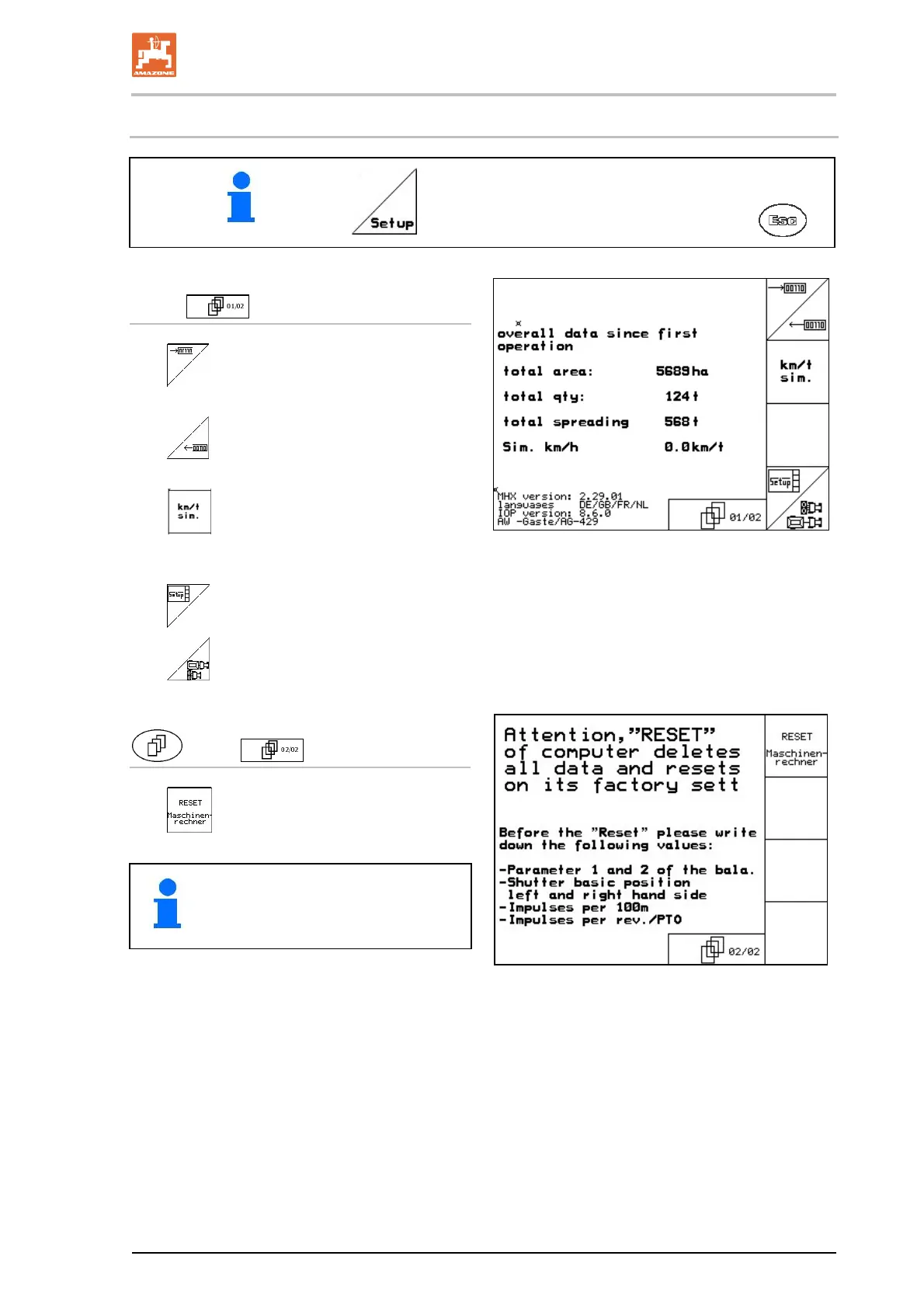
In the main menu, select Setup and confirm with .
Page 1
(Fig. 45)
Diagnosis computer input (only for
customer service).
Diagnosis computer output (only for
customer service).
Enter simulated speed (allows con-
tinued spreading despite faulty distance
sensor, see page 71).
Terminal setup (see page 40).
Enter basic data
(see page 38).
Fig. 45
Page 2 (Fig. 46)
Reset the machine computer to fac-
tory settings.
All entered and generated data (jobs,
machine data, calibration values, set-
up data) will be lost.
Fig. 46
Note the following details beforehand:
Parameter 1 and 2 for the scales
Pulses for basic left and right slide setting
Pulses per 100 m
Pulses per revolution of the power take-off.


 To Next Page