Use on the field
Amatron+ BAG0063.1 03.10 45
6.2 Functions in work menu
6.2.1 Slide gate (ZA-M Comfort, Hydro only)
Both slide gates open/shut
,
Slide gate left/right, open/shut
Open slide gates before use,
and drive off
once the spreader discs have reached the
correct speed
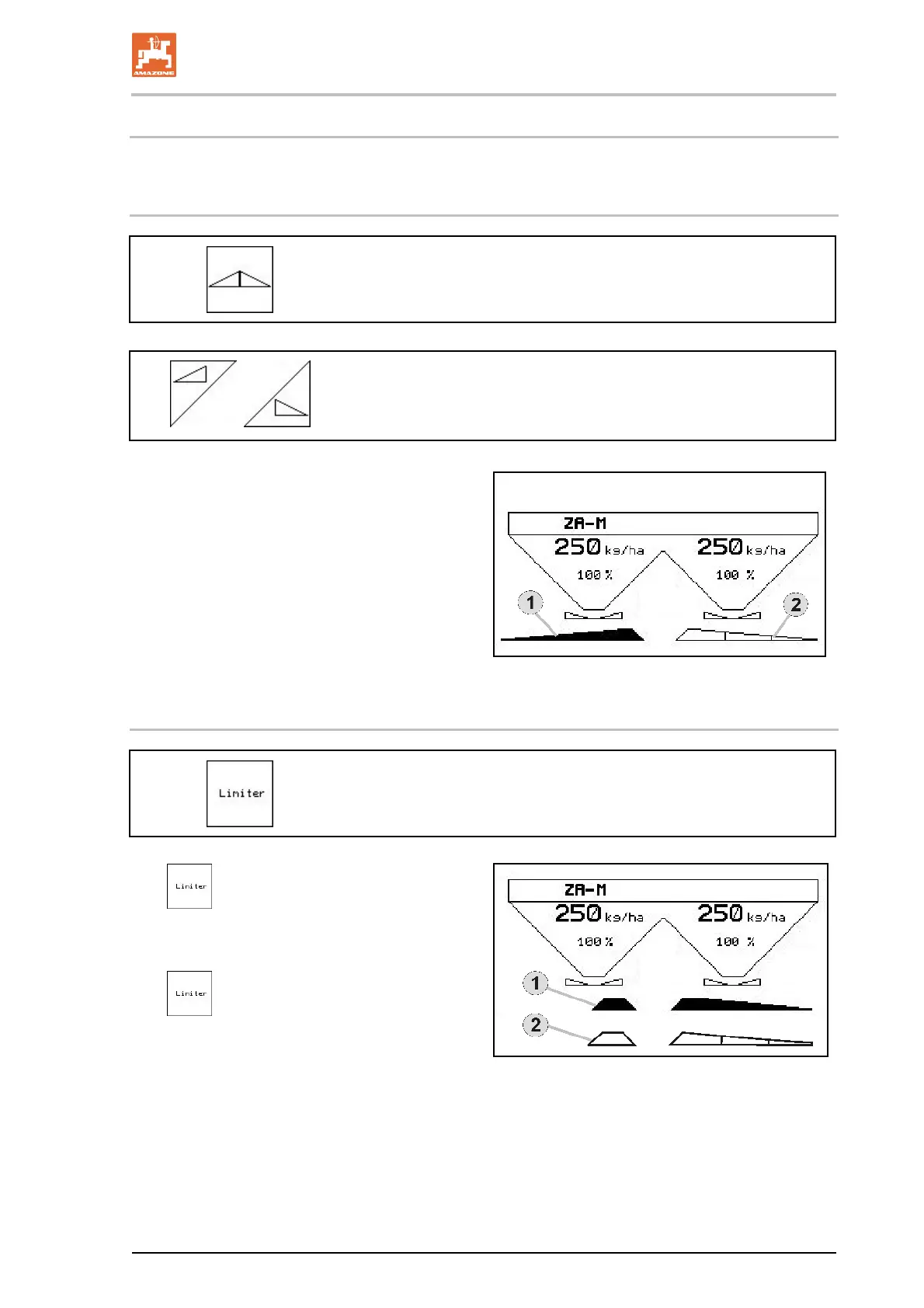
Fig. 59/…
(1) Display Slide gate left open.
(2) Display Slide gate right closed.
Fig. 59
6.2.2 Boundary spreading with limiter
Boundary spreading with limiter on/off (ZA-M Comfort only)
1.
Lower the limiter before boundary
spreading.
2. Carry out boundary spreading.
3.
Raise the limiter after boundary
spreading.
Before use, set the lowered limiter according to
the settings chart, then raise it again
Fig. 60/…
(1) Display Limiter lowered during bo
undary
spreading
Limiter sensor must be fitted.
(2) Display. Limiter lowered with sliders closed.
Limiter sensor must be fitted.
Fig. 60



 To Next Page