Commissioning
40 Amatron+ BAG0063.1 03.10
5.7 Terminal set-up
,
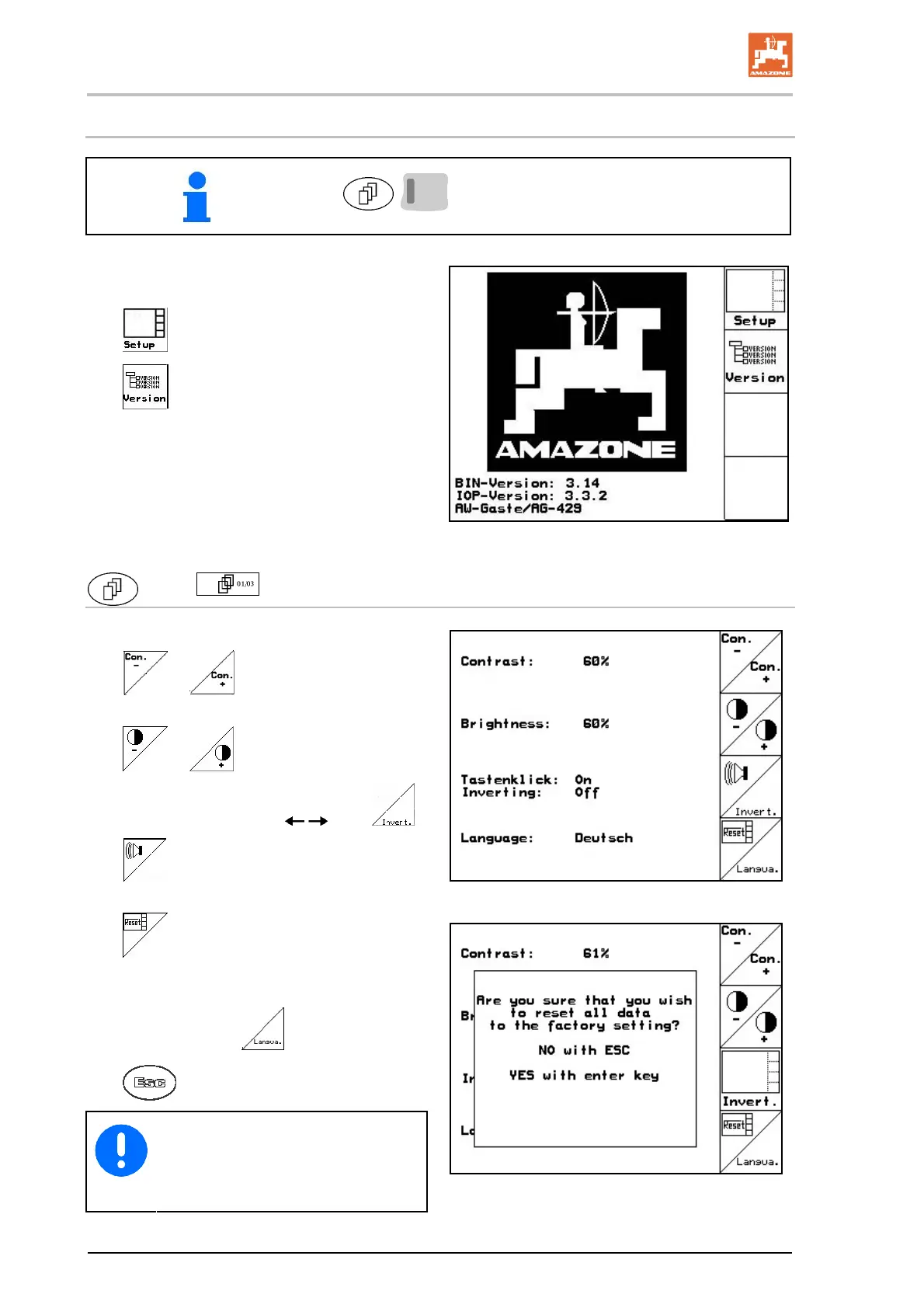
Press Scroll and Shift simultaneously.
Terminal Set-up is used to change display set-
tings.
Change display settings.
Display devices and software ver-
sions on the bus.
Fig. 50
Page 1
of Terminal set-up
Set the contrast via the function fields
or .
Set the brightness via the function fields
or .
Invert the display black
white .
Key for sound on/off
Delete the stored data via the function field
(see page 2 in Set-up menu, page
37).
Set the language of the user interfac
e via
the function field
.
Exit Terminal set-up menu.
The Terminal reset function resets all
terminal data to the factory settings.
No machine data are lost.
Fig. 51
Fig. 52



 To Next Page