AMDV960H4 User Manual
www.amcrest.com 18
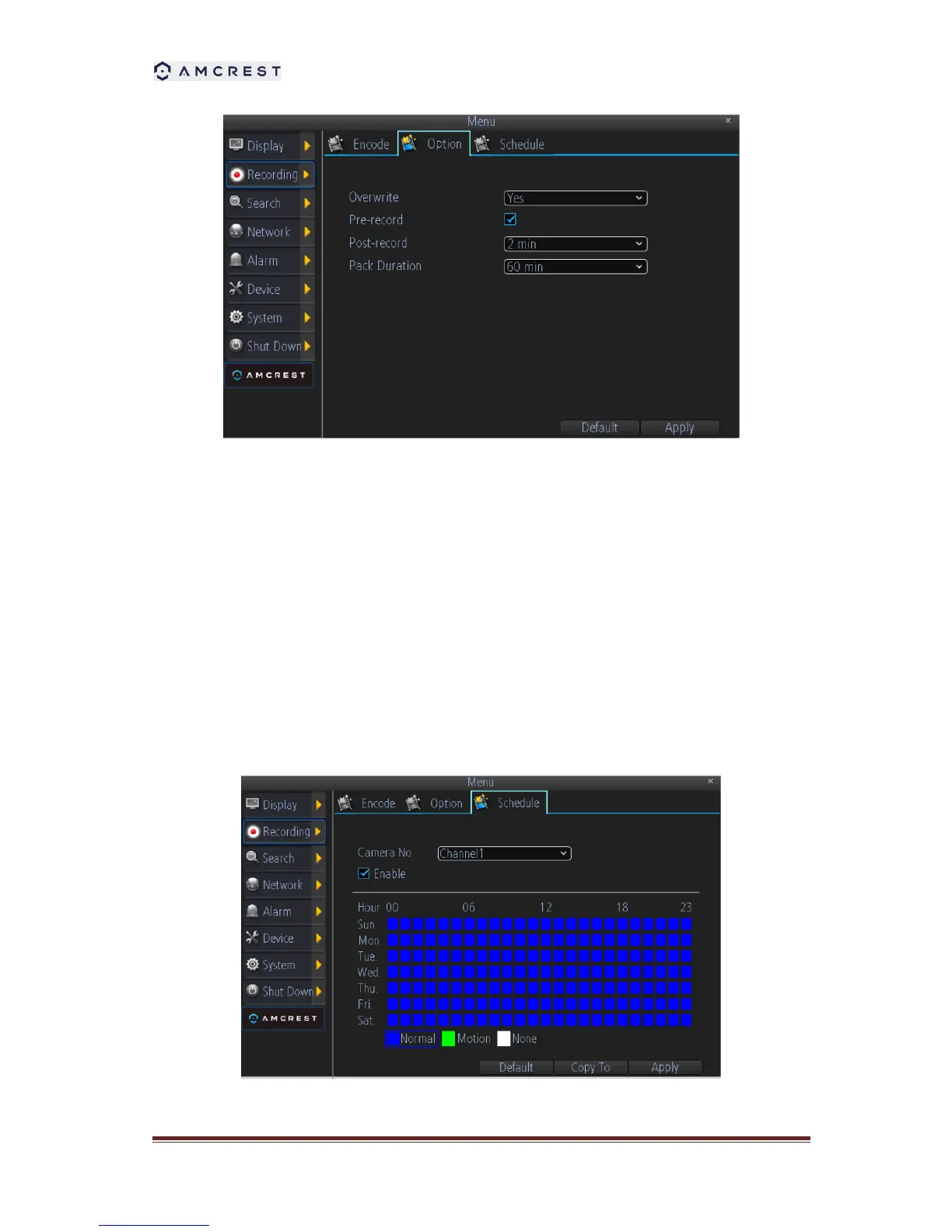
Set additional recording settings:
Overwrite: Set to overwrite the HDD to continue recording when it is full.
Pre-record: Set to pre-record before the actual recording begins.
Post-record: Sets the time to post-record after the actual recording ended.
Pack Duration: Sets the time for how long the DVR will be recording before splitting the
output file.
6.2. Scheduling a Recording
Scheduling a recording allows you to setup the DVR to only record when you want it to.
To setup a recording schedule:
1. Enter the Record Settings menu (Main Menu > Recording > Schedule).



 To Next Page