AMDV960H4 User Manual
www.amcrest.com 38
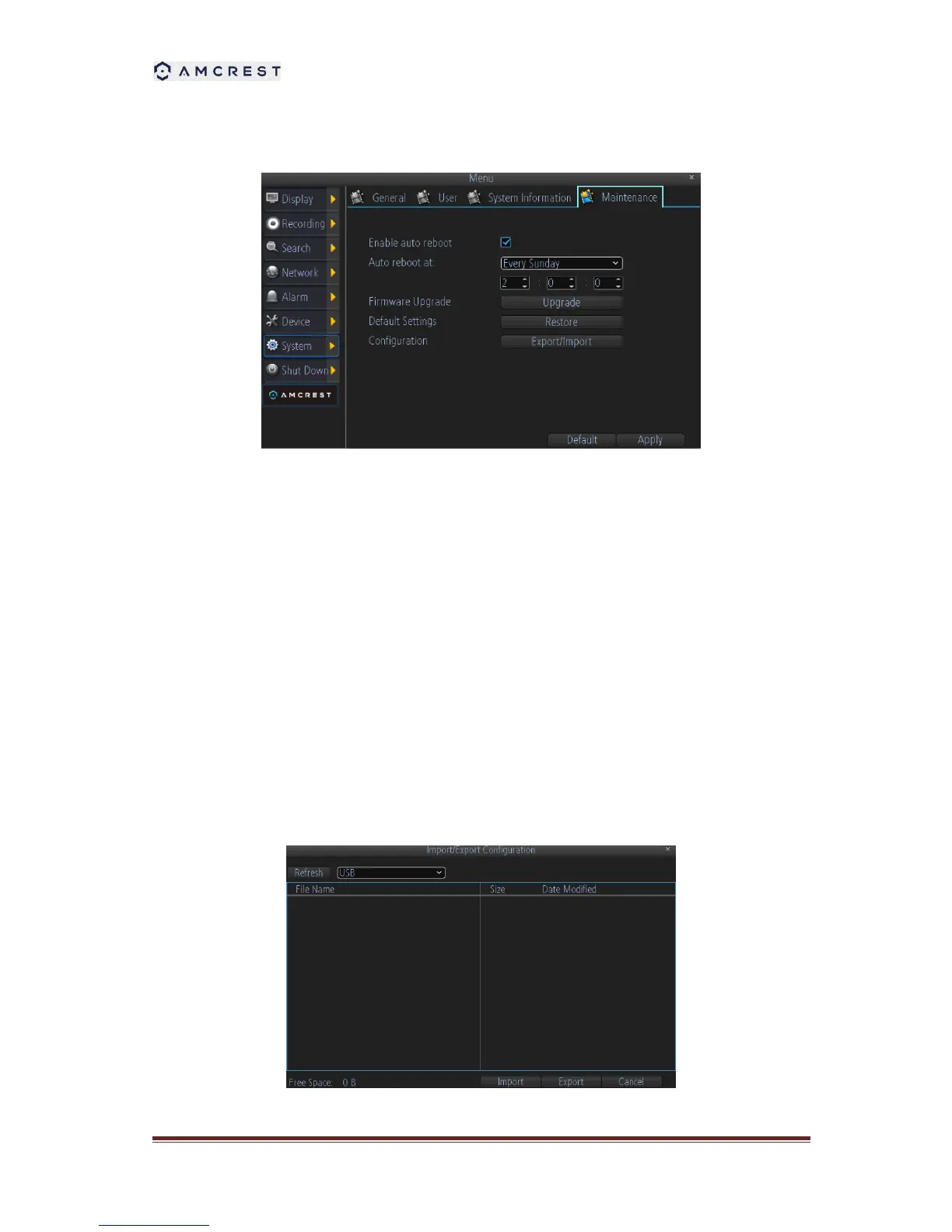
11.4 Maintenance
Enable auto reboot: Will automatically shut the DVR down and restart it at a certain time of the
day or week. To ensure your DVR work stably, it’s recommended to enable this checkbox.
Auto reboot at: Choose when you’d like the DVR to reboot. Typically, this will be a time when it’s
unlikely there’ll be any activity for the DVR to record.
Firmware Upgrade (Upgrade): Instructs the DVR to update its firmware. You’ll only need to use
this option if instructed to do so by Technical Support. (Remember to Export your configuration
first so you don’t have to re-set everything!)
Default Settings (Restore): Loads the factory default settings. This must be done after a
firmware upgrade to ensure proper operation of the DVR. You can retain your settings, recording
schedule and so on by using the Import/Export Configuration function before upgrading the
firmware.
Configuration (Export): Creates a file containing all the settings you’ve customized, including
your recording preferences, schedule, user-list and so on.
To export your settings:



 To Next Page