AMDV960H4 User Manual
www.amcrest.com 24
8 NETWORK SETTINGS
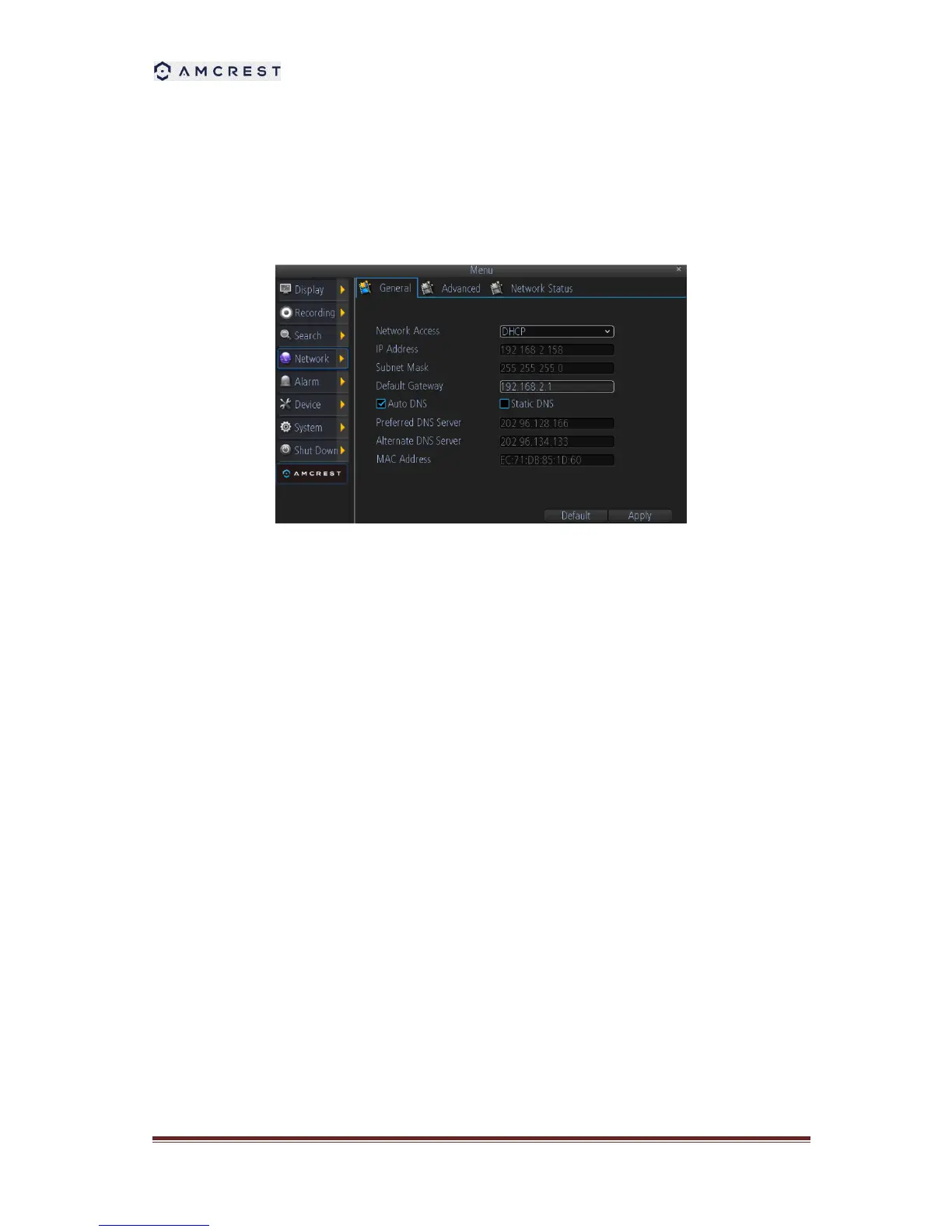
8.1 Configuring General Settings
1. Network Access: Here you can choose between the three different types of networks that
the DVR can be connected to. The three types of networks are:
1) DHCP: DHCP (Dynamic Host Configuration Protocol) is a system where one device on
your network (usually a router) will automatically assign IP addresses to devices
connected to the network.
2) STATIC: Static networks require all devices to have their IP addresses manually defined,
as there is no device dedicated to automatically assigning addresses.
3) PPPoE: An advanced protocol that allows the DVR to be more directly connected via a
DSL modem. This is an option for advanced users only.
2. If you select Static in Network Access, you will need to input the IP Address, Subnet Mask,
Default Gateway, and DNS information.



 To Next Page