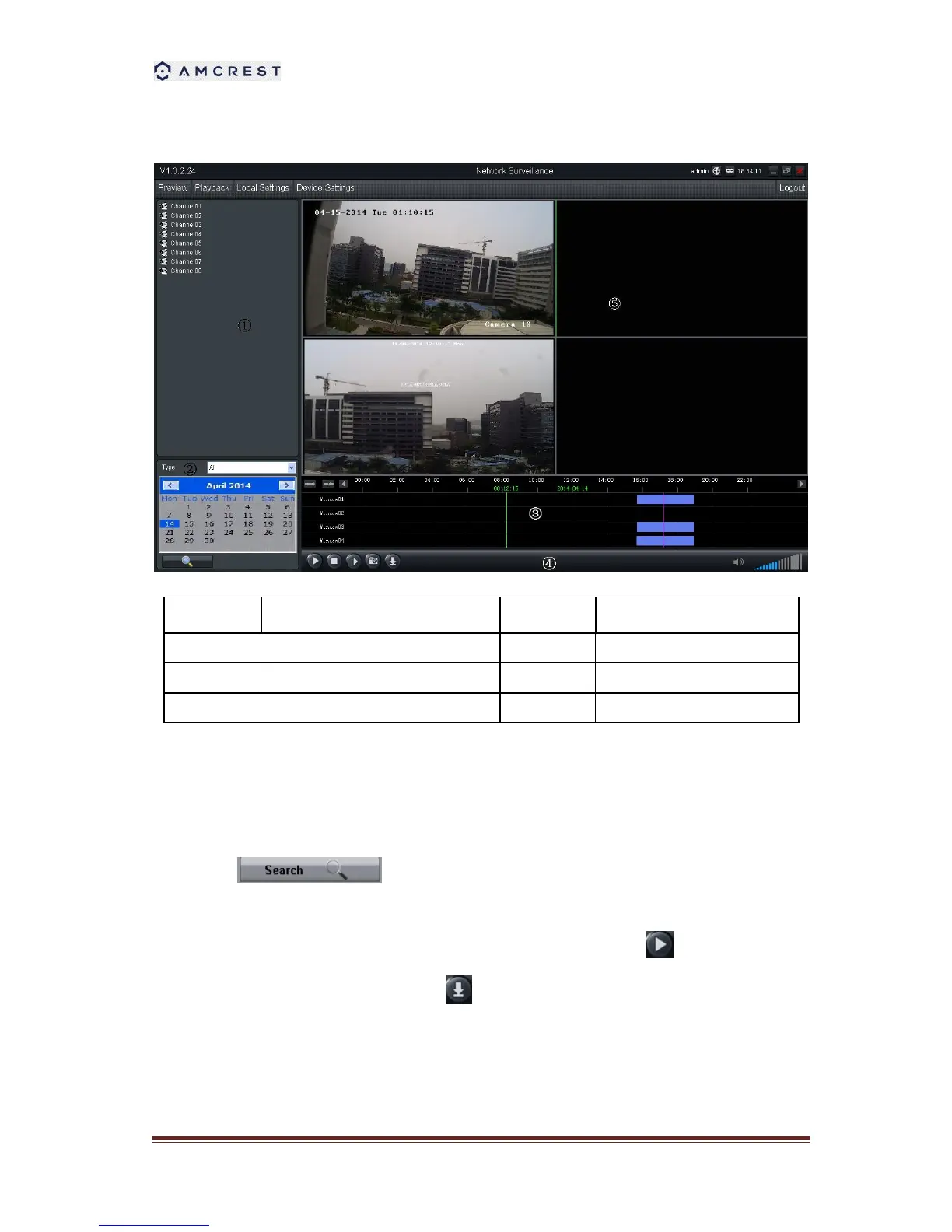
13.3.1 Remote playback and download
1. Select the playback channel and window.
2. Select recorded files type and query time.
3. Click the to search the matched recorded files. If there are any, the files
will shows in the area 3.
4. Select the time you want to start playback from area 3, and click icon .
5. To download recording file, please click .
6. In the file list dialog, select what you want to download.



 To Next Page