AMDV960H4 User Manual
www.amcrest.com 22
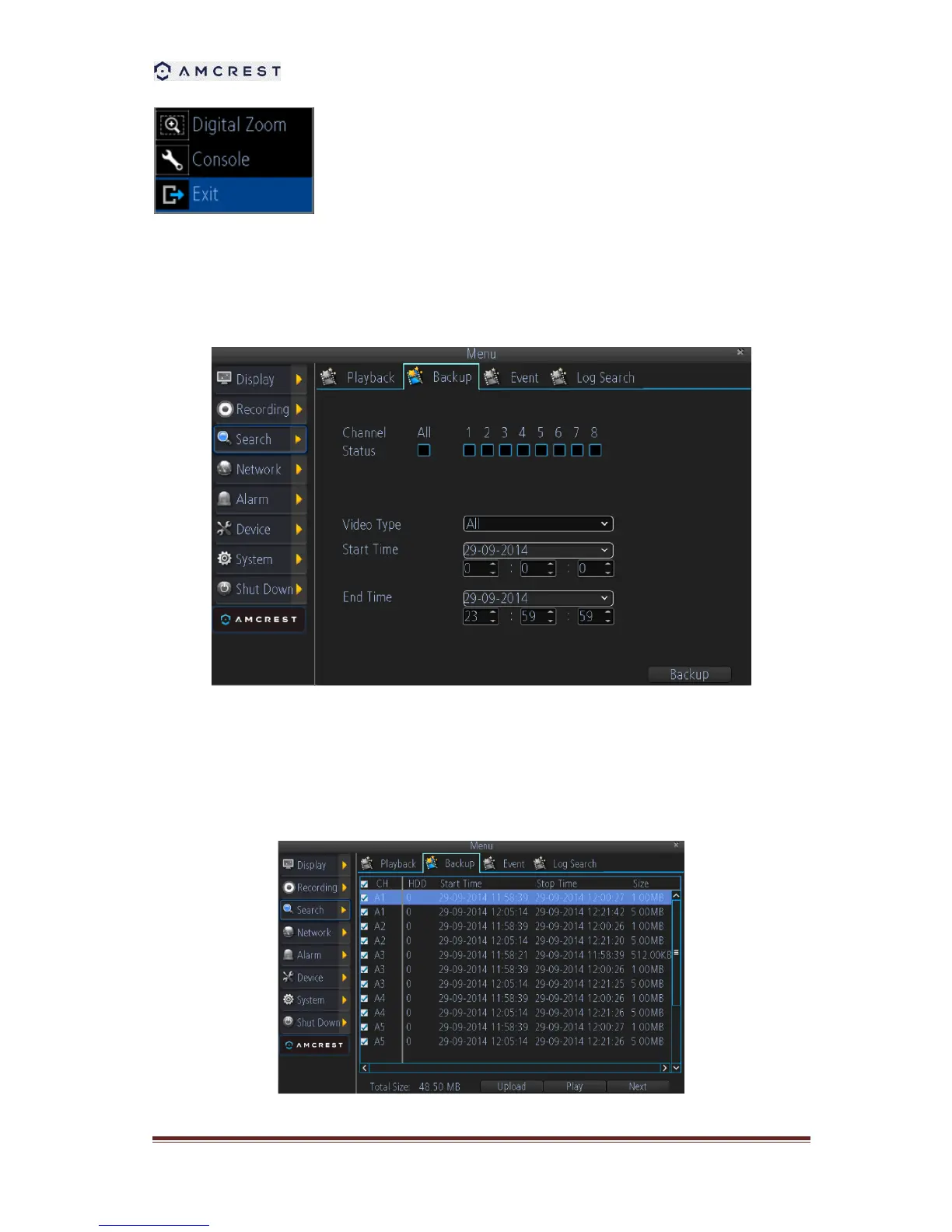
Pop Up menu: Supports digital zoom, show/hide the console and exit
playback.
7.3. Backup the recorded file
To backup the recorded files:
1. Select the channel you’d like to backup.
2. From the Video Type menu, select the type of video you’d like to playback. The options are
Manual, Schedule, Motion and All.
3. Set your Start Date/Time and your End Date/Time
4. Select Backup and the backup file list will be shown.



 To Next Page