AMDV960H4 User Manual
www.amcrest.com 30
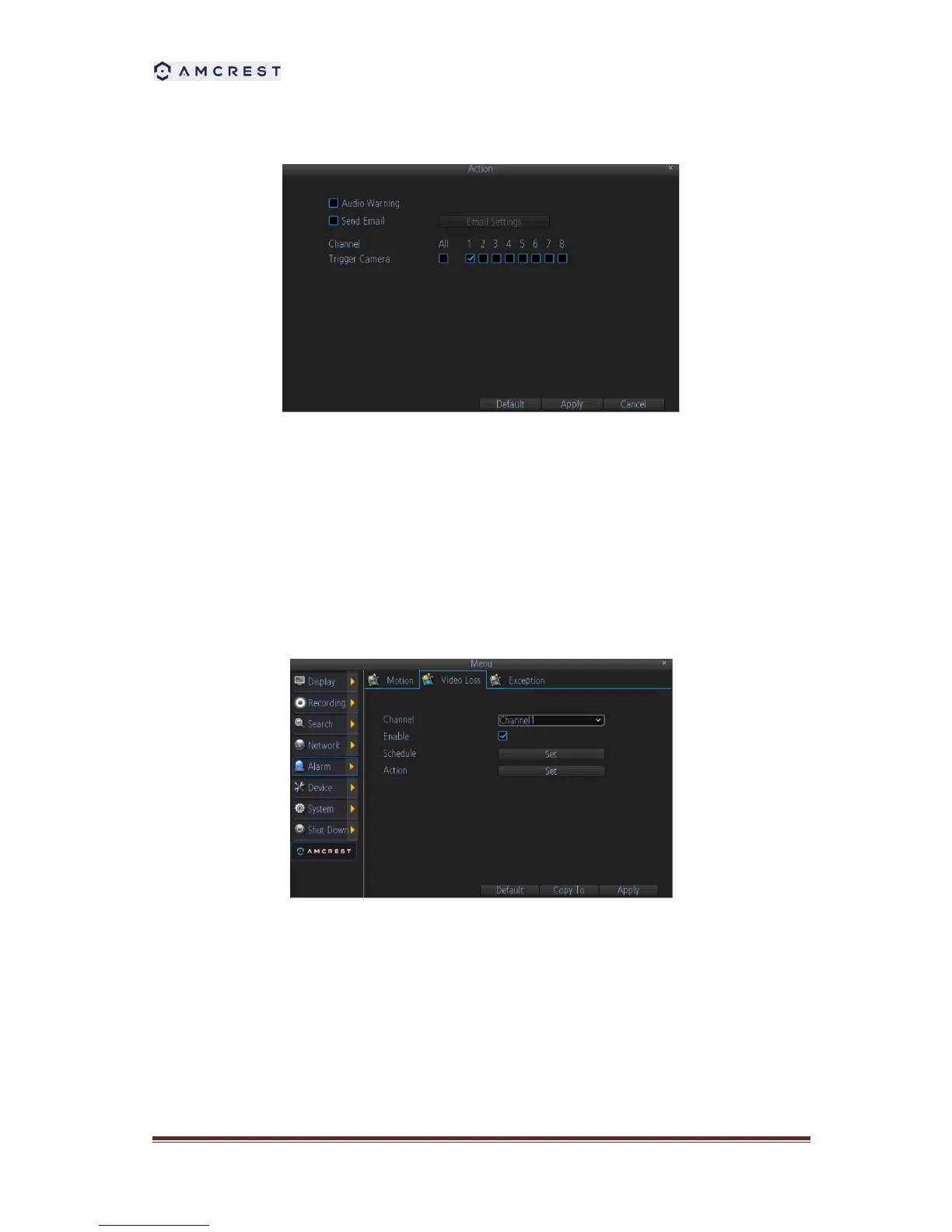
5. Configure the Action can define what will happen when the camera detects motion. The
actions include turn on the buzzer, send email, and trigger recording.
9.2 Detecting Video Loss
Video Loss is regarded as a potential alarm event, and is considered to occur any time that the
DVR doesn’t receive an active video signal on any of its inputs. The default behavior of the DVR,
when a channel has no incoming video signal, is simply to display “Video Loss” on a black
background over the associated channel. If you’re not using all the inputs on your DVR, then
some channels will be in a“permanent” Video Loss state. Just be sure that you don’t enable a
video loss action for these channels.
1. Channel: Which channel/camera you’d like to set the Video Loss behavior for.
2. Enable: Whether the selected channel has video loss monitoring active or not.
3. Schedule: Alters when the current Video Loss Action will be active.
4. Action: The action you’d like the DVR to take when this event occurs. It’s set in the same
way as the Action for any other event.



 To Next Page