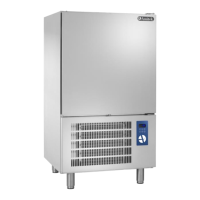
- 28 - TRANSLATION OF THE ITALIAN ORIGINAL INSTRUCTIONS
effective. The use of appropriate GN containers is always recommended to insert trays of not di-
vided in portions food in the appliance.
How to insert food into the appliance:
Make sure that the appliance drops to the desired temperature before placing the food inside. The
maximum temperature of the food introduced into the appliance must not exceed +90 °C. The reg-
ulations establish that the product must be placed in the blast chiller within 30 minutes from the
completion of cooking. The packaging of the food and the way it is introduced and positioned inside
the appliance, have a significant effect on the time within which the temperature drops to the de-
sired level, as well as on the quantity of food that can be cooled for each refrigeration cycle or
freezing. The maximum thickness of the food must in any case never exceed 50 mm.
In the same way it is important to insert the probe correctly. The needle probe must be inserted
until it reaches the center of the food product.
5.4 Operation
The appliance is operated by means of the START/STOP button and the digital control unit which is
used to set the desired work cycle.
See Section 8 for more details about the control panel.
Switch on/off (see Fig.1 and Fig.3 - Section 8)
Press the START/STOP button for one second: the value will appear on the display indicates the tem-
perature detected by the probe inside the cell.
To shut off the appliance, press the START/STOP button for one second and then disconnect the plug
from the electrical socket. Wait at least 10 seconds after disconnecting the plug before connecting
the appliance to the power supply line again.
Lock/unlock the keyboard
To lock or unlock the keyboard proceed as follows:
lock: hold down the DOWN and START/STOP button simultaneously for one second, the display
will show the abbreviation LOC for one second (the keyboard is locked, no operation is allowed);
unlock: hold down the DOWN and START/STOP button simultaneously for one second, the display
will show the abbreviation UNL for one second (the keyboard is unlocked).
Temperature operating cycles
The appliance is able to manage the following types of operating cycles: blast chilling and conserva-
tion, hard blast chilling and conservation, freezing and conservation, soft freezing and conservation.
Blast chilling and conservation: positive chilling cycle (+3 °C at the core) and conservation. The
cycle is divided into the chilling phase and the holding phase. At the end of a phase, the appli-
ance automatically passes to the next. To start the cycle, press the BLAST CHILLING button: the
blast chilling led and the probe led flash. Press the START/STOP button. The display will show the
temperature detected by the needle probe;
Hard blast chilling and conservation: positive hard chilling cycle (+3 °C at the core) and conser-
vation. The cycle is divided into the hard chilling phase, the chilling phase and the holding
phase. At the end of a phase, the appliance automatically passes to the next. To start the cycle,
press the BLAST CHILLING button: the blast chilling led and the probe led flash. Press the SOFT/HARD
button: the hard led flash. Press the START/STOP button. The display will show the temperature
detected by the needle probe;
Freezing and conservation: negative chilling cycle (-18 °C at the core) and conservation. The
cycle is divided into the freezing phase, and the holding phase. At the end of a phase, the ap-


 To Next Page
 Loading...