131ARX 23-2 T4i, ARX 26-2 T4i
0
1
2
P
0
R
F
A
11
A
MAINTENANCE MANUAL
3.6.13 Brake test
3.6.13.1 Check of the parking brake
This test veries the function of the parking brake. The ability
of the parking brake to hold the machine can be checked using
the “Brake Test” mode. After starting this mode, the traction for-
ce of the machine acts on the stationary machine with the par-
king brake (P) engaged for a given time.
Perform the test on a level and solid surface.
Check that the area in front of and behind the machine is
empty and that there are no persons or obstacles there!
Ensure a suitable safe distance in front of the machine,
behind the machine as well as on its sides.
Procedure
Place the machine on a at and solid surface.
Sit in the driver’s position and start the engine according to
Chapter 2.7.1.
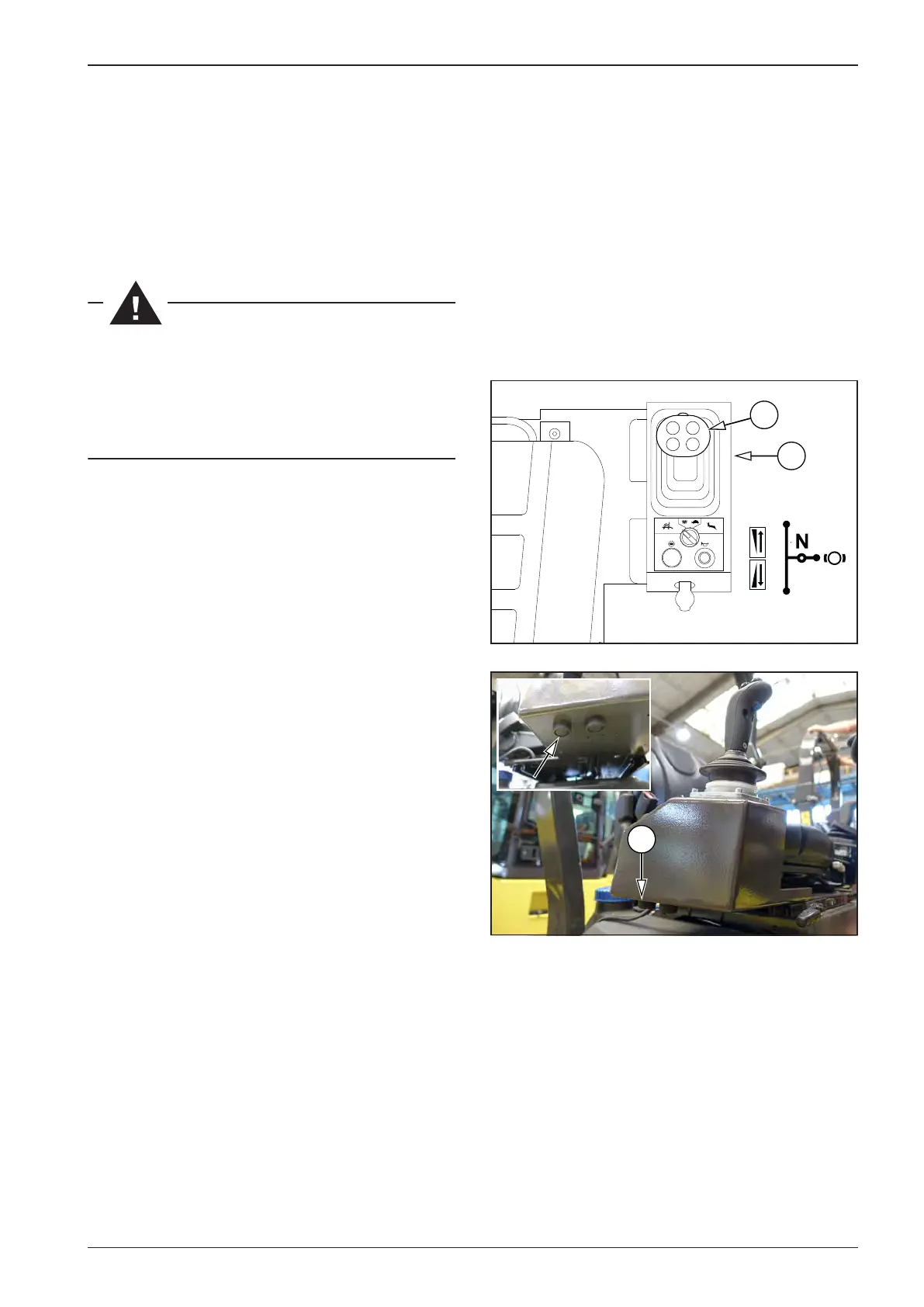
The travel control (11) must be in the parking brake position “P”.
Switch to the “Brake test” mode by pressing the brake test bu-
tton (A) for 5 seconds. While the button is held down, the display
shows the “btn br” status.
After 5seconds, the display shows the “br tSt” status.
Start the test by setting the travel control to the forward travel
position.
• The machine must not move o. If the machine moves o,
the test is unsuccessful – the machine stops by itself after 3
seconds or it can be stopped by moving the travel control
(11) to any position except for the forward position.
The test can be interrupted prematurely by moving the lever
anywhere out of the forward position. This stops the traction
force. The machine is still in the “Brake test” mode.
For normal operation or to repeat the brake test, stop the “Brake
test” mode by moving the travel control (11) back to the parking
brake position “P”.
To repeat the test, follow the steps above to start the “Brake test”
mode.
After an unsuccessful brake test, secure the machine against
spontaneous movement by wedges and contact service.



 To Next Page