80 ARX 23-2 T4i, ARX 26-2 T4i
2
1
2
1
2.7 Machine operation and use
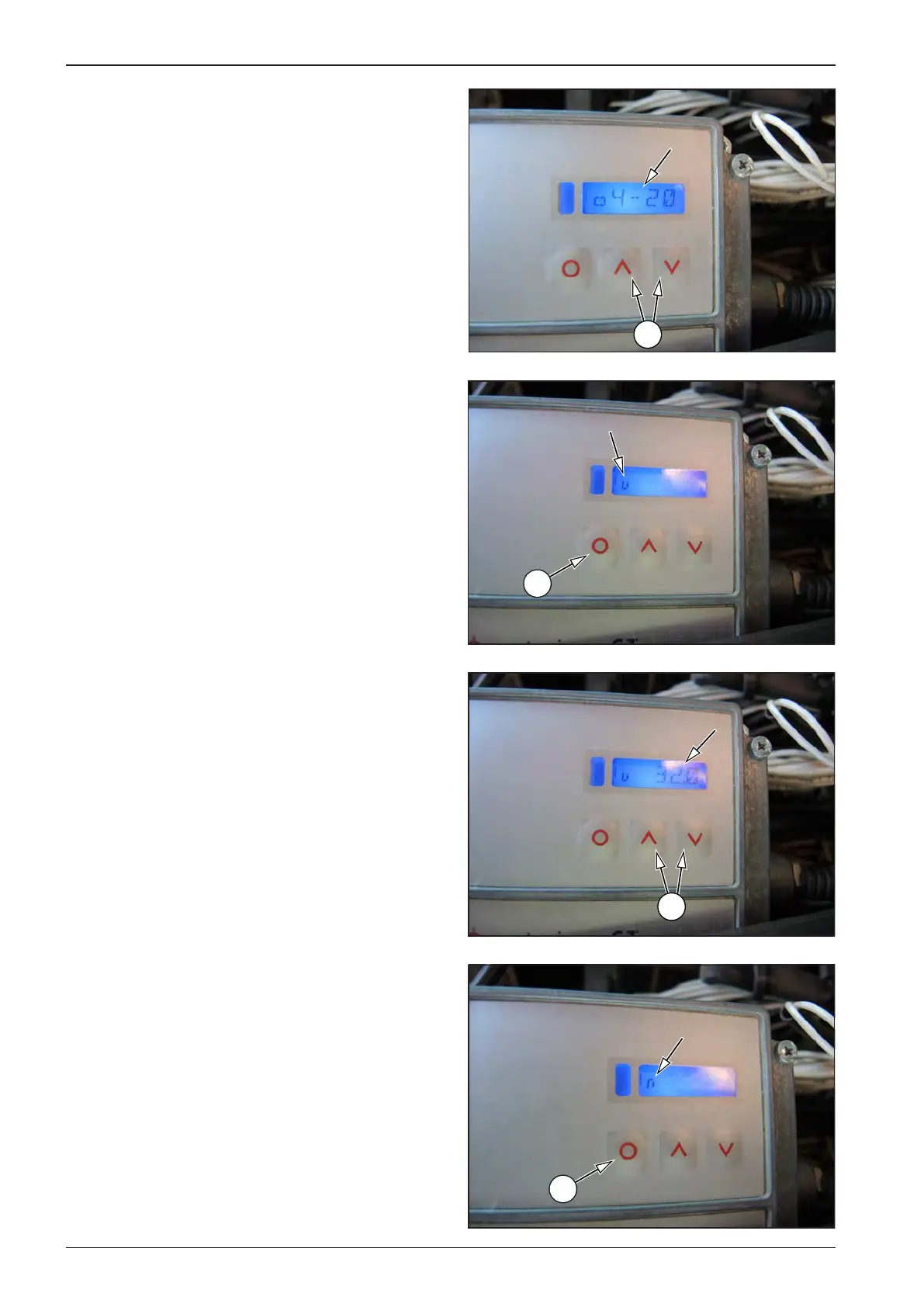
• Switch over with the UP and DOWN arrows (2) until 4–20mA
appears on the display.
Set the minimum temperature.
• Switch over with the MODE button (1) until the “u” symbol
appears on the display.
• Switch over with the UP and DOWN arrows (2) until the val-
ue of 32.0°F appears on the display.
Set the maximum temperature.
• Switch over with the MODE button (1) until the “n” symbol
appears on the display.








 To Next Page