UDM-0808-SIG WebConsole
27
UDM-0808-SIG, UDM-RX02N and UDM-ABB-8-SIG Operation /Reference Guide
Changing the Connection Mode
The available connection modes are indicated under Connection Mode (default = TCP/IP URL). Click on the
radio buttons to select a different mode.
Changing the Mode Settings
The supported Connection Modes and the available mode settings for each are described below:
Authentication Settings
If the NetLinx Master requires authentication, enter the Master Username and Master Password here.
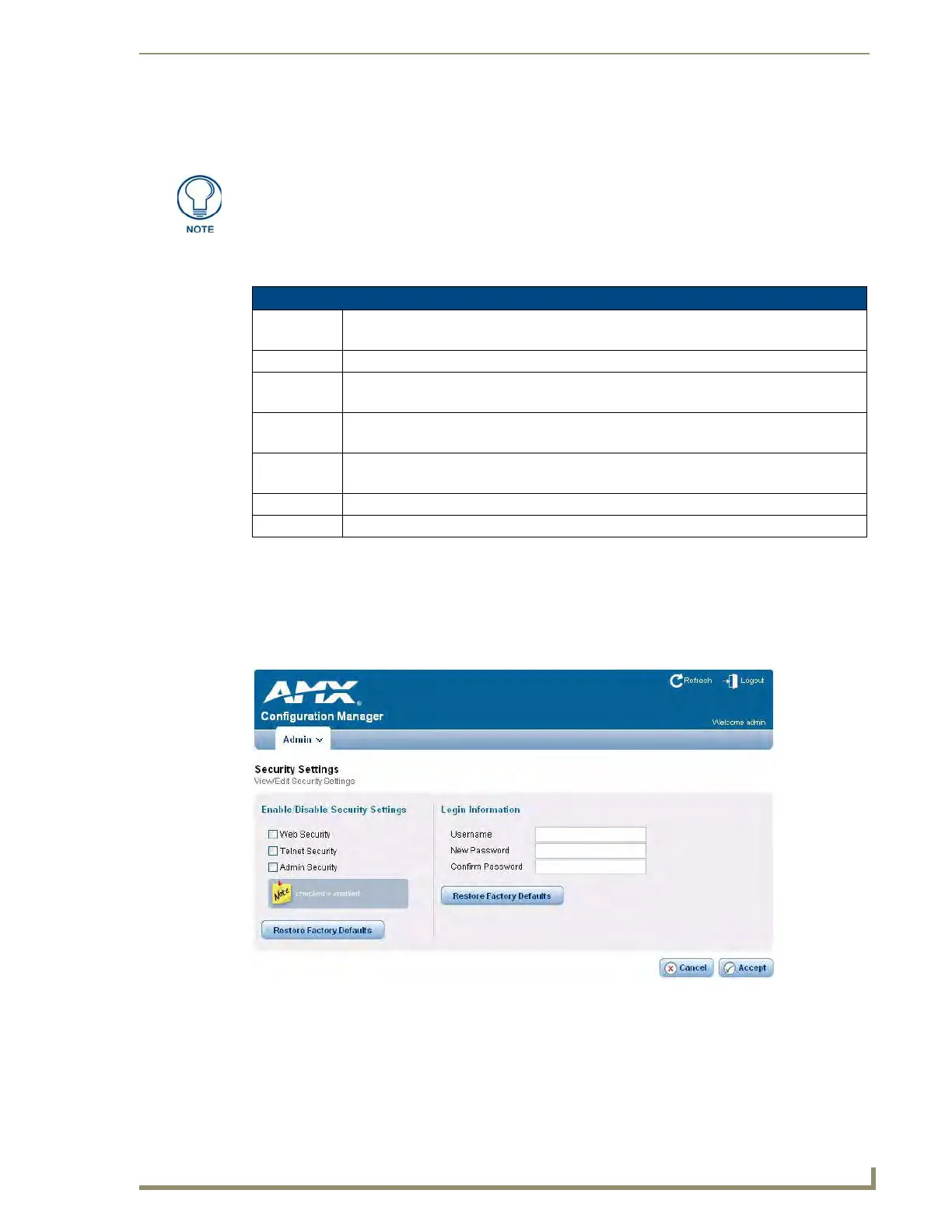
Security Settings
Select Security Settings from the Admin drop-down menu to open the Security Settings page (FIG. 20). Use
the options on the page to specify security options and login information for this UDM-0808-SIG Hub.
The options under Mode Settings will change, depending on the Connection Mode
selected.
Connection Modes and Mode Settings Options
TCP/IP URL • Master IP/URL -
• Master Port Number - The default value is 1319, and should not be changed.
TCP/IP Listen • Master Port Number - The default value is 1319, and should not be changed.
TCP/IP Auto • System Number -
• Master Port Number - The default value is 1319, and should not be changed.
UDP/IP URL • Master IP/URL -
• Master Port Number - The default value is 1319, and should not be changed.
UDP/IP NDP • Master IP -
• Master Port Number - The default value is 1319, and should not be changed.
Accept: Click to save changes. Changes on this page take effect immediately.
Cancel: Click to exit this page without saving any changes.
FIG. 20
Security Settings page


 To Next Page
 Loading...