Commissioning
qTOWER
3
/ qTOWER
3
G Edition 03.19 25
The qTOWER³ is opened by folding back the upper part and the cover for the sample
block it contains and the fluorescence photometer. To this end press the handle in until
the lock disengages with a click and the upper part gently snaps open. The upper part
can then be folded back from the handle.
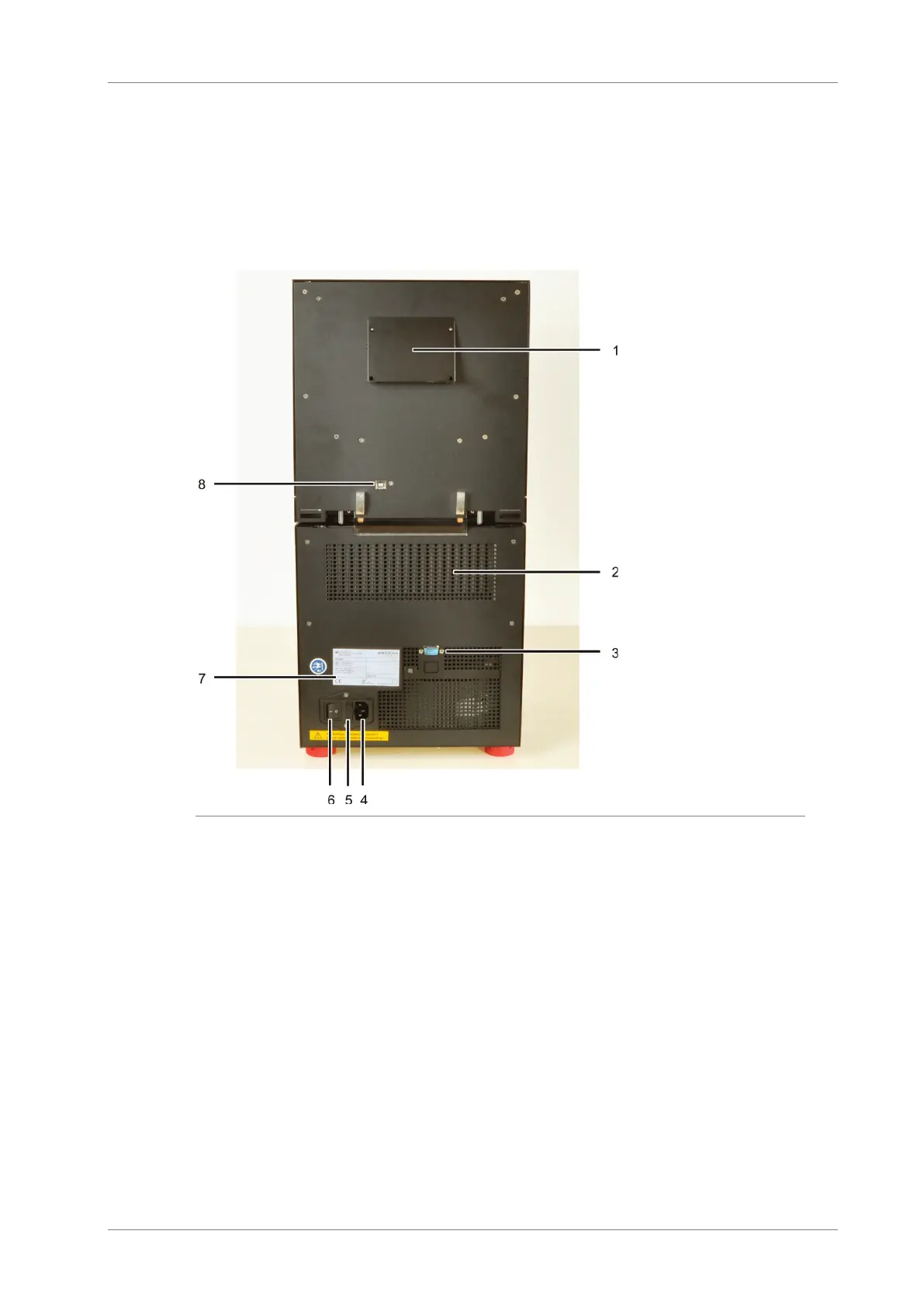
The mains connection, mains switch and USB interface for PC connection are on the
rear of the device.
1 Ventilation for fluores-
cence spectrometer
2 Ventilation grille at the
thermal cycler
3 Service connection
4 Mains connection
5 Fuse holder for instru-
ment fuses
6 Mains switch
7 Type plate
8 USB port for PC con-
nection
Fig. 5 qTOWER³ rear view
The type plate is also located on the rear of the device. The type plate shows the serial
number of the device and the electrical connection data.









 To Next Page