Commissioning
26 Edition 03.19 qTOWER
3
/ qTOWER
3
G
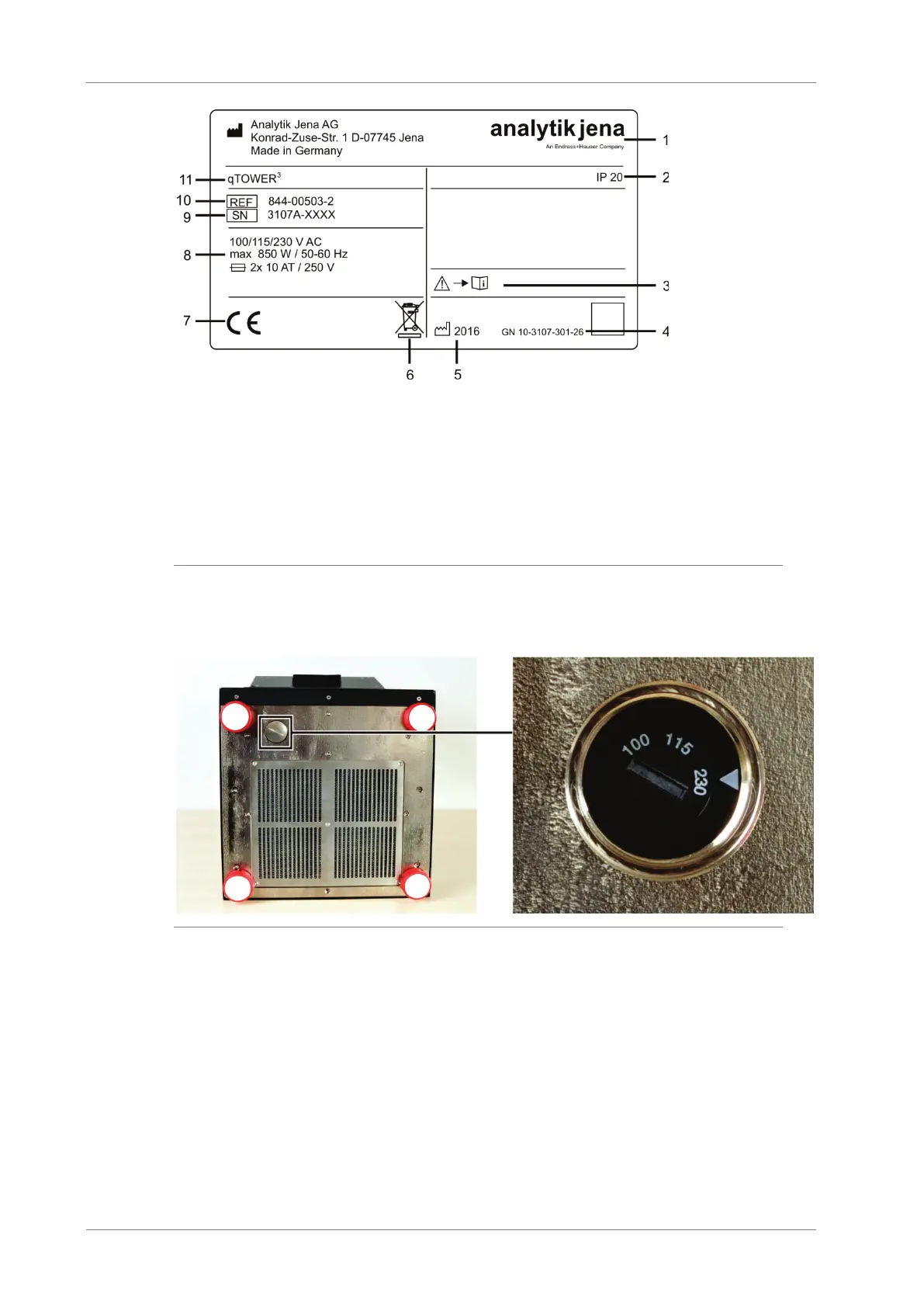
1 Manufacturer and address
2 Protection class of the housing
3 Safety symbol
(Attention! Note the accompanying documents!)
4 Device number
5 Manufacturing year
6 Disposal instructions
(Do not dispose of as domestic waste!)
8 Electrical connection data:
Voltage, max. power consumption, frequency and
instrument fuses
9 Serial number
10 Order number
11 Device type and model
Fig. 6 Type plate
The voltage selector switch is located on the bottom of the device, behind a cover. It
can be used to adjust the operating voltage to the mains voltage.
Fig. 7 Voltage selector switch on the bottom of the qTOWER³
The following accessories are part of the qTOWER
3
:
Mains and connection cable
CD or USB memory stick with qPCRsoft program, including manual for software
and device
Operating instructions and software manual
Packaging and packaging instructions









 To Next Page