Transport and storage
40 Edition 03.19 qTOWER
3
/ qTOWER
3
G
10 Transport and storage
10.1 Transport
NOTICE
Use suitable packaging material and transport locks!
Unsuitable packaging material may cause damage to the device! Only transport the qTOW-
ER
3
in its original packaging and with the transport lock in place! Information on proper
packaging is included with the device.
Observe the safety instructions in the section "Safety instructions, transport and installa-
tion" p. 10. Transport the qTOWER
3
and its components very carefully to prevent dam-
age from impact or vibration. The device should be transported in such a way that major
temperature fluctuations are avoided and the formation of condensate is thus prevent-
ed.
10.2 Placing the transport lock
Before packing the qTOWER
3
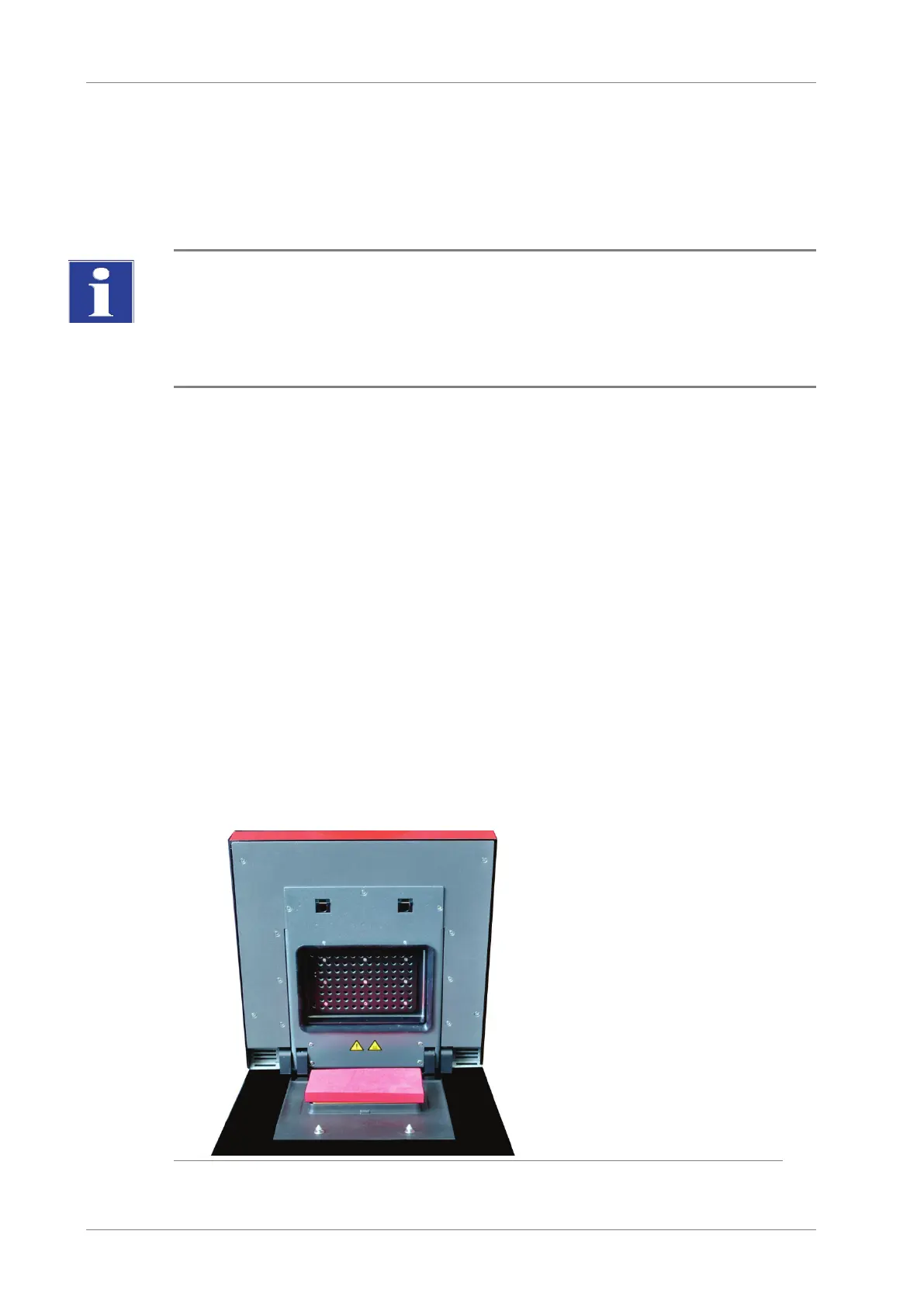
, the transport lock for the upper part that contains the
fluorescence photometer must be installed. If the transport lock is no longer available,
you can place an empty PCR plate in the sample block. The qTOWER
3
must be con-
nected with the PC and the qPCRsoft program must be started for the installation pro-
cess. The installation is software-controlled:
Start qPCRsoft and select E
XTRAS ► TRANSPORT LOCK from the menu. Follow the in-
structions on the monitor screen.
Fig. 12 Transport lock in the qTOWER
3









 To Next Page