- 16 -
Programming the Irrigation Controller
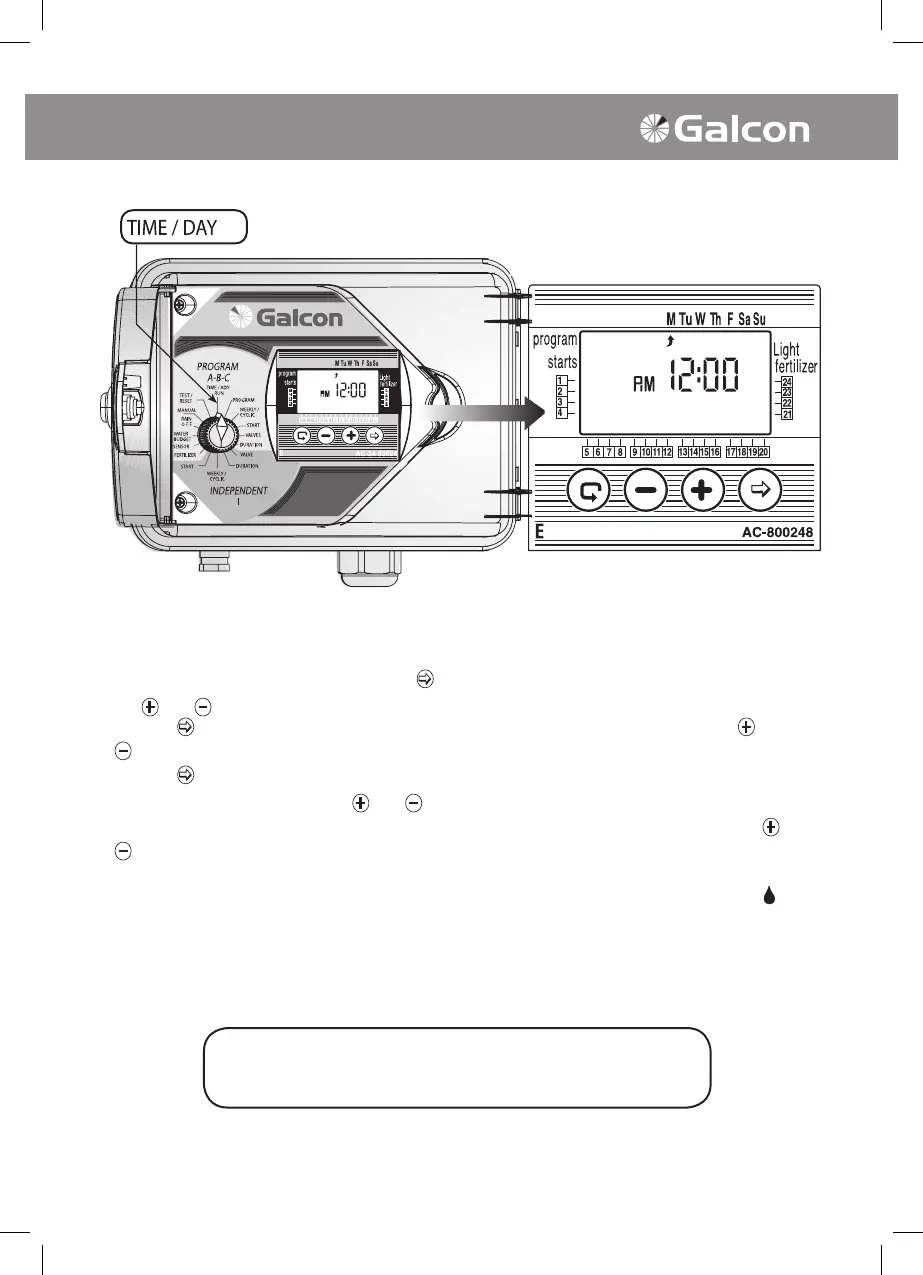
2. Setting the Current Time and Day of the Week
In order for the irrigation controller to operate the irrigation system at the desired times, the current
time and current date must rst be set.
• Set the selector to clock position, press on
. The hour digits will blink. Set the current time using
the
and as necessary. (Note the AM and PM designations).
• Press on
.The minute digits will now blink. Set the current minute timing by using the and
as necessary.
• Press on
. A blinking arrow will appear at the top of the display panel. Position the arrow in line
with the current day by using the
and as necessary.
• t is possible to alternate to a 24 hour (European)time format by pressing simultaneously on
and
after the blinking ends. An additional pressing on these buttons will switch the format back to
the AM/PM format.
• After this programming, with the selector at the clock mode and an operating valve, a drop
will
appear on the screen in line with the open valve, along with remaining irrigation time.
The selector should be returned to the TIME/DAY
mode following modification or ending of the program



 To Next Page