- 21 -
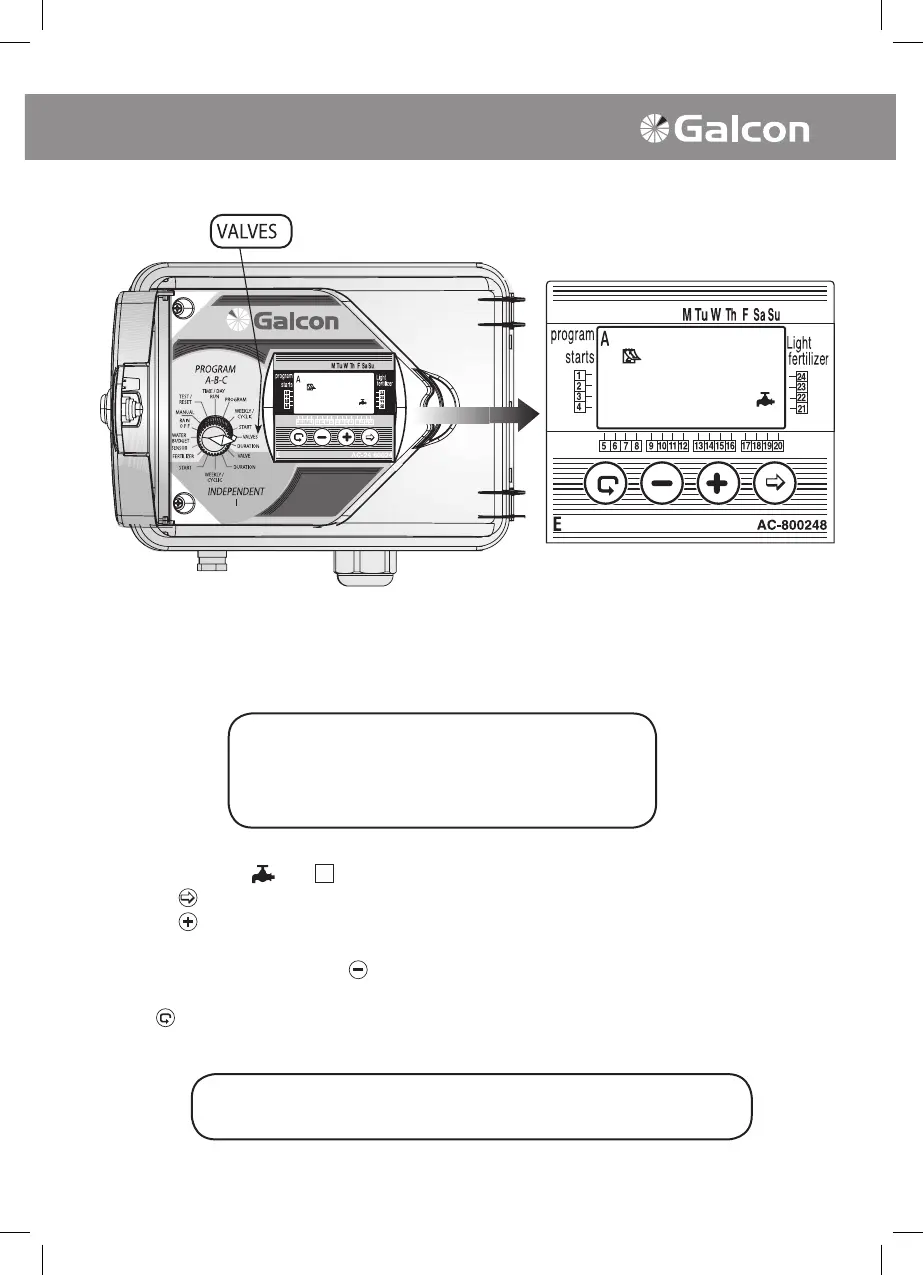
3. Selecting valve/valves for a valve group (A, B or C)
In this operation designate which valves are to be attributed to the selected program.
One to 24 valves may be selected for a particular program.
• Set selector to VALVE SELECTION (Programs A, B, C). Selected program will appear on display
panel. Mark valve
, and next to valves previously selected.
• Press on
. First available valve will blink.
• Press on
to select valve. Selected valve symbol will stop blinking. Sequential valve will begin
blinking, and so forth.
• In order not to select valve press
. Valve will disappear. Sequential valve will begin to blink, and
so forth.
• Press
in order to view all available valves in controller (including those selected for designated
program).
Programming of valve-group irrigation
The selector should be returned to the TIME/DAY mode
following modification or ending of the program.
ATTENTION!
Each individual valve may be allocated to
only one of the 4 programs (a, b, c, i)



 To Next Page