- 25 -
Programming controller for Individual valve -
Independent Program I
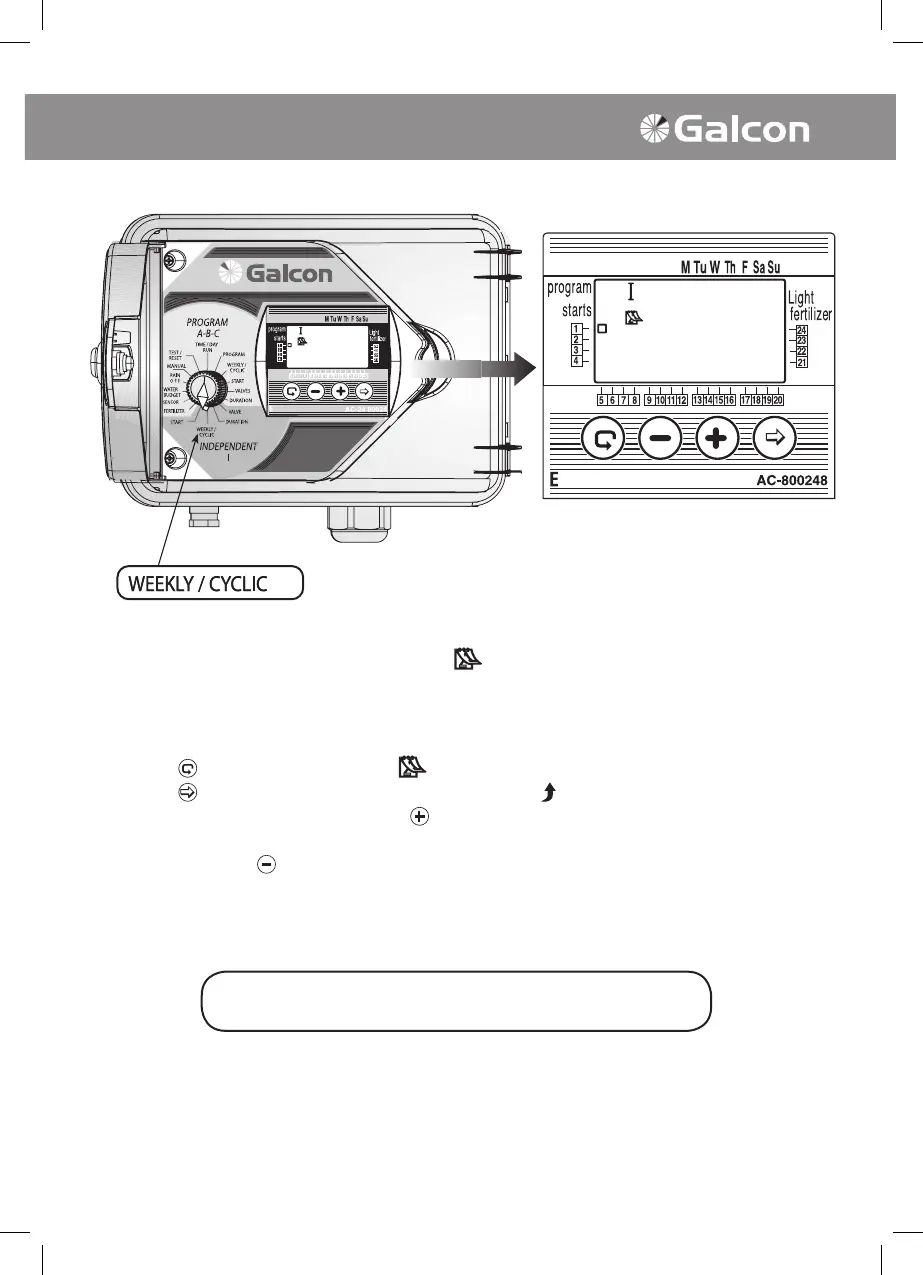
3. Irrigation by Day of the Week
Selecting Irrigation Days
• In this operation set the days of the week that the designated valve will operate.
• Turn the selector to Weekly/Cyclic mode (Independent Program I).
• Press on
and select weekly program .
• Press on
. At the top of the display panel a blinking arrow will appear under Monday. If you
select Monday as an irrigation day press
. The arrow under Tuesday will remain set and stop
blinking while the arrow under Monday will begin to blink. If you do not select Monday as an
irrigation day press
and the arrow will disappear and an arrow under Tuesday will begin blinking
(and so forth).
The selector should be returned to the TIME/DAY mode
following modification or ending of the program.



 To Next Page