- 31 -
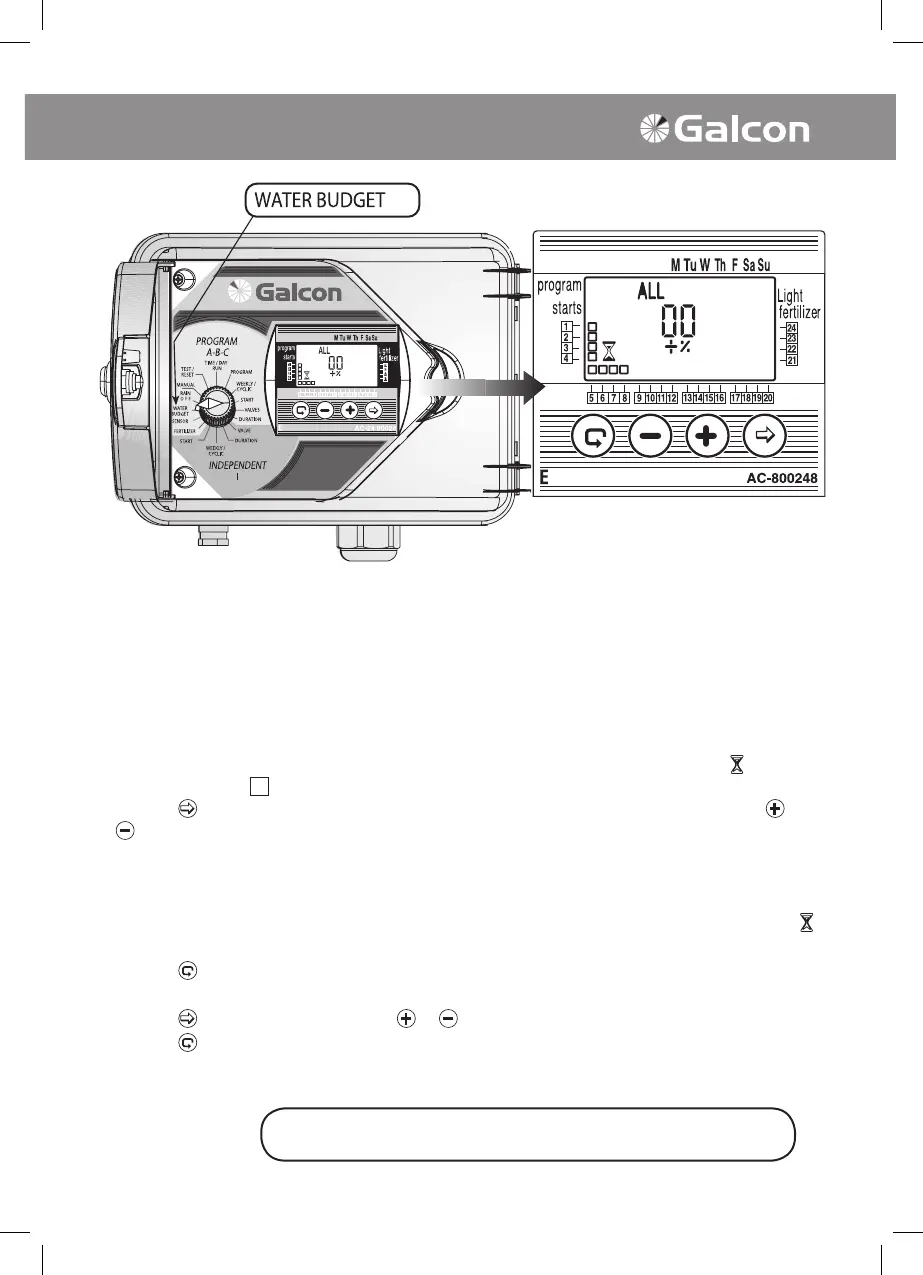
4. Irrigation Duration Extended or Shortened by Percentage
The programmed irrigation duration may be extended or shortened for all the valves by specifying a
percentage for the duration. This may be inactivated by the following two alternatives:
• Turn selector to % Extend Irrigation mode. 00 + % and the word ALL, irrigation duration symbol
and symbol of all designated valves will appear on display panel.
2. Programming a varying percentage to different valves, according to the respective program A, B and
C and Independent Valves I.
1. Modifying Percentage for All Valves
• Turn selector to WATER BUDGET mode. ALL, 00, +, % , duration symbol and symbol
of all
designated valves
will appear on display panel.
• Press on
. 00 will blink on and off. Set irrigation modication % for all the valves with the or the
button.
Note! If percentage modication has been programmed for one of the programs (A,B,C, I) it is
not possible to reach ALL mode.
2. Modifying Percentage for Irrigation Programs (A,B,C,I)
• Turn selector to % Extend Irrigation mode. 00 + 5 and the word ALL, irrigation duration symbol
nd
symbol of all designated valves will appear on display panel.
• Press on
button until Program A and the symbol for all attributed valves to Program A appear on
display panel.
• Press on
.00 will begin to blink. Press or to increase or decrease the percentage necessary.
• Press on
button to program the above for Programs B, C and Independent Program I.
Note! If percentage modication programming has been set to ALL it is not possible to reach
any other programs (Programs A, B, C and I).
The selector should be returned to the TIME/DAY mode
following modification or ending of the program.
Advanced Programming



 To Next Page