- 19 -
Programming of valve-group irrigation
Programming Start Times for Weekly Irrigation
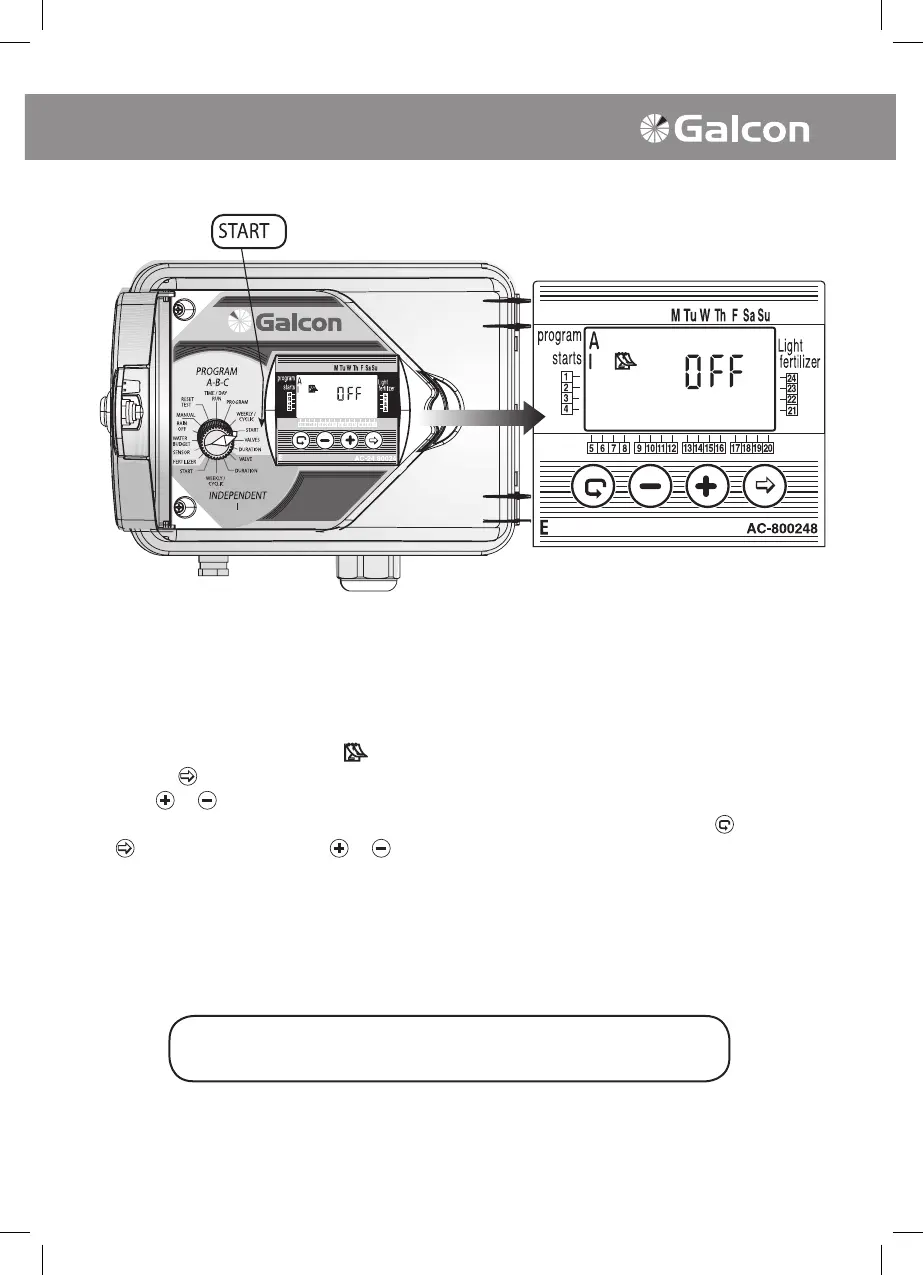
In this operation up to four daily starting times may be set for all of the programs (A, B and C). Each
start time operates rstly the designated main valve for the program and sequentially the remaining
valves will open.
• Set selector to IRRIGATION STARTER (A, B or C programs). START 1 will appear on display
panel, Weekly Program symbol
, OFF or the last programmed start time.
• Press on
.The data will blink on and off.
• Press
or to set the desired start time. (Pay attention to AM and PM settings). If desired,
repeat steps for START 2, 3 and 4. To cancel a particular start time, designate with
and press
. Time will blink. Press on or until OFF appears on display panel.
• For additional programs select new program (e.g. B), then repeat the above steps. To continue
programming see page 19 – Valve Selection.
The selector should be returned to the TIME/DAY mode
following modification or ending of the program.



 To Next Page