05/2008 Rev. 0.6
59
Service menu continued….
Main item Sub item Item Description
2.8 Read log Saves last 20 error messages, including date and time
2.9 Clear log Are you sure? Clears log
2.10 Load defaults
# See chapter 3.2
Model code system
* available from
software version 2.0
Model #
OF1A xx00
OF2A xx00
OF3A xx00
OF4A xx00
OF5A xx00 *
OF6A xx00 *
OF7A xx00 *
OF8A xx00 *
OF9A xx00 *
Are you sure?
When a new circuit board is introduced it is necessary to load
defaults. When loading defaults it must be stated on the OptiFresh
model plate. The correct model settings are not loaded until the
question ‘Are you sure?’ has been confirmed.
Attention:
● Before you start changing the button- and/or receipt- settings, first
close the service menu, only after re-entering the service menu the
new model settings will be activated.
● When you confirm this setting all loaded factory settings and
changed programmed values will be lost.
● After loading defaults the PIN code reverts to 2-2-2-2-2 and the
language reverts to English. Change if necessary.
2.11 SD menu
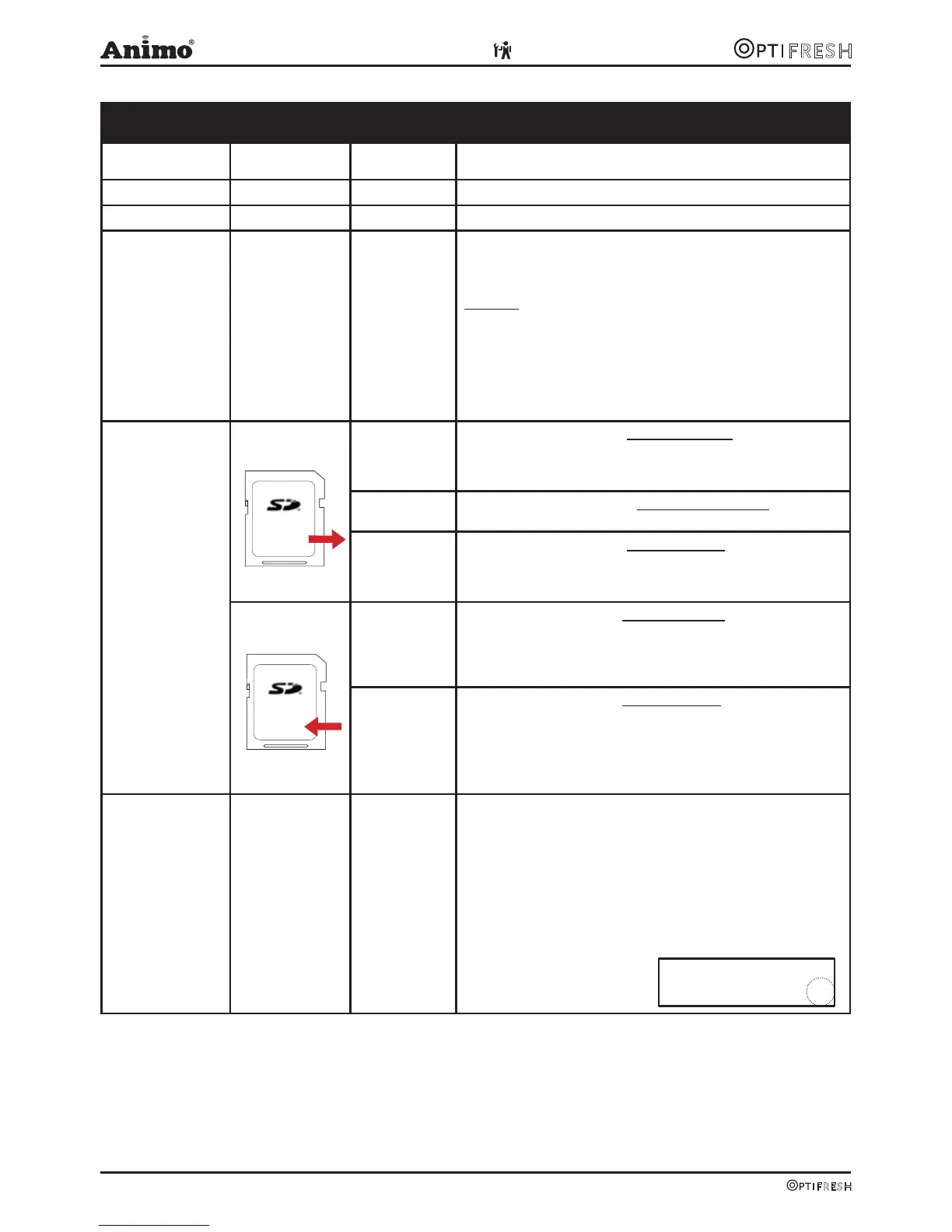
Before saving
or loading data,
insert an empty SD
memory card into
the card reader .
This is located
behind the stainless
steel panel on the
inside of the door.
SD card
specifications:
- 16MB or greater
- FAT16 format
Load data Pers. settings
This menu item is for loading personal settings to the device using
an SD memory card. This file contains the (amended) personal set-
tings for menus: 2.4 Settings / 2/6 Descale-filter / 2.13 Additional
settings. The data file (Ofxxxx00.mdu) should be on the SD card.
Language
This menu item is for loading a different language set to the
device. The data file (xxxxxx.tlf) should be on the SD card.
Recipe
This menu item is for loading personal recipes to the device using
an SD memory card. This file contains the (amended) personal reci-
pes for menus: 2.1 Quick recipe / 2.2 Button settings / 2.3 Recipe
settings. The data file (OFxxxx00.rcu) should be on the SD card.
Save data Pers. settings
This menu item is for saving personal settings to an SD memory
card and copying them to another device.
All settings amended in menus: 2.4 Settings / 2.6 Descale-filter /
2.13 Additional settings are loaded to the SD card in one data file
(OFxxxx00.mdu).
Recipes
This menu item is for saving personal recipes to an SD memory
card and copying them to another device.
All settings amended in menus: 2.1 Quick recipe / 2.2 Button
settings/ 2.3 Recipe settings are loaded to the SD card in one data
file (OFxxxx00.rcu).
2.12 Change PIN
New PIN code Repeat PIN code This menu item is for changing the PIN code using buttons 1-4 only.
The entire service menu is accessed with this PIN code, which
prevents unintentional changes from being made to the machine
settings by untrained staff.
• The ex-factory PIN code is 2-2-2-2-2
PIN code forgotten or needs to be deactivated?
The PIN code input display (operator menu item 1.7) shows a
number on the right. Enter the corresponding PIN code (see list on
p.60) to access the service menu.
Memory Card
Memory Card












 To Next Page