General Information 1-4 Instrument Care and Preventive Maintenance
MS2712E/13E User Guide PN: 10580-00251 Rev. T 1-9
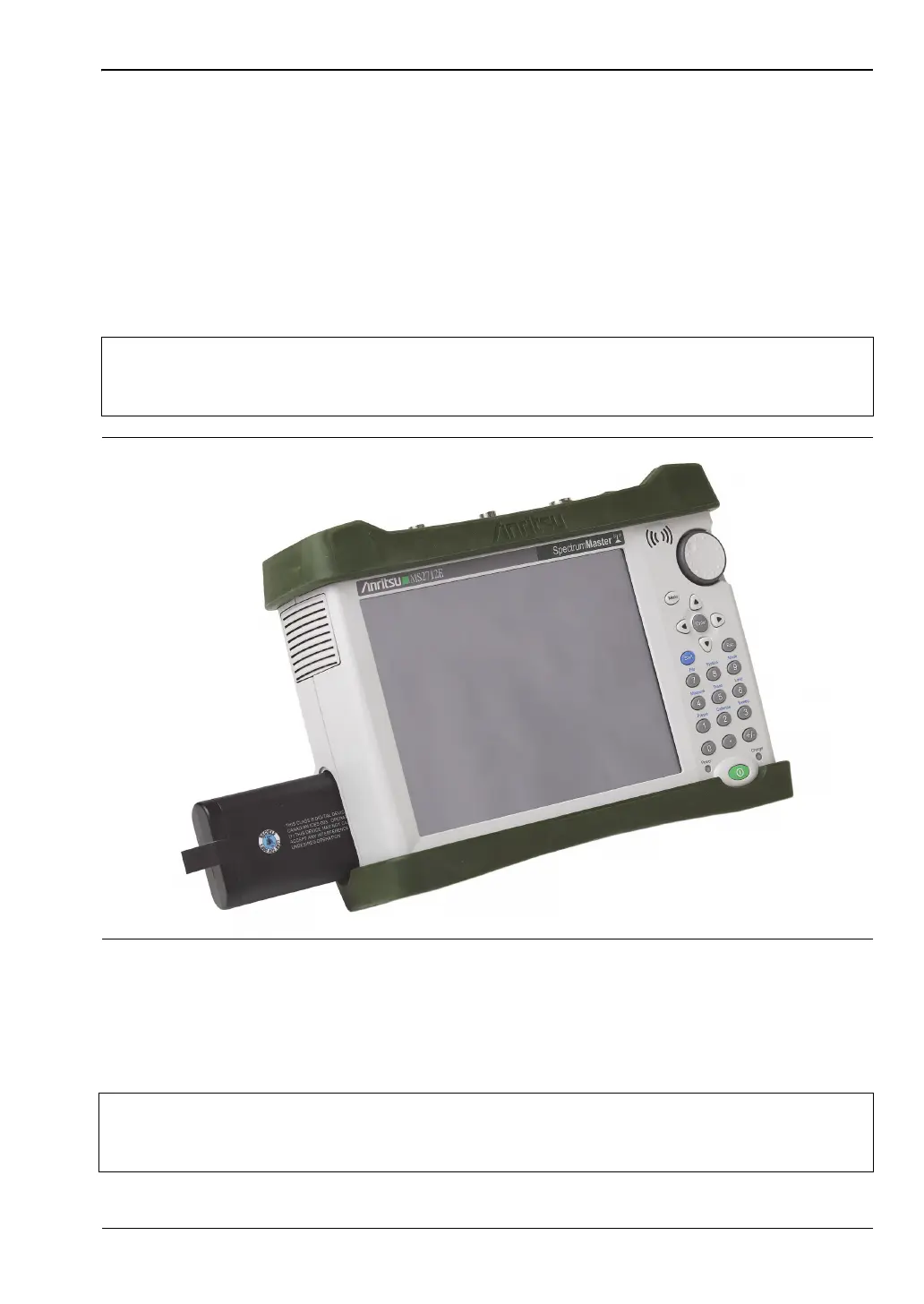
Battery Replacement
The battery can be replaced without the use of tools. The battery compartment is located on
the lower left side of the instrument (when you are facing the measurement display). To
remove the battery:
1. Slide the catch toward the bottom of the instrument.
2. Pull the top of the door away from the unit.
3. Lift out the battery door.
4. Pull straight out on the lanyard to remove the battery pack from the instrument.
The battery that is supplied with the Spectrum Master may need charging before use. The
battery can be charged while it is installed in the Spectrum Master by using the AC-DC
Adapter, or outside the Spectrum Master with the optional Dual Battery Charger. Refer to
“Symbols and Indicators” on page 2-8 for a description of battery symbols.
Note
When inserting the battery, the battery label should face the back of the instrument
and the end where the battery contacts are located slides in first. If the battery
door does not latch closed, the battery may be inserted incorrectly.
Figure 1-1. Battery Compartment
Note
Use only Anritsu Company approved batteries, adapters, and chargers with this
instrument. Anritsu recommends removing the battery for long-term storage of the
instrument.














 To Next Page