2-3 Instrument Front Panel Instrument Overview
2-2 PN: 10580-00251 Rev. T MS2712E/13E User Guide
2-3 Instrument Front Panel
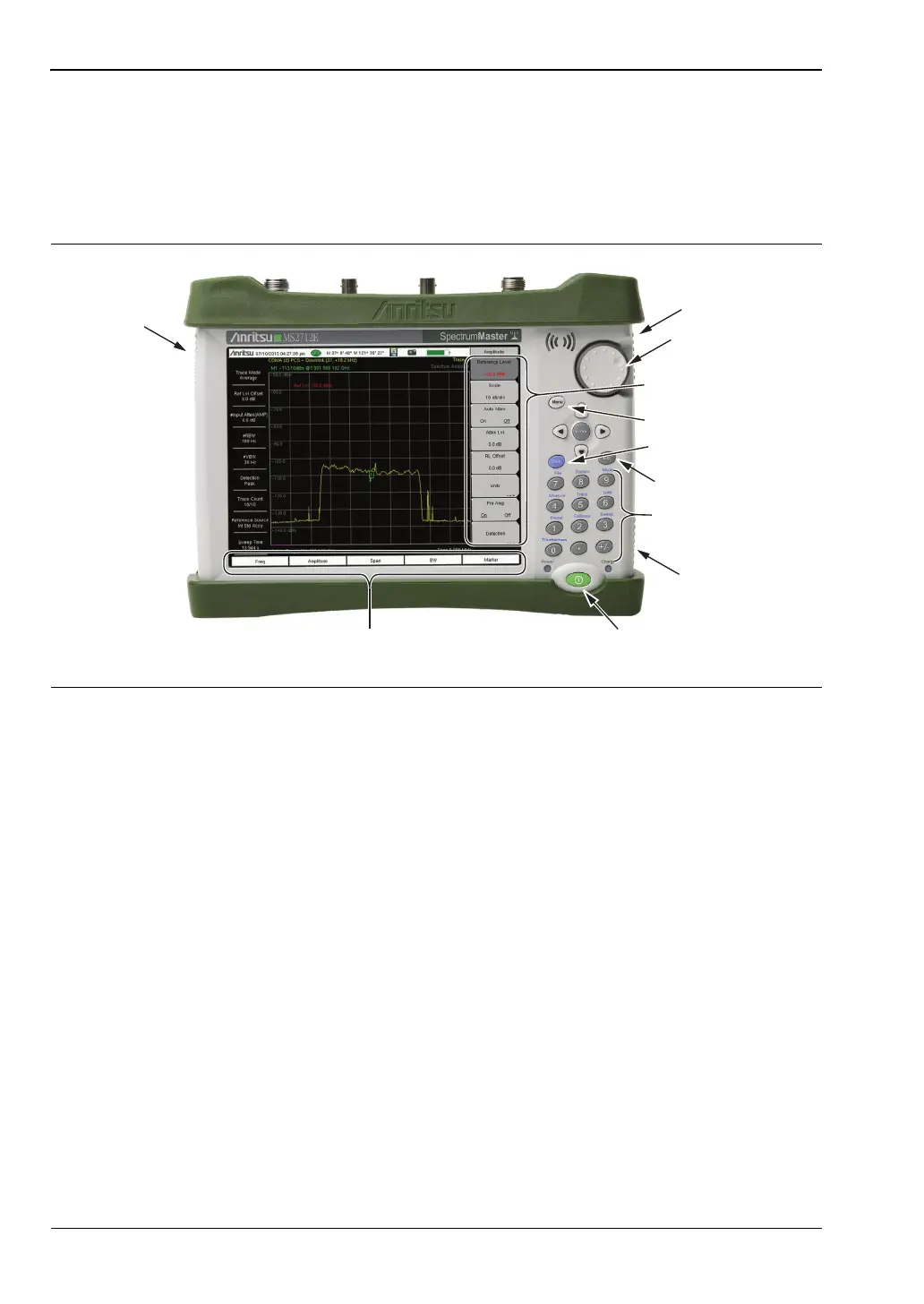
The Spectrum Master uses a touch screen and keypad for data input. See Figure 2-1. The five
bottom menu keys and up to eight submenu keys on the right side of the display are touch
screen keys. The menu and submenu keys vary depending on the current measurement mode,
installed options, and instrument function selected.
LED Indicators
Power LED
The Power LED is located on the left of the On/Off button. The LED is solid green when the
instrument is on, and blinks slowly when the unit is off but is connected to an external power
source.
Charge LED
The Charge LED is located on the right of the On/Off button. The LED blinks slowly when the
battery is charging and is solid green when the battery is fully charged.
Figure 2-1. Spectrum Master Front Panel and Interface Screen
Touch Screen
Main Menu Keys
On/Off Button
Numeric Keypad/
Shift Menu Keys (0 to 9)
Printed in Blue
Touch Screen
Submenu Keys
Fan Inlet Port
Fan Inlet Port
Fan Exhaust
Port
Shift Key
Menu Key
Rotary Knob
Escape Key














 To Next Page