File Management 4-2 Managing Files
MS2712E/13E User Guide PN: 10580-00251 Rev. T 4-5
Recall Files
Press the Recall Measurement key or the Recall key under the File menu to recall a previously
saved file from internal memory or an external USB drive, if connected. The files listed in the
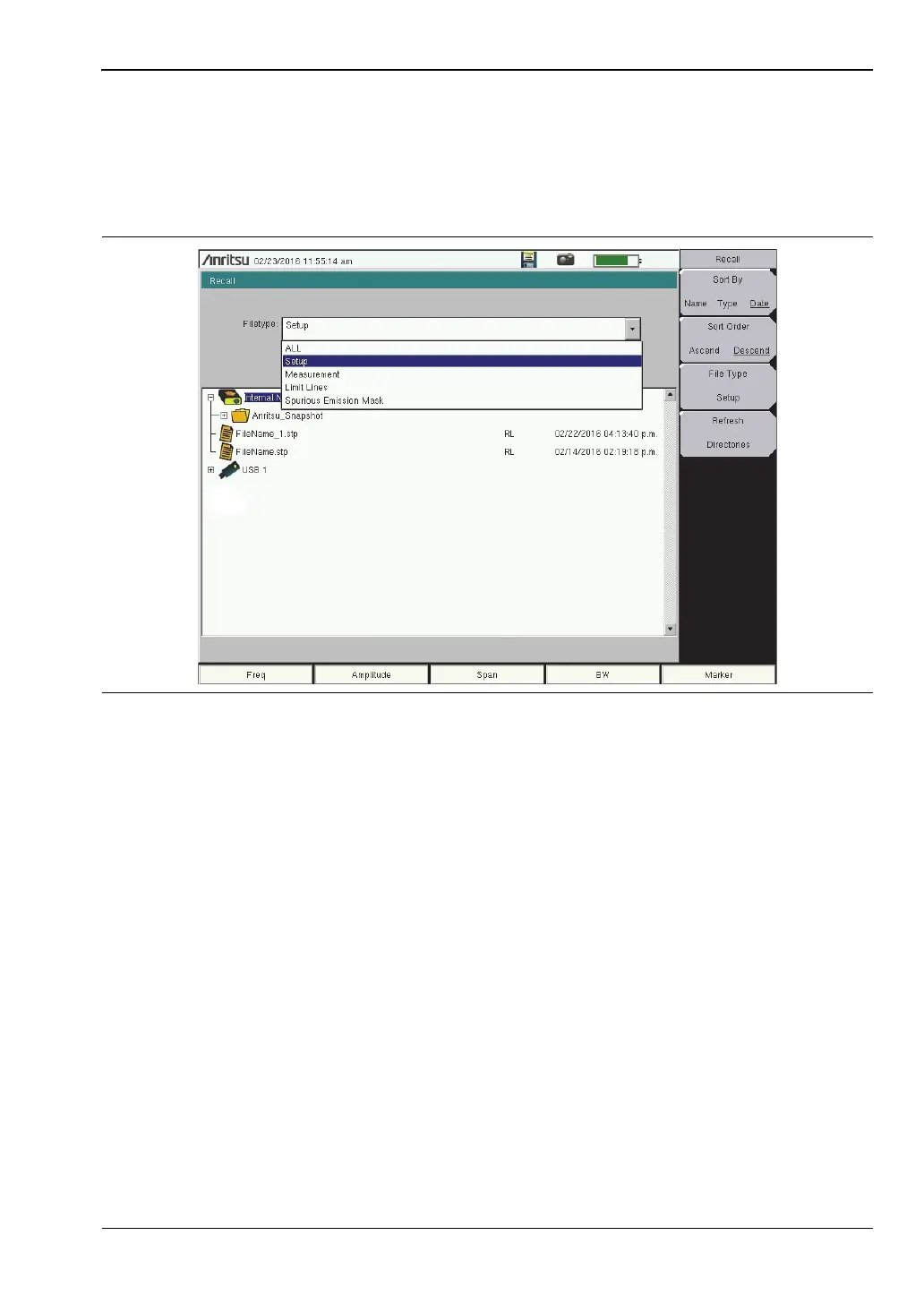
Recall dialog box depend on the file type selected. See Figure 4-5. JPEG image files cannot be
recalled.
The submenu keys let you change the file types and sort order of the displayed file list. Refer
to “Recall Menu” on page 4-13.
The Filetype drop down list has the same function as the File Type submenu key. Selectable
file types vary with the measurement mode. Use the touch screen, rotary knob, or the
Up/Down arrow keys to select the file you wish to recall, then press Enter.
From the Recall dialog box, you can create a shortcut to a setup file and place the shortcut
icon on the instrument’s Menu screen. Refer to “User-Created Shortcuts” on page 2-5.
Figure 4-5. Recall Dialog Box














 To Next Page