Web Remote Control 9-3 Web Remote Control Interface
MS2712E/13E User Guide PN: 10580-00251 Rev. T 9-9
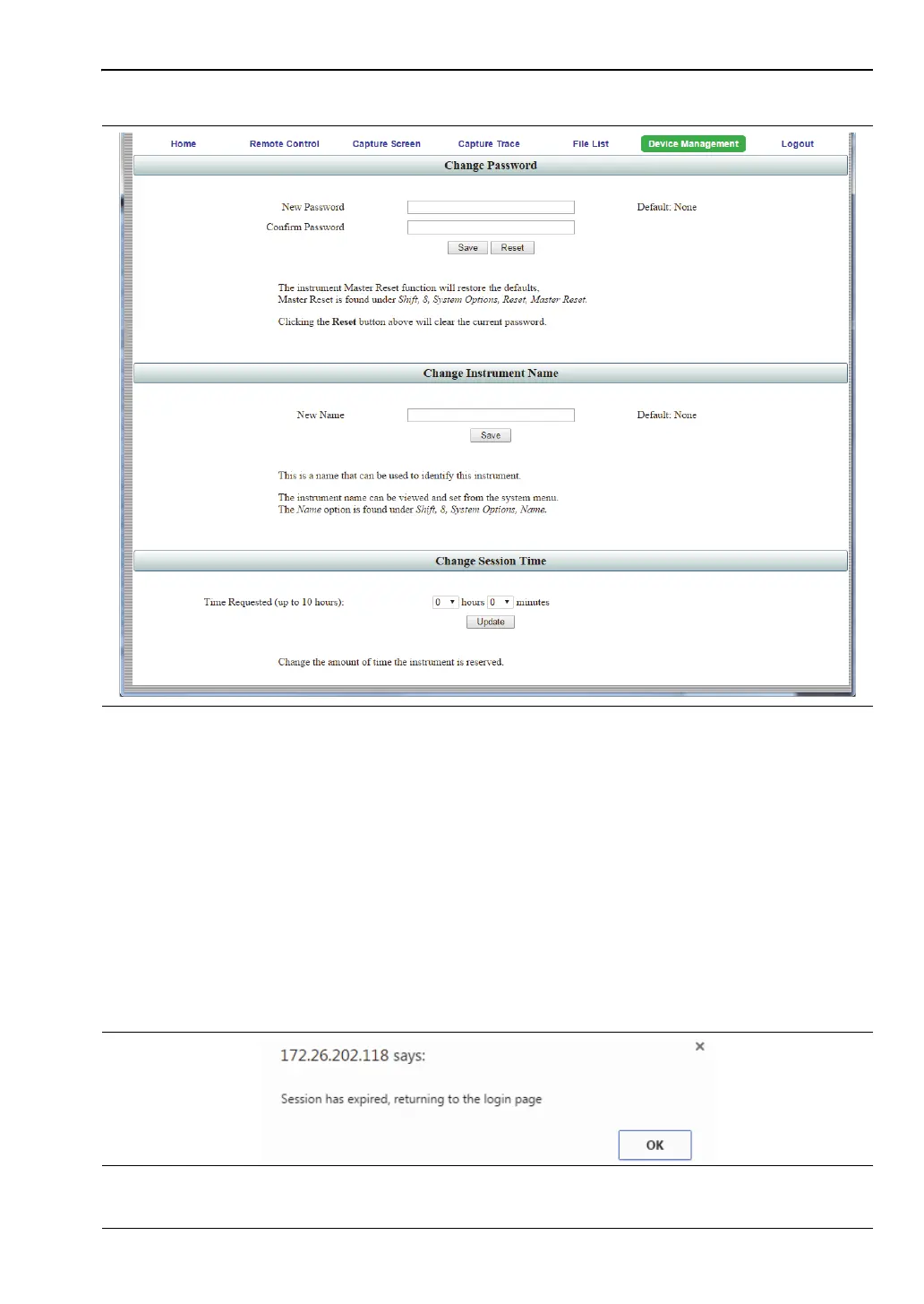
Instrument Name
The instrument name, if defined, is displayed in the green banner at the top of the page. It is
useful in identifying the instrument when you have more than one instrument connected. The
name can be assigned remotely from this Device Management page, or it can be set from the
instrument's System Options menu. Note that this instrument name is not a "hostname" as
used in an Ethernet router.
Session Time
Use the pull-down menus to select the time, in hours and minutes, before the remote session
times out. Click Update to reset the session timer at the specified duration. At the end of the
selected time period, a message notifying the user that the session has expired will display.
Figure 9-7. Device Management Page
Figure 9-8. Session Expired














 To Next Page