Spare Parts GT3000
80 IMGT30017EN
Always with the drive disconnected from the power source, set the board just installed.
Set the jumpers and the dipswitch of the new board at the same way of the replaced board.
See the jumpers and the dipswitch function table at chapter 3.
NOTE: The the SCADA PLUS board has the jumper JP 2 with three positions and it must be set according the GT3000 size.
The SVGT420 has a dedicated SCADA BASIC board (code 1000001377)
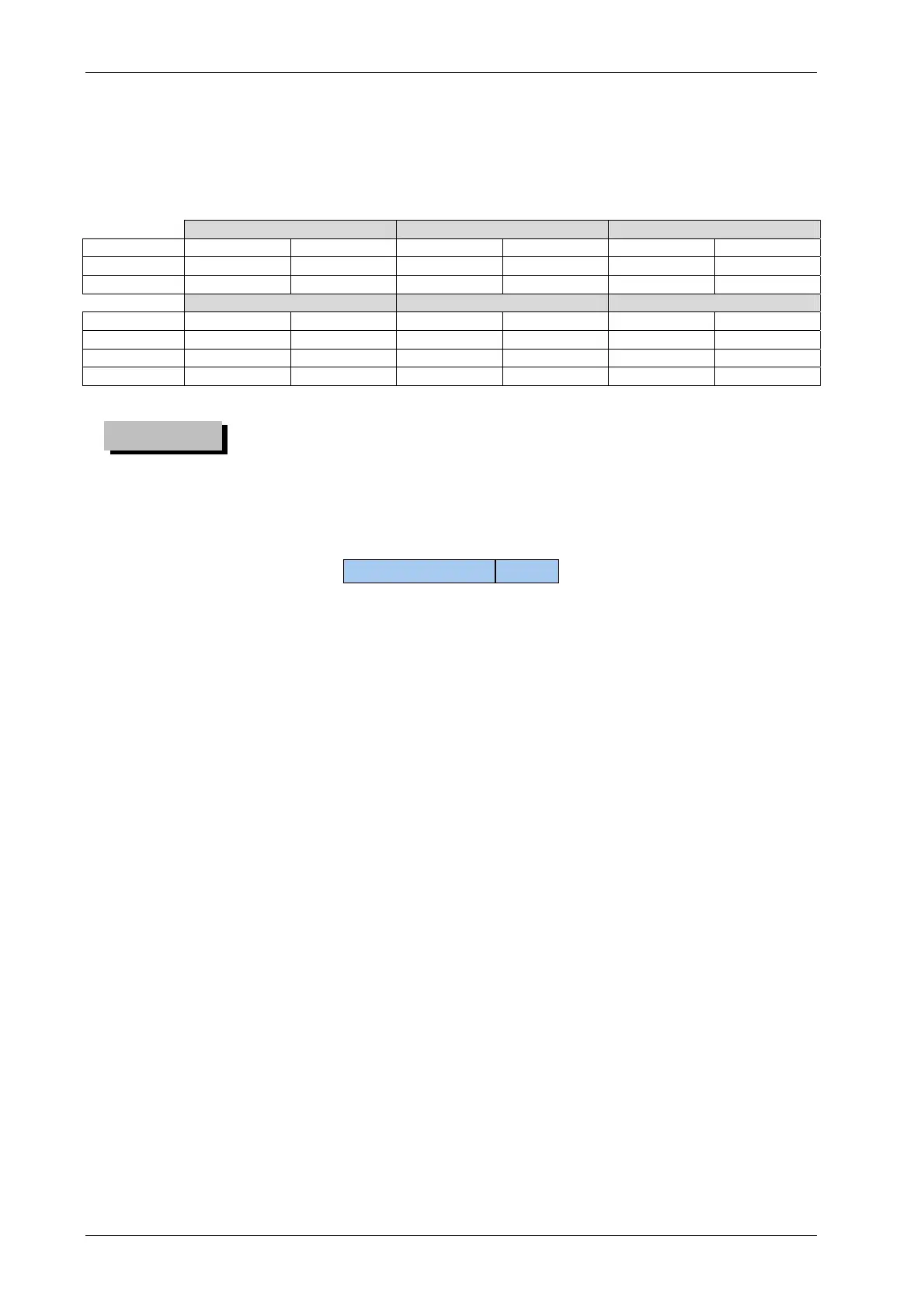
SVGT0P3-166 F/Y SVGT640-670 F SVGT105-960 K/J
JUMPER Position Board Position Board Position Board
JP2 Open Basic / Plus 1-2 Plus Open Plus
JP3 2-3 Basic / Plus 1-2 Plus 1-2 Plus
SVGT200-340 F SVGT420-470F SVGT780F-940M
JUMPER Position Board Position Board Position Board
JP2 1-2 Plus 2-3 Plus 2-3 Plus
JP2 Closed Basic Closed Basic
JP3 1-2 Basic / Plus 1-2 Basic / Plus 1-2 Plus
The first compulsory thing to do is to set the proper drive size.
GT3000 (SW) size setting
GT3000 size
The size of the spare boards is set to “indefinite”: so after the board replacing it is necessary to set the proper GT3000 size.
With the inverter powered and terminal board XM1 disconnected, by the keypad or by the PC interface set the parameter
Drive Size Select [06.01]
In Drive Menu ([06.00] Drive Data Family).
Read the GT3000 size on the nameplate attached to the drive e.g. SVGT125 value to set 125.
The values are set from a firmware list.
NOTE The parameter [06.01] is available at level 4 only; the spare board is at level 4 as default but the reset the level 4 is no
more available.
The level 4 password is reserved. Contact the ”Service” for any need.
Initialization Reset
After the set of the parameters above-mentioned it is necessary to reset the drive in order to set the default value of the size:
Set the parameter [01.03] Reset All = ON in Motor Menu Family [01.00] Main Setting
Confirm and wait until the internal calculation is finished.
At the end of the initialisation phase the control is at programming level 1(Quick Start).
At this moment, if it is available the back up file of the user parameters, you can do the parameter download or, in the contrary, you can set
the parameters according to plant requirements.
CAUTION


 To Next Page