17
17EN
R7
- OPERATING INSTRUCTION
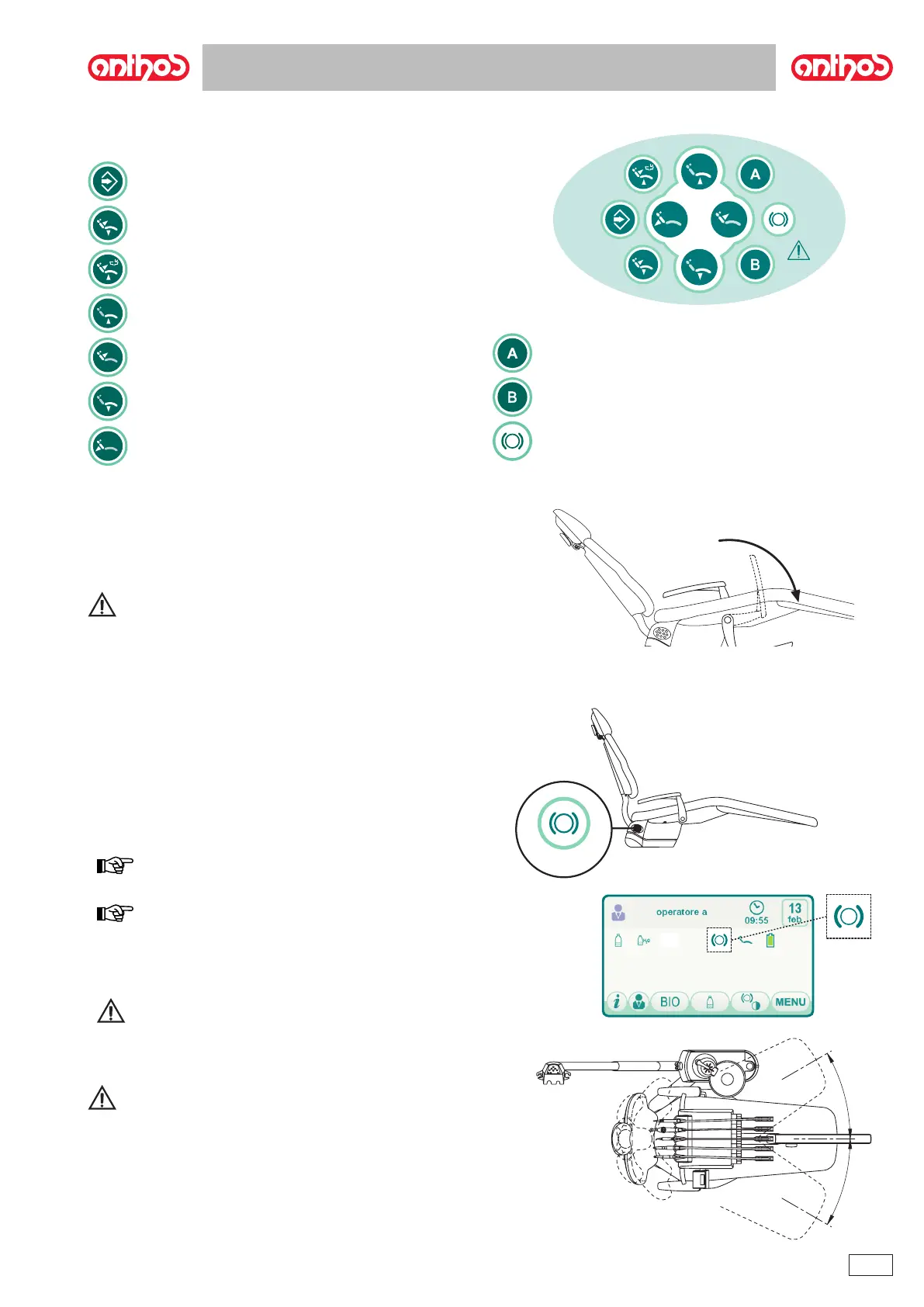
4.4. Dental chair control panel
Description of the buttons:
4.5. Movable armrests (optional)
WARNING!
• Maximum weight supported by armrest: 68 kg.
4.6. Seat rotation (optional)
NOTE: a buzzer rings intermittently and an icon ( A ) appears on
the top right side of the display screen to signal the seat is released. When
released, all the controls used to move the dental chair are disabled.
NOTE: operation of the foot control can be modied so that when
pressing the "Automatic chair return" button for at least 2 seconds (see
paragraph 5.2), chair seat release/locking is activated.
To activate this function, call Technical Service.
WARNING!
Be extremely careful not to accidentally bang the hydrogroup when
performing this operation.
WARNING!
Before attempting to lower the patient, always verify that the seat is
actually blocked.



 To Next Page