32
32
EN
R7
- OPERATING INSTRUCTION
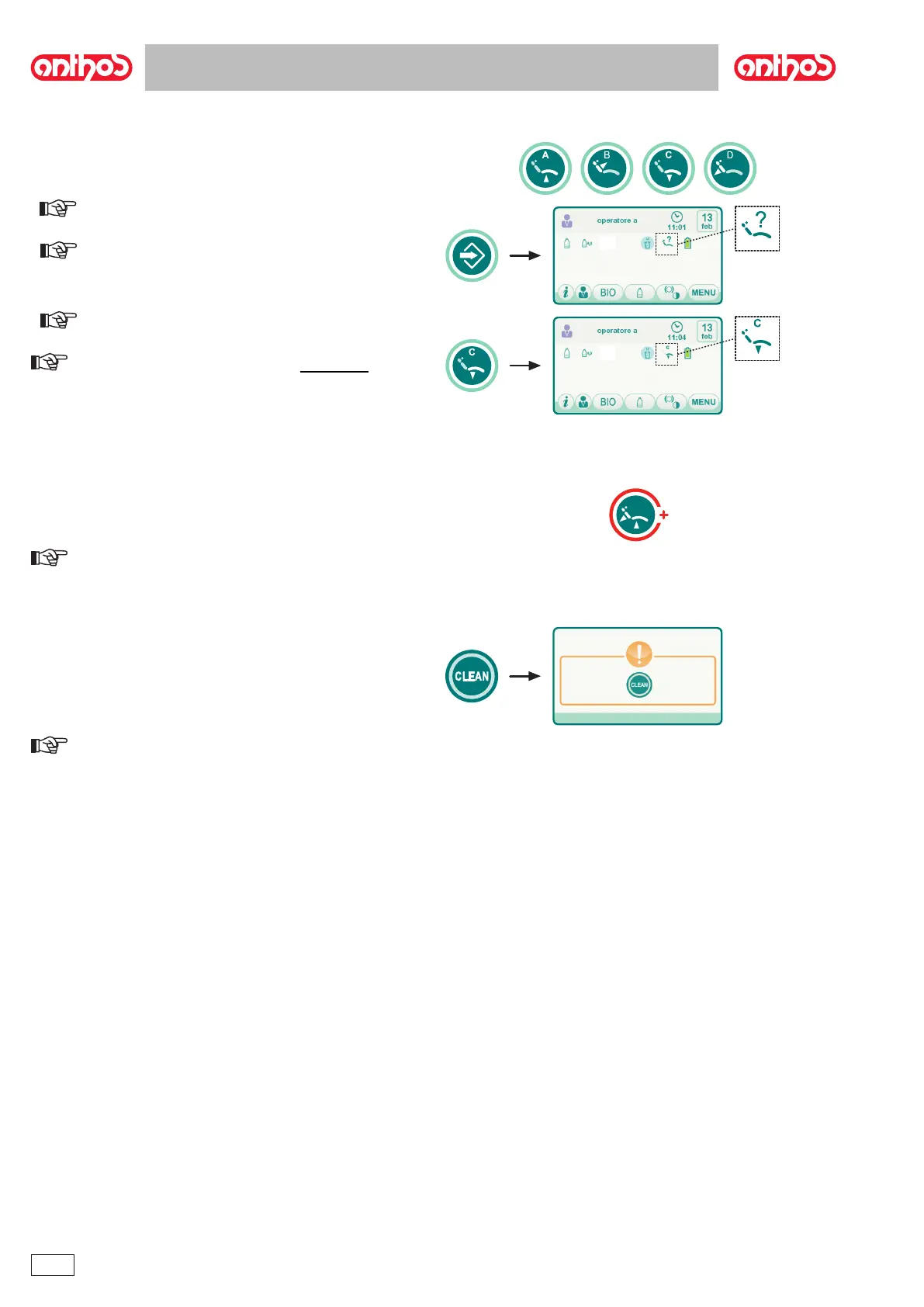
5.1.3. Programming the chair positions A, B, C and D
NOTE: the position of the bowl can be saved, if powered.
NOTE: Storage mode activation is signalled by a short beep and
by the dedicated icon ( A ) on the TOUCH DISPLAY.
NOTE: The icon ( B ) referring to the program selected (e.g. C)
will appear on the TOUCH DISPLAY to conrm that it has been stored.
NOTE: To call up a set position simply briey press the button
assigned to the relative position.
5.1.4. Emergency stop button
NOTE: The Trendelemburg position is already set and cannot be
changed.
5.1.5. SMART TOUCH screen disable button.
NOTE: The disabled status is indicated by a clear message on
the TOUCH DISPLAY.



 To Next Page