Ensure that the following console settings are configured in the lab before performing a field test: unit
types, ΔH and ΔP damping and time and data saving settings.
To access each of these settings on the console, enter the Menu by pressing and holding the Up arrow
button for 3 seconds (timer must be at or reset to 0:00 to access full menu).
Use the Up and Down buttons to scroll to a menu option with the indicated < (”less-than”) symbol.
Press the Select button to enter a menu option. Use the Up and Down buttons to adjust values, press
the Select button to confirm changes, and press the Previous Screen button to exit submenus and
again to return to the home screen.
At the sampling location, prior to testing, determine the percent moisture of the stack gas using the wet
and dry bulb temperatures or, if appropriate, a relative humidity meter. Another option is a moisture
approximation through procedures outline in EPA Method 4.
Follow procedures outlined in an applicable EPA Method to prepare the impinger train.
Assemble the sampling train as shown in the applicable EPA Method. Adjust the probe and oven/filter
heaters to a in the samplingtemperature warm enough to prevent water condensation or as dictated
method using the respective temperature controller on the left side of the console faceplate; keep in
mind the previously determined moisture content of the gas stream. Place crushed ice and water
around the impingers in the sample case.
Refer to 6 of this manual for instructions Section 3.5 Setting the Temperature Controller on page 2
on how to operate the temperature controllers.
3.2 Pre-Field Test Operations
3.2.1 Console configuration
3.2.2 Moisture determination (if applicable)
3.2.3 Preparation of impinger train
3.2.4 Preparation of sampling train
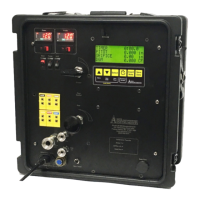
XD-502 Digital Console
Apex Instruments, Inc.
20


 To Next Page