XD-502 Digital Console
Apex Instruments, Inc.
40
3.6.14 Utility screen overview cont.
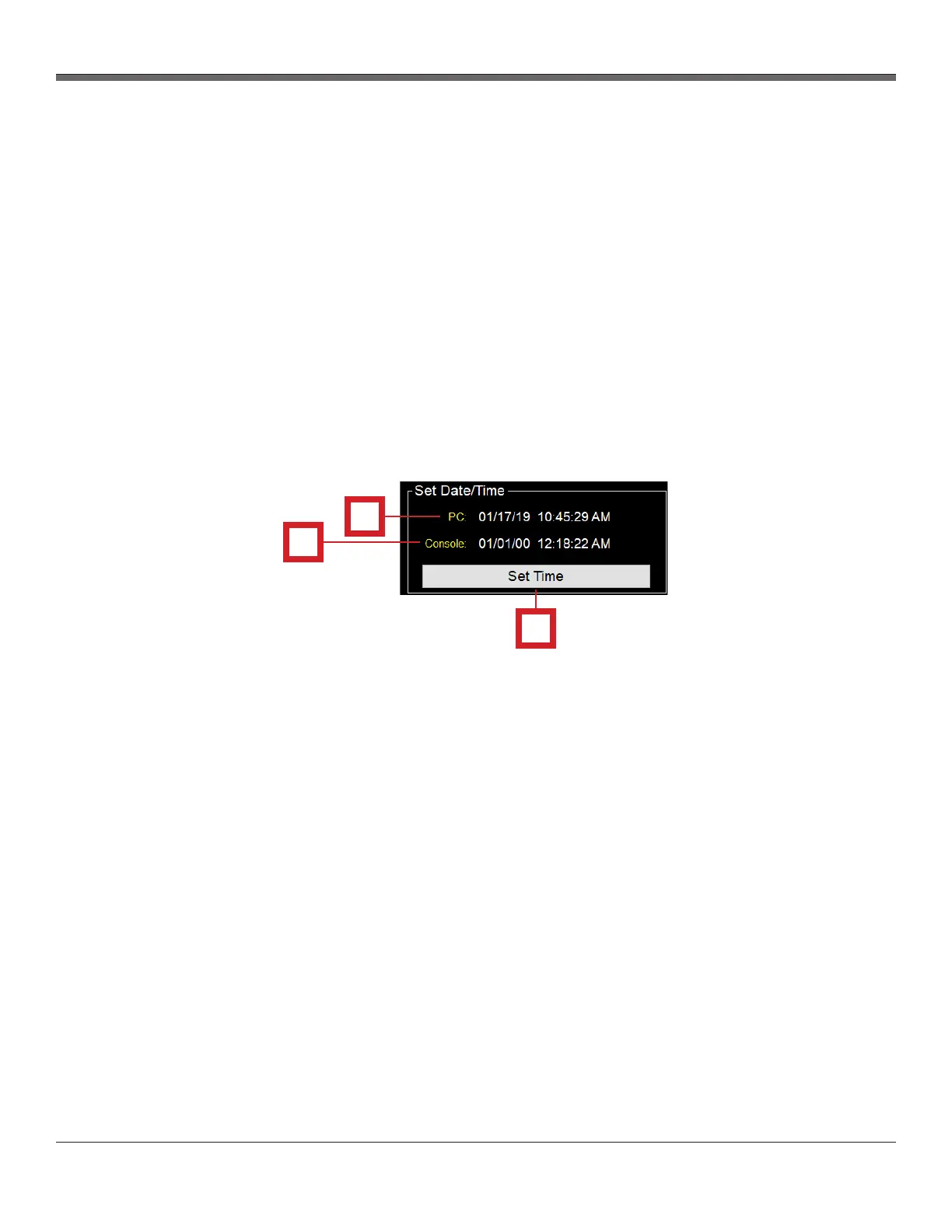
Fig. 23 Set Date/Time Panel Overview
Set Date/Time section - The Timers section of the Utility screen allows the user to modify and update settings
related to time-based data point saving.
1. PC
- Displays the current date and time of the user’s PC
2. Console
- Displays the current date and time on the console
- By default, the time is set to the Eastern Standard Time Zone
- Note: When console is disconnected from the software device, this time does not stop
3. Set Time button
- If the two times (PC and Console) differ, the user must click this button in order to sync the
console time to the PC time. This should be checked each time the software is opened and a
connection between the two devices is made.
1
2
3


 To Next Page