3.6.4 Main screen overview
The Main screen of the software is where the user can monitor all of the necessary information for a
sampling operation.
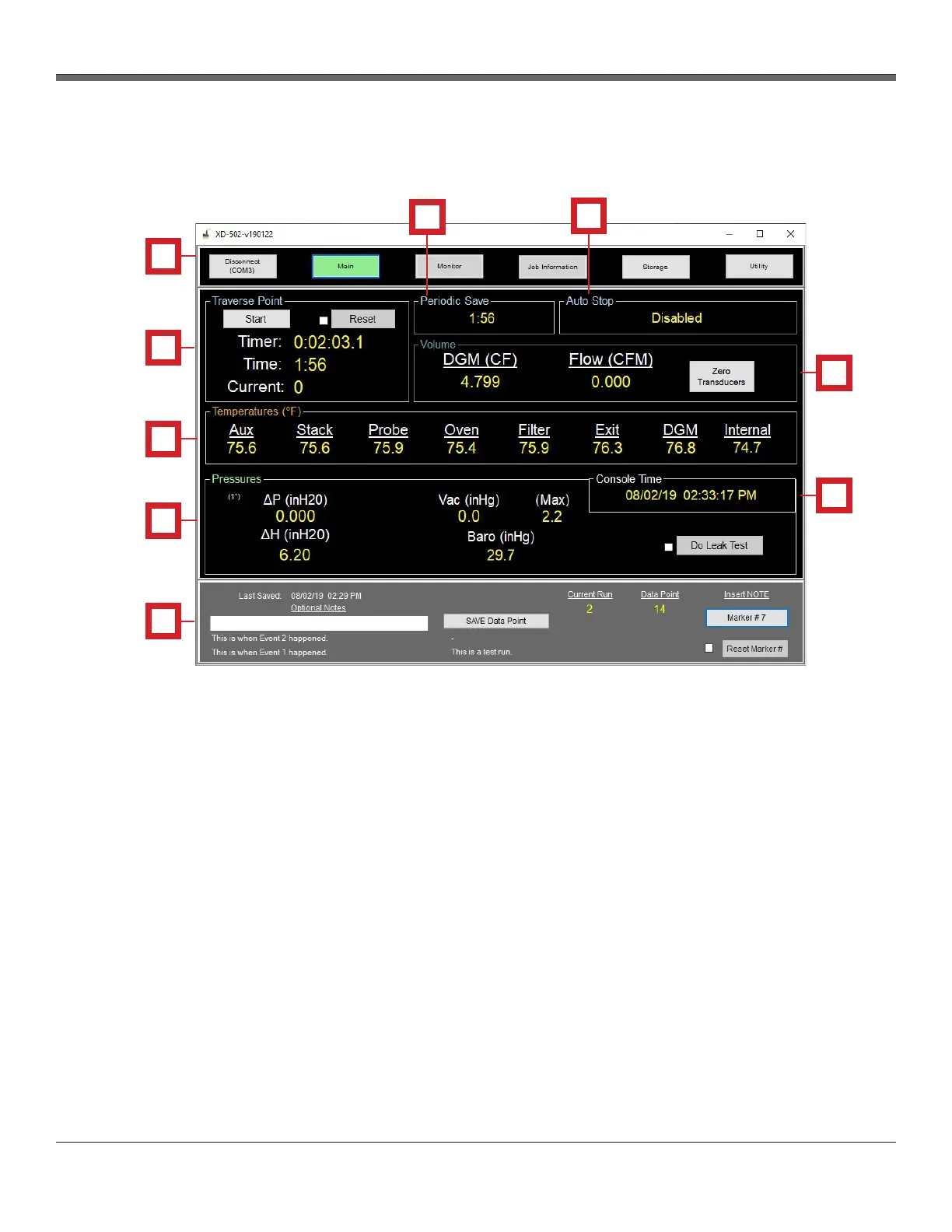
The Main screen is divided into the following subsections:
1. Navigation/Connection section
2. Traverse Point and Periodic Save section
3. Volume and Flow Rate section
4. Temperatures section
5. Pressures section
6. Data Point and Insert Note section
7. Console Time section
Fig. 9 Main Screen Overview
XD-502 Digital Console
Apex Instruments, Inc.
28
7
4
1
2
5
6
3
4
4
1
2
3
4
5
6
7
8
9


 To Next Page