1
2
3
4
5
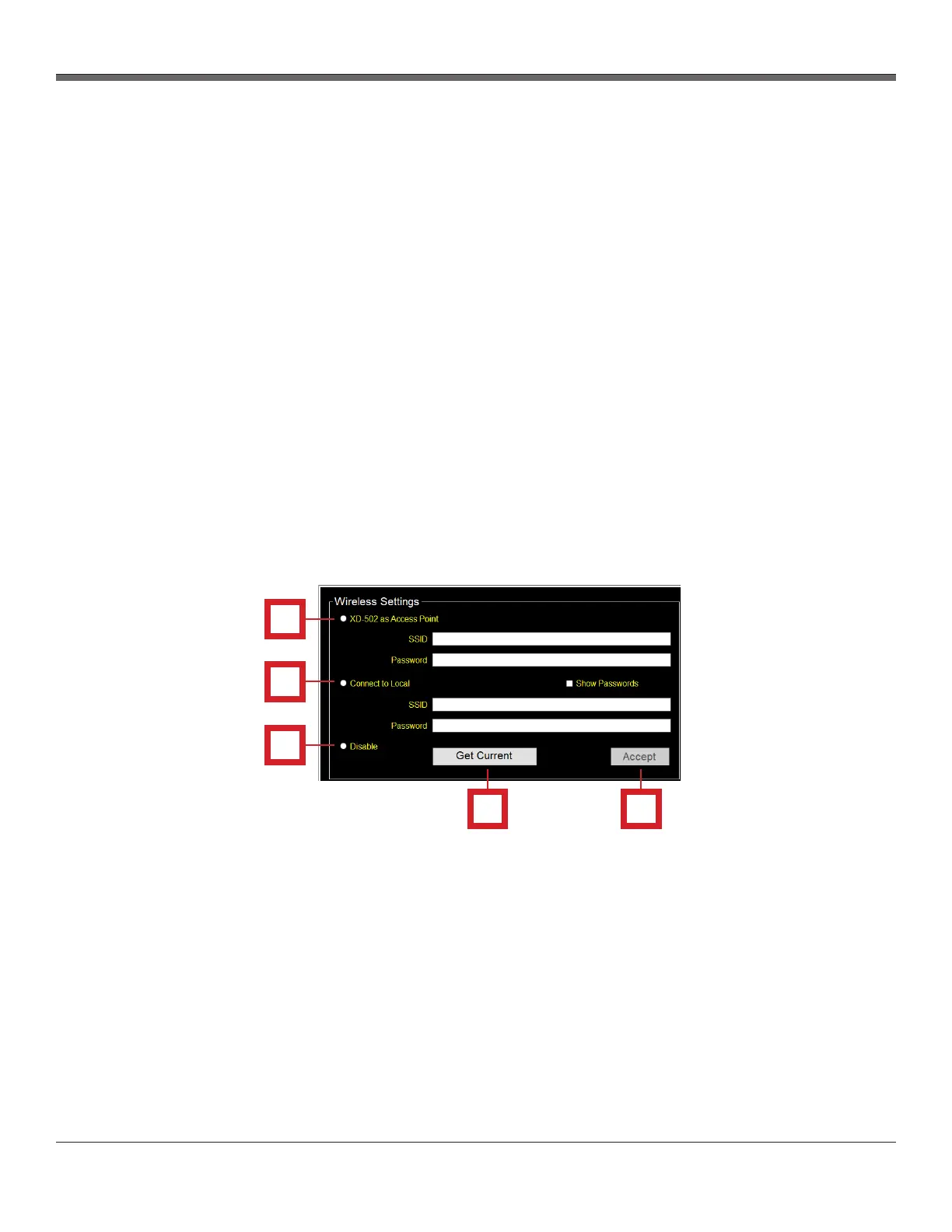
Wireless Settings section - The Wireless Settings section of the Utility screen allows the user to
modify and update settings related to the console connectivity.
1. XD-502 as Access Point
- Allows the console to function as a router and connect to software wirelessly
- SSID: Name of the wireless channel created by the console
- Password: User-generated password for wireless software access
2. Connect to Local
- Allows the user to connect to an existing WiFi network
- SSID: Input field for the name of the WiFi network
- Password: Input field for the password of the WiFi network
3. Disable
- Allows the user to turn off the wireless functionality
4. Get Current button
- Displays the current connection settings
5. Accept button
- Confirms and updates the wireless connection settings of the console
3.6.14 Utility screen overview cont.
XD-502 Digital Console
Apex Instruments, Inc.
38
Fig. 21 Wireless Settings Panel Overview


 To Next Page