EasyManua.ls Logo

Applied Biosystems SimpliAmp Thermal Cycler - User Manual

Applied Biosystems SimpliAmp Thermal Cycler
92 pages
Print Icon
To Next Page IconTo Next Page
Loading...
For Research Use Only. Not for use in diagnostic procedures.
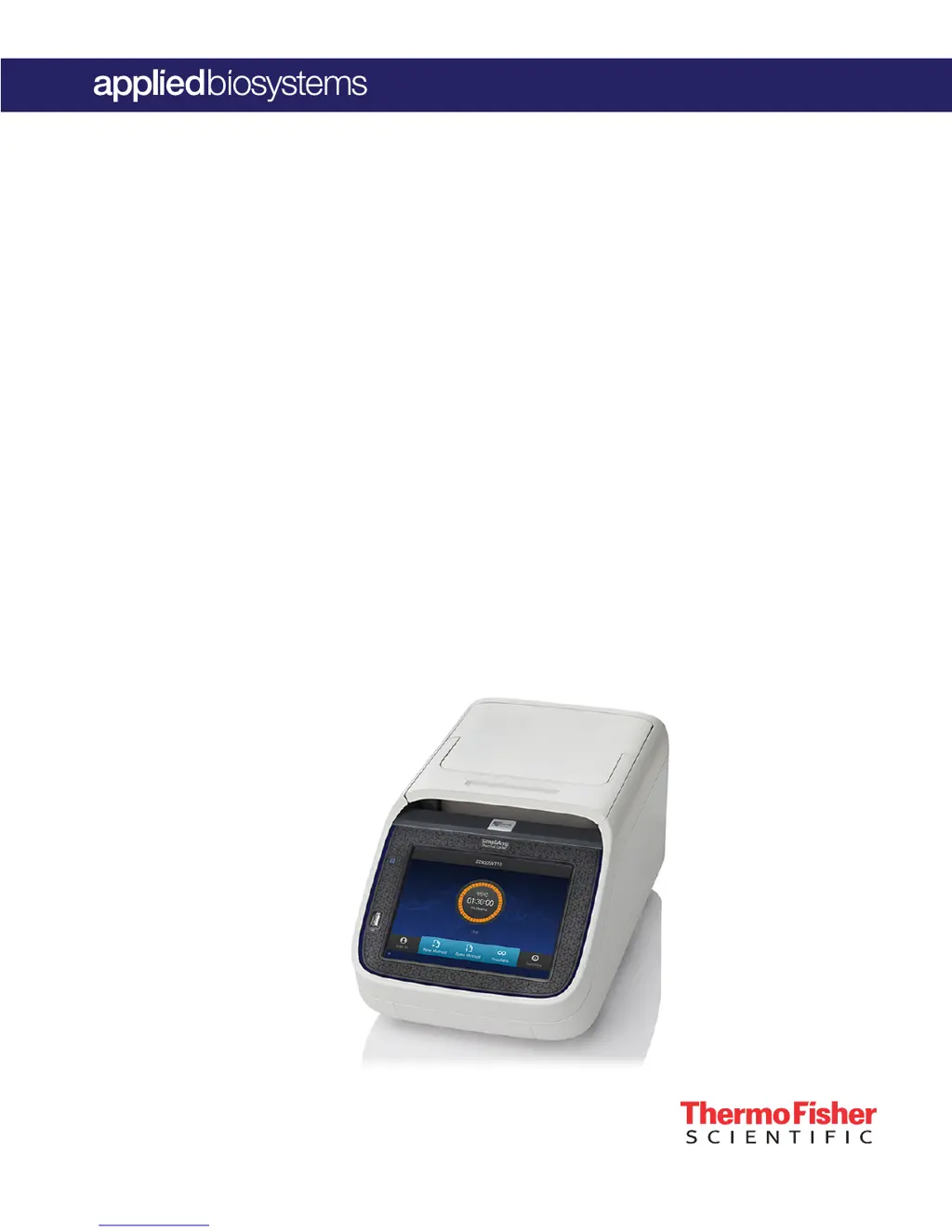
SimpliAmp
Thermal Cycler
USER GUIDE
Installation, Use, and Maintenance
for use with:
Invitrogen
and Applied Biosystems
PCR reagents
Catalog Number A24811
Publication Number MAN0009889
Revision C.0

Table of Contents

Questions and Answers

  • I
    ingramryanAug 17, 2025
    What to do if printing fails on Applied Biosystems SimpliAmp Thermal Cycler?
    • C
      Cheryl JohnsonAug 17, 2025
      If printing fails on your Applied Biosystems Bicycle Accessories, first ensure the printer's IP address on the instrument matches the IP address from your system administrator. Next, verify that the printer and instrument are both connected to the network via Ethernet cables. Try a different Ethernet cable if the problem persists. Finally, confirm that the network is functioning correctly.
  • C
    Casey NashAug 19, 2025
    Why is there a reduction in instrument performance due to incorrect temperature readings in Applied Biosystems SimpliAmp Thermal Cycler?
    • P
      Peggy MooreAug 20, 2025
      If you notice a reduction in the performance of your Applied Biosystems Bicycle Accessories due to incorrect temperature readings, it could be due to a temperature sensor that is out of calibration. Try running the Cycle Performance Test. You can also perform the temperature verification test using the external multi-channel temperature verification kit (TVK). Alternatively, a field service representative can perform the temperature verification test.
  • J
    jared02Aug 22, 2025
    How to fix 'can't see instruments' on Select Instruments screen in Applied Biosystems SimpliAmp Thermal Cycler Bicycle Accessories?
    • M
      mcdonaldnicoleAug 22, 2025
      If you can't see instruments in the Select Instruments screen when running multiple Applied Biosystems Bicycle Accessories, start by connecting Ethernet cables to the instruments and the network switch. Ensure the switch is powered on. If the issue continues, try a different Ethernet cable and check for IP address conflicts, changing the IP addresses on the instruments if necessary. Lastly, in the Instrument Name screen, make sure the 'Allow Remote Runs' setting is set to 'Yes'.
  • T
    Timothy BallAug 25, 2025
    What to do if Applied Biosystems SimpliAmp Thermal Cycler instrument reports error(s)?
    • C
      Cynthia WrightAug 26, 2025
      If your Applied Biosystems Bicycle Accessories instrument reports errors, it may be due to a hardware malfunction. Run the self verification test “Procedure“ on page 37.
  • B
    Brian SimmonsAug 28, 2025
    What to do if Applied Biosystems SimpliAmp Thermal Cycler has no response when powered on?
    • C
      Carrie MillerAug 28, 2025
      If your Applied Biosystems Bicycle Accessories instrument does not respond when you power it on, ensure that it is connected to a power source by switching the power on and connecting the power cord.
  • J
    Jason HansonAug 31, 2025
    Why is the screen response slow on Applied Biosystems Bicycle Accessories?
    • M
      Mallory BellAug 31, 2025
      If the screen response is slow or the screen changes sporadically on your Applied Biosystems Bicycle Accessories, it may be due to the screen being out of calibration. Call service to redo touchscreen calibration.
  • J
    Jessica BauerSep 2, 2025
    Why do sample tubes melt during run in Applied Biosystems SimpliAmp Thermal Cycler Bicycle Accessories?
    • C
      cacostaSep 2, 2025
      If sample tubes melt during a run with your Applied Biosystems Bicycle Accessories, ensure you are using recommended consumables. It could also be that the heated cover or sample block(s) are too hot, so run the Heated Cover Verification Test.
  • W
    Wendy JenkinsSep 5, 2025
    Why are sample tubes crushed after run in Applied Biosystems SimpliAmp Thermal Cycler Bicycle Accessories?
    • D
      david07Sep 5, 2025
      If sample tubes are crushed or deformed after a run with your Applied Biosystems Bicycle Accessories, it is likely due to incompatible consumables or the improper use of trays/retainer accessories. Use recommended consumables to resolve this issue.
  • V
    Valerie MartinSep 8, 2025
    What to do if there is no screen display on Applied Biosystems SimpliAmp Thermal Cycler Bicycle Accessories?
    • R
      Robert RamirezSep 8, 2025
      If there is no screen display on your Applied Biosystems Bicycle Accessories, check the fuses.
  • D
    Dustin MckenzieSep 12, 2025
    Why is screen display missing characters on Applied Biosystems SimpliAmp Thermal Cycler Bicycle Accessories?
    • J
      Johnny GoodSep 12, 2025
      If the screen display is missing characters or is illegible on your Applied Biosystems Bicycle Accessories, it indicates an LCD screen failure. Request service to resolve this issue.

Summary

Product Information

Instrument Overview

Provides a general description of the SimpliAmp™ Thermal Cycler and its capabilities.

Instrument Operation and Setup

Touchscreen Menu Overview

Explains the layout and function of the main screen and its interactive icons.

Using the Touchscreen Interface

Details how to interact with the instrument's touchscreen and its common buttons for navigation and control.

Entering Text and Numerical Data

Guides users on inputting text and numerical data using the instrument's on-screen editors for various fields.

Experiment Management

Workflow and Method Creation

Outlines the general workflow for experiments and details on creating new run methods.

Editing Run Methods and Advanced Options

Instructions for editing run method parameters, including advanced options like VeriFlex, AutoDelta, and Ramp Rates.

Sample Loading and Run Execution

Covers the process of preparing and loading samples into the instrument and starting a thermal cycling run.

Monitoring Runs and Managing Data

Explains how to track run progress, monitor via screen, and export run reports.

Method and Folder Management

Details on organizing, copying, renaming, and deleting run methods and associated folders.

Instrument Maintenance and Updates

Routine Cleaning and Decontamination

Provides instructions for cleaning the instrument, touchscreen, and sample wells as part of routine maintenance.

Fuses, Firmware, and Self-Verification

Guides on replacing fuses, updating firmware, and performing instrument self-verification tests.

Installation and Connectivity

Package Contents and Initial Setup

Lists the items included in the package and the required materials for setting up the instrument.

System Installation and Network Configuration

Instructions for unpacking, setting up the instrument, and connecting it to a network via wired or wireless options.

User Management and Access Control

Details on creating user profiles, signing in, managing access modes, and sign-out timers.

Cloud and Mobile Integration

Guides on setting up cloud connectivity and using the mobile application for instrument control.

Recommended Instrument Settings

Covers configuration of instrument name, date/time, network connection, heated cover, and remote service.

Parts and Consumables

Instrument Part Numbers and Consumables

Provides a comprehensive list of consumables and parts with their corresponding catalog numbers for ordering.

Troubleshooting and Support

Common Troubleshooting Scenarios

Presents a table of common observations, possible causes, and recommended actions for resolving instrument issues.

Instrument Service and Returns

Outlines the procedure and requirements, including decontamination, for returning the instrument for repair.

Customer and Technical Support Information

Provides contact information and resources for obtaining technical assistance and product support.

Instrument Specifications

Site and Environmental Requirements

Specifies the necessary conditions and location requirements for installing the instrument to ensure proper operation.

Technical and System Specifications

Details the technical features, dimensions, power, performance specifications, and port layout of the instrument.

Predefined Run Methods

Method Categories and Descriptions

Lists the categories and specific pre-defined run methods available for various PCR applications.

Safety Information

Instrument Symbols and Hazard Warnings

Explains the meaning of symbols and hazard warnings found on the instrument and in the documentation.

General Instrument Safety Practices

Provides essential safety guidelines related to electrical hazards, physical injury, sharp edges, and proper usage.

Chemical and Biological Hazard Safety

Covers crucial precautions for handling chemicals and biological hazards, including storage, use, and waste disposal.

Documentation and Warranty

Related Documentation and Resources

Lists the documents shipped with the system and provides links to additional online resources and support.

Limited Product Warranty Information

Outlines the terms and conditions of the product warranty, including how to contact for support.

Applied Biosystems SimpliAmp Thermal Cycler Specifications

General IconGeneral
BrandApplied Biosystems
ModelSimpliAmp Thermal Cycler
CategoryBicycle Accessories
LanguageEnglish