6 Local Control Panel
(continued)
C232-302-401/402/403/404-603 / C232/EN M/A23 6-35
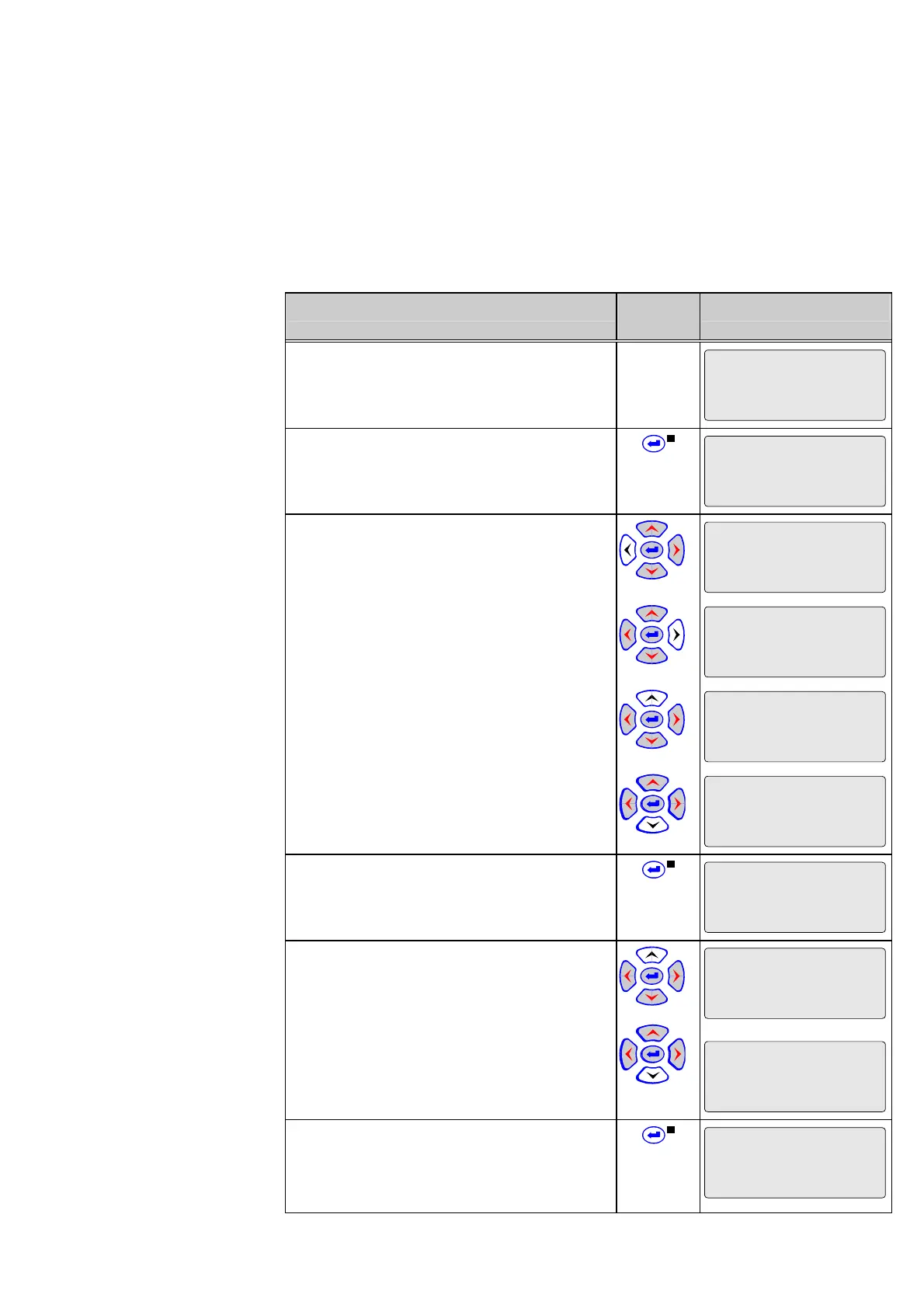
Changing and display of
the L/R password
The L/R password must be entered to enable local control.
Control Step / Description Control
Action
Display
0 In the menu tree ‘Par/Conf/LOC’ select
parameter ‘Password L/R’.
Par/Conf/LOC
Password L/R
********
1 Press enter key. Eight stars appear in the
fourth line of the display.
Par/Conf/LOC
Password L/R
********
********
2 Press the ‘left’/’right’ and ‘up’/’down’ keys to
enter the valid general password. The display
changes as shown.
Par/Conf/LOC
Password L/R
********
*
Par/Conf/LOC
Password L/R
********
*
Par/Conf/LOC
Password L/R
********
*
Par/Conf/LOC
Password L/R
********
*
3 Now press enter key. The “EDIT MODE”
LED will light up. The third line shows the
current L/R password.
Par/Conf/LOC
Password L/R
1423
4 Enter the new password, using the ‘up’ key
followed by the ‘down’ key for the shorter
password in this example.
Par/Conf/LOC
Password L/R
*
Par/Conf/LOC
Password L/R
**
5 Press enter key again. Stars appear in the
third line; the enter prompt in the fourth line
invites the user to enter the new L/R password
once more.
Par/Conf/LOC
Password L/R
**
_



 To Next Page