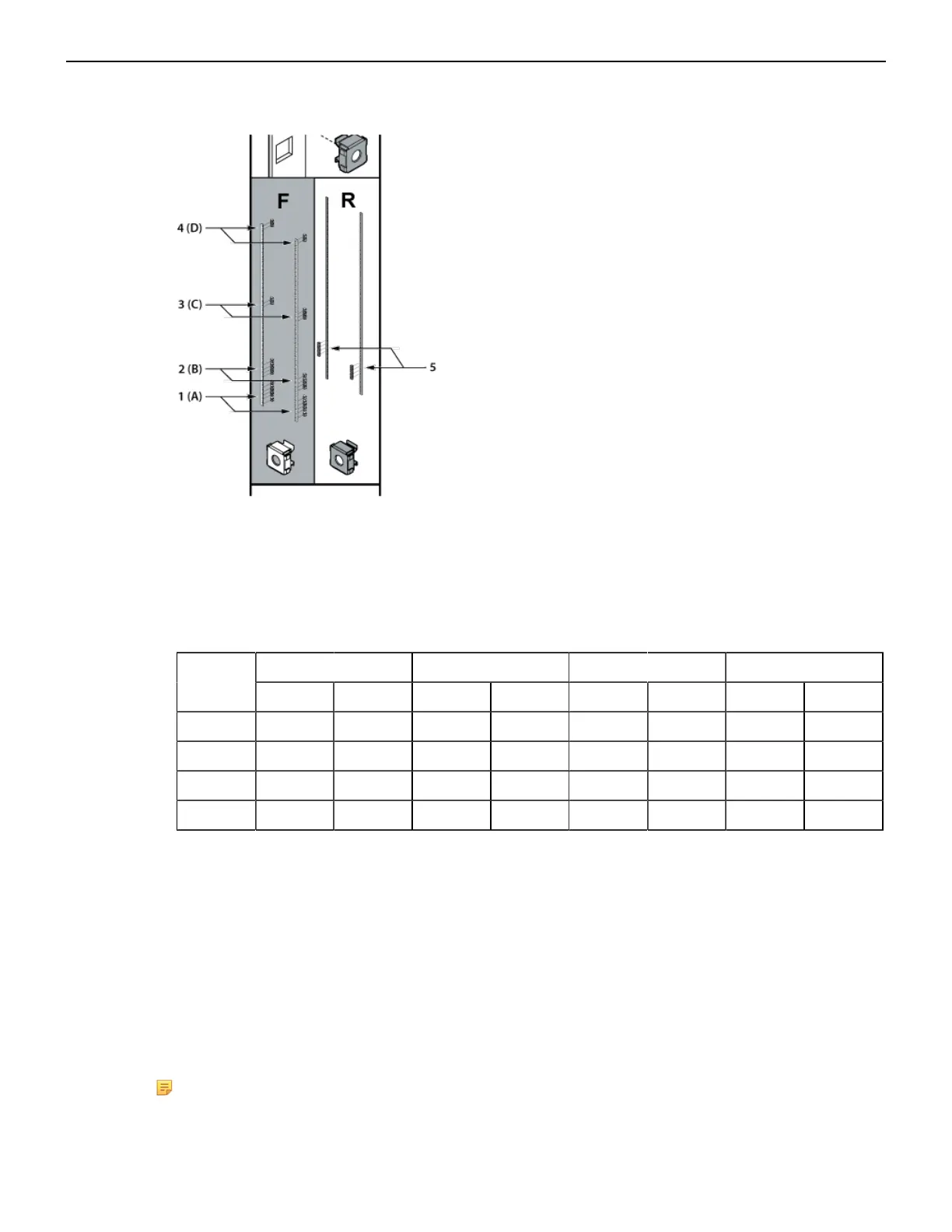
Figure 4: Rack Nut Locations
1 Mounting location A Front (Left and Right) 4 Mounting location D Front (Left and Right)
2 Mounting location B Front (Left and Right) 5 Mounting location Rear (Left and Right)
3 Mounting location C Front (Left and Right)
Table 6: Rack Mount Locations and Screws Required by Switch
1
DCS-7804 DCS 7808 DCS-7812 DCS-7816Mounting
Location
Front (L) Front (R) Front (L) Front (R) Front (L) Front (R) Front (L) Front (R)
A 5 5 5 5 5 5 5 5
B N/A N/A N/A N/A 3 3 4 4
C N/A N/A N/A N/A N/A N/A 2 3
D 1 2 1 2 1 2 2 2
1. Rear post locations are indicated by the template and are used for securing the cradle.
3. Move the template to the right front post and repeat Step 2, taking care that the top and bottom rack
nut locations are aligned with the left front post.
4. Move the template to the rear posts one at a time, and insert rack nuts at the locations indicated by
the template.
5. Proceed to Inserting and securing the cradle assembly into the rack (Inserting and Securing the
Cradle Assembly) once rack nuts have been inserted in all the posts.
3.1.2 Inserting and Securing the Cradle Assembly
To insert and secure the cradle assembly to the rack use the following steps.
Note: The rack mounting cradle is shipped nested upside down over the top of the chassis for
all switches. There is a protective film on the top and sides to keep the cradle from scratching
the chassis during transport.
16



 To Next Page