Red Linecard has failed.
Red (blinking) Locator function is enabled.
The line card provides LEDs for each port module socket:
• Each LED corresponds to a module.
• A set of four LEDs correspond to each module. When the module is programmed as a 40G port,
the first LED in the set reports status. When the module is programmed as four 10G or 100G ports,
each port is assigned to an LED within the set.
• For line cards that support OSFP and QSFP-DD ports with one LED per port, Line Card Port LED
States interprets the port LED states.
Table 12: Line Card Port LED States
LED State Status
Off Port link is down for all
enabled interfaces.
Green Port link is up for any enabled
interface.
Yellow (amber/orange) Port is disabled in software.
Flashing yellow (amber/
orange)
Locator function is enabled on
an interface.
A.3
Fabric Module Status Indicators
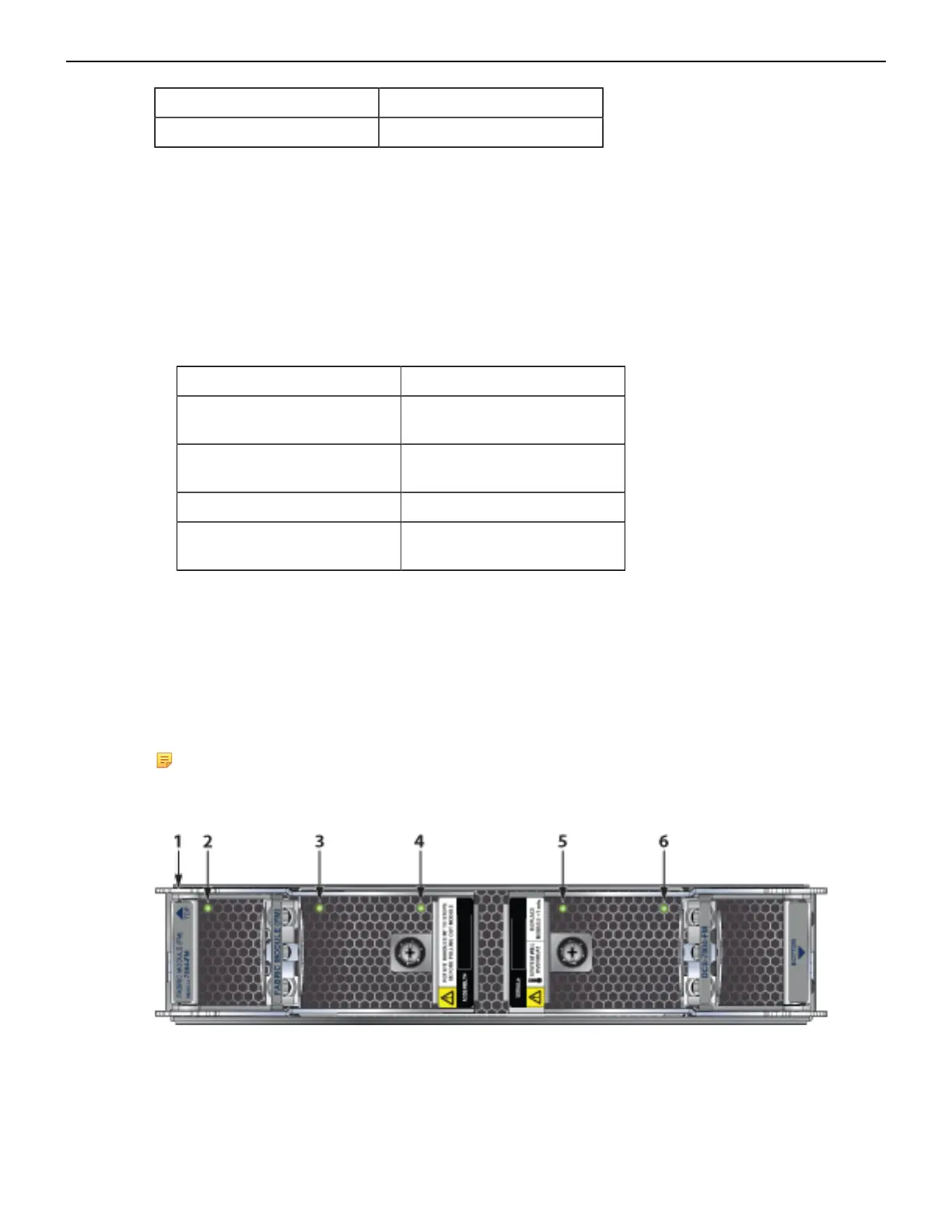
Fabric Status LEDs are on fan-fabric modules. Rear Panel displays the position of these modules
on the rear of each switch. The following figure displays fan status and fabric status LEDs on the
DCS-7804 switch. Figure 27: DCS-7808R3-FM and DCS-7816R3-FM Fabric Module and Fan Status
LEDs displays fan status and fabric status LEDs on the DCS-7808 and DCS-7816 switches.
Note: The fabric modules are installed vertically in the chassis. They are shown horizontally in
the following illustrations.
Figure 25: DCS-7804R3-FM Fabric Module and Fan Status LEDs
1 Fabric module top 3 Fan module 2 status LED 5 Fan module 4 status LED
2 Fan module 1 status LED 4 Fan module 3 status LED 6 Fan module 5 status LED
42



 To Next Page