Rack Mounting the Switch
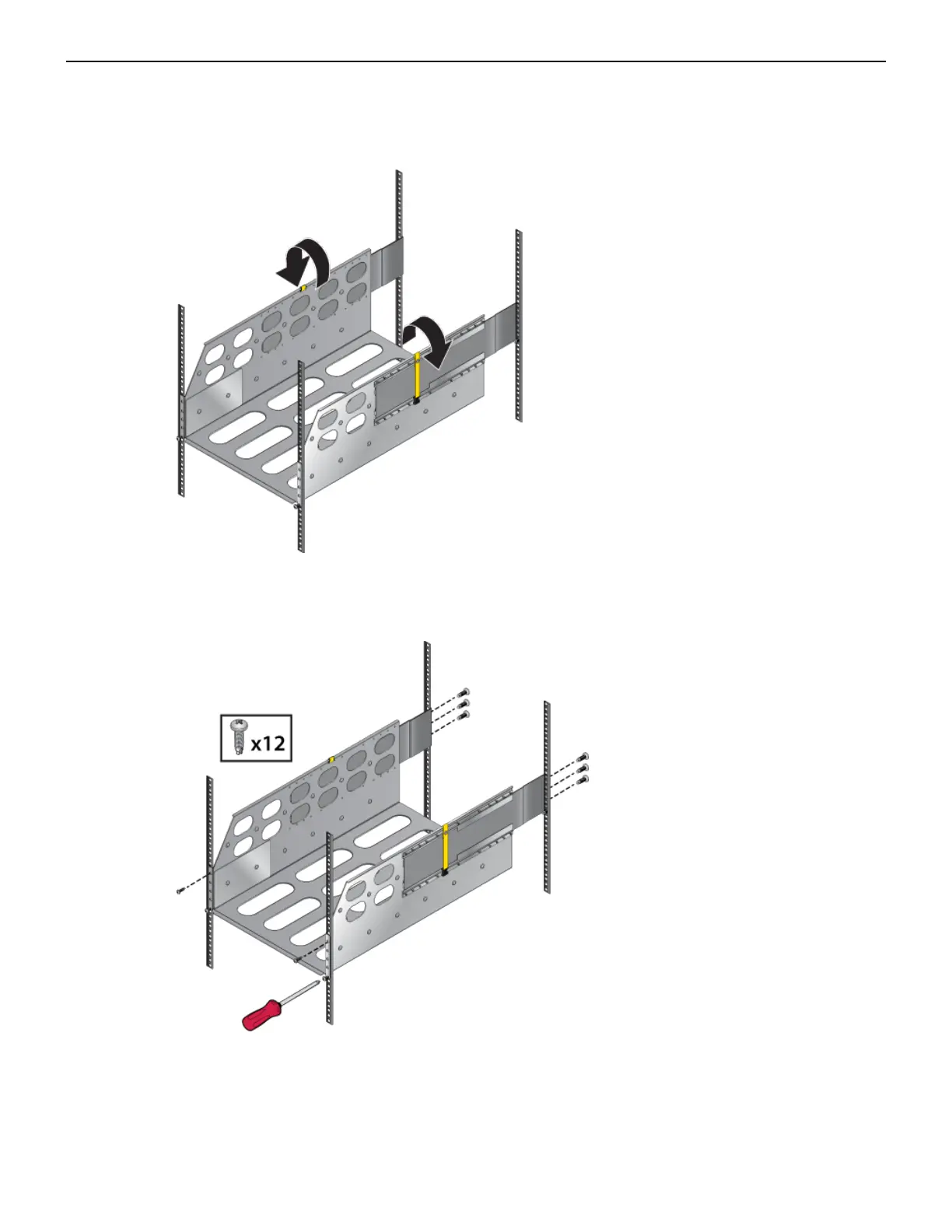
6. Release the clasp on the connector to rotate the left and right sides so they are vertical. (Figure 9:
Aligning the Cradle in the Rack).
Figure 9: Aligning the Cradle in the Rack
7. Secure the cradle to the rack posts using the eight remaining screws, two more in the front and 6
more in the back for a total of twelve screws. (Figure 10: Securing the Cradle in the Rack).
Figure 10: Securing the Cradle in the Rack
3.1.3 Inserting the Switch into the Rack
The switch is mounted onto a four-post rack by assembling a rack-mount cradle into the rack (Inserting
Rack Nuts Using the Template), then placing the switch on the cradle and securing it to the rack.
19



 To Next Page